
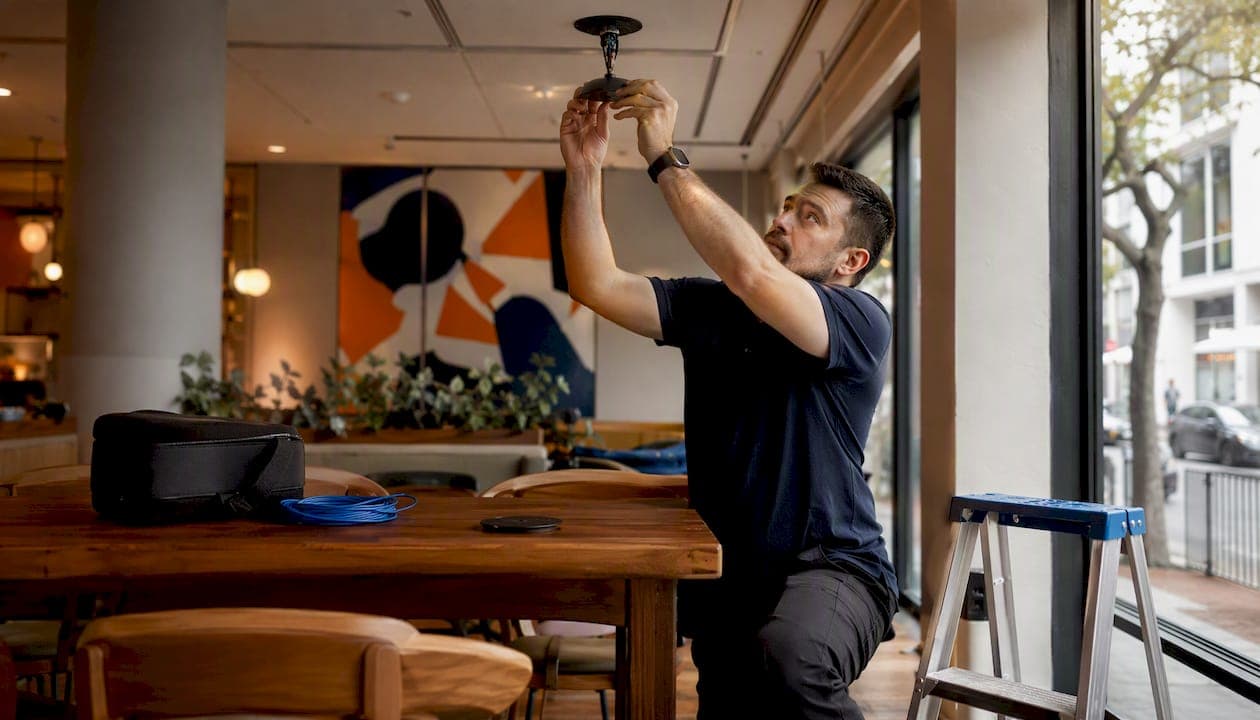
A reliable boardroom AV setup for a medium-sized room requires dual large UHD displays, a PTZ camera plus a wide-angle unit, ceiling beamforming microphone arrays fed into a standalone DSP, distributed ceiling speakers, a touch-panel control system, and hardwired Ethernet on a dedicated AV VLAN. That configuration, drawn from professional boardroom AV standards, eliminates the three most common meeting failures: unreadable content at the far end of the table, audio that drops out for remote participants, and a room that takes five minutes to start.
Minimum configuration checklist for a medium-sized boardroom:
- Displays: Dual 86–98-inch UHD panels (or a direct-view LED wall for rooms over 25 feet)
- Camera: PTZ camera at the display end plus a wide-angle unit for full-table coverage
- Microphones: Ceiling beamforming arrays spaced every 6–8 feet across the table zone
- DSP: Standalone digital signal processor with AEC, auto-mixing, and noise suppression
- Speakers: Distributed ceiling loudspeakers with even coverage across all seating
- Control: Programmable touch panel with calendar integration and auto-wake
- Network: Dedicated AV VLAN, managed PoE switches, hardwired Ethernet to all critical devices
- Power: UPS on rack, dedicated circuits, surge protection on all AV equipment
| Room size | Recommended displays | Camera approach | Mic approach |
|---|---|---|---|
| Smaller rooms accommodate a single large UHD display, wide-angle or PTZ camera, and a couple of ceiling arrays or table microphone pods | |||
| Medium-sized rooms use dual large UHD displays, PTZ plus wide-angle cameras, and several ceiling arrays into a DSP | |||
| Large rooms have dual very large displays or LED walls, multiple PTZ cameras, and multiple ceiling arrays zoned by DSP |
Pro Tip: Lock in cable pathways, conduit runs, floor box positions, and joinery cut-outs before any hardware is ordered. Changing these after furniture is installed is the single most expensive rework item on any boardroom project.
Table of Contents
- What does each AV subsystem actually do in a boardroom?
- How do you size displays and position cameras for a large boardroom?
- How do you get audio right in a medium-to-large boardroom?
- What does IT need to prepare before the AV install?
- How do room layout, acoustics, and lighting affect AV performance?
- What does commissioning look like, and what should you test?
- What does a boardroom AV project typically cost?
- How do you choose the right AV integrator?
- Key Takeaways
- The part most specs get wrong
- Djcengineering handles the full boardroom AV scope, from design to sign-off
- Useful sources
What does each AV subsystem actually do in a boardroom?
Every component in a conference room AV design serves a specific meeting outcome. Understanding those roles stops you from over-specifying one area while leaving a gap in another.
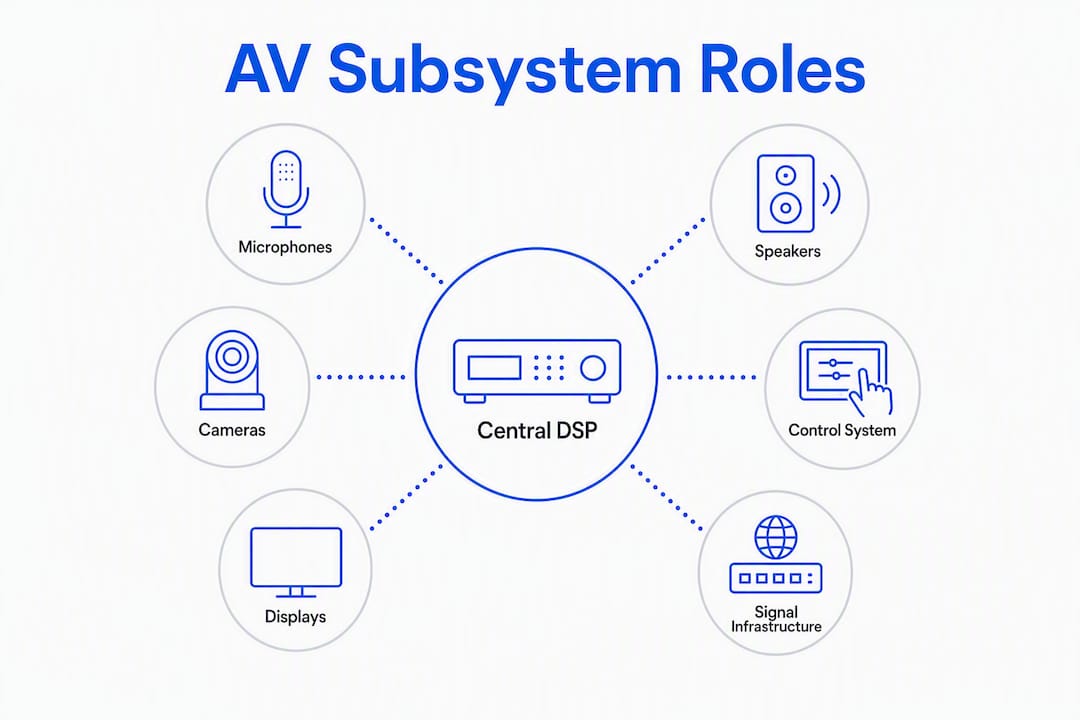
Displays deliver content legibility and the remote participant's video feed. Their size and placement determine whether the person at the far end of the table can read a slide without squinting.
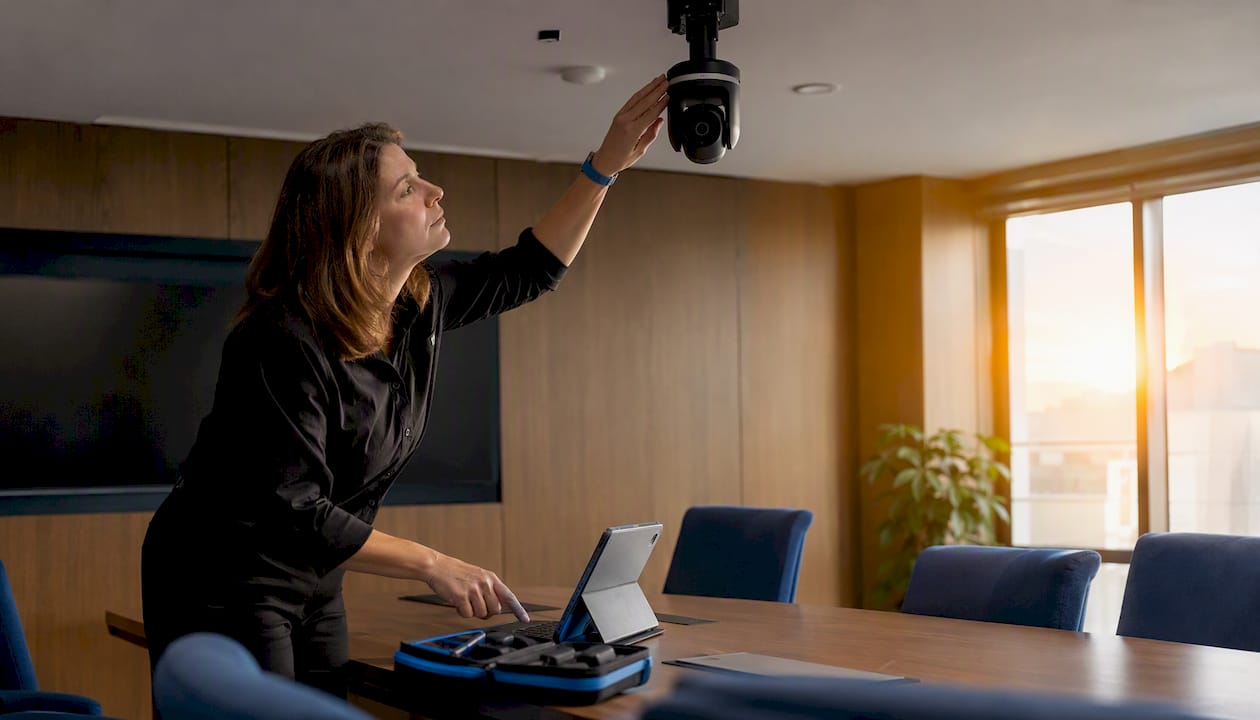
Cameras give remote participants a natural, inclusive view of the room. A single camera at the wrong height or angle makes half the table invisible, which is why camera strategy matters as much as camera spec.
Microphones capture speech from every seat and feed it to the DSP. Their placement pattern, not their brand, determines whether the far end hears a clear voice or a distant echo.
DSP (digital signal processor) is the audio backbone. It runs acoustic echo cancellation (AEC), automatic gain sharing between mic zones, noise suppression, and routing. Without a standalone DSP, medium-to-large rooms produce echo, feedback, and inconsistent levels that no camera or display upgrade can fix.
Loudspeakers deliver far-end audio to in-room participants. Distributed ceiling speakers provide even coverage; a single front-of-room bar leaves the far seats underserved.
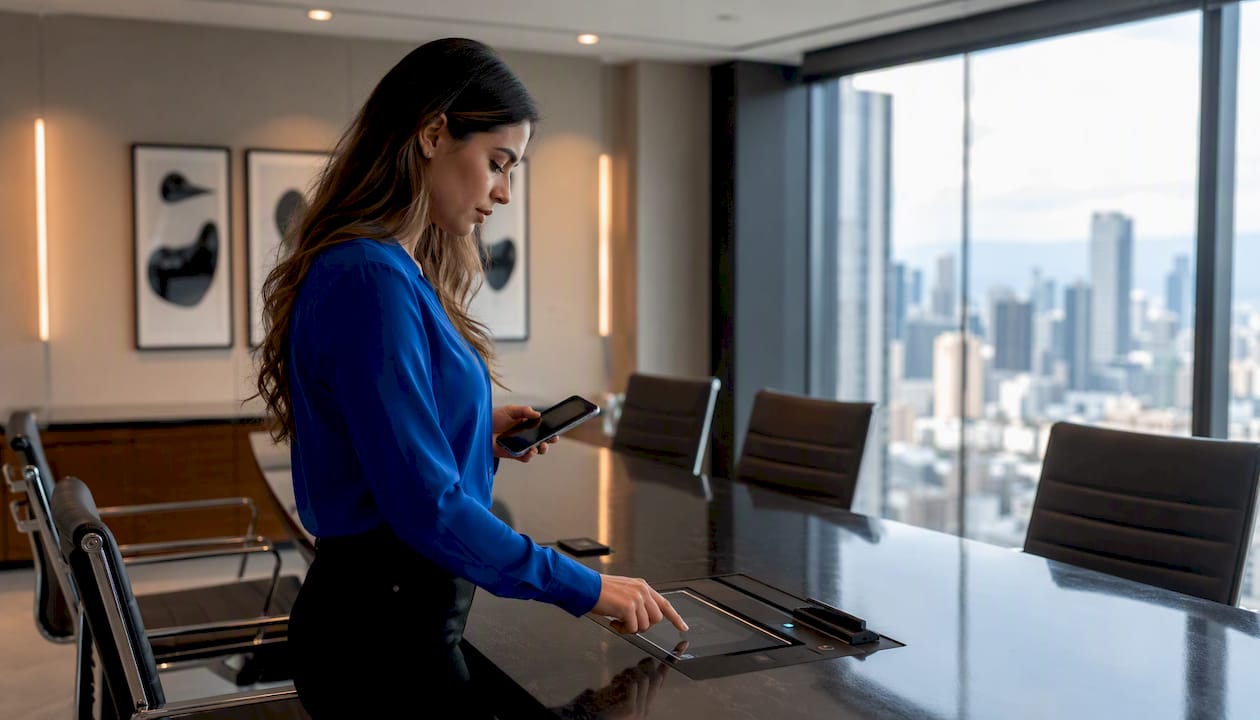
Control system ties every device together behind a single touch panel. The best implementations integrate with Microsoft Teams, Zoom Rooms, or Webex and auto-wake the room five minutes before a scheduled meeting, eliminating manual setup delays entirely.
AV-over-IP and transport infrastructure moves signals between devices. Structured cabling, managed switches, and a properly designed rack keep latency low and give IT a manageable, monitorable system.
Platform certification is an operational requirement, not a nice-to-have. A camera or codec that carries Teams or Zoom certification has been tested for interoperability, which reduces support calls and avoids the "it works in the demo room but not here" problem.
How do you size displays and position cameras for a large boardroom?
Display sizing and placement
The rule is straightforward: display width in inches equals viewing distance in inches divided by 8. A table that runs 20 feet (240 inches) to the far seat needs a display at least 30 inches wide, which means an 86-inch panel is the practical minimum for any room over 15 feet. When the table exceeds 20 feet, a single display leaves content unreadable at the far end. Dual displays solve that problem and also let you show the remote video feed on one screen while content runs on the other.
For rooms over 25 feet, a direct-view LED wall or dual 98-inch panels are worth the budget. A display that looks large in a showroom can be genuinely unreadable at the far end of a real boardroom table.
Camera strategy and placement
- PTZ camera: Covers the full table at wide angle and can zoom to an active speaker; mount at the display end, centered, at seated eye level (roughly 48–52 inches from the floor)
- Wide-angle or 360° unit: Captures the full room for a persistent overview shot; useful as a second camera in rooms over 30 feet
- Two-camera setup: For rooms longer than 30 feet, plan for at least two cameras (wide plus PTZ) to maintain speaker-tracking and full-table visibility
- Long-wall placement: Placing the display and primary camera on the long wall rather than the short wall improves framing for participants who would otherwise sit in profile
Framing presets to program:
- Full-table wide shot (default/persistent view)
- Active-speaker close-up (auto-tracking or manual PTZ preset)
- Presentation/content shot (camera framed to show presenter and screen together)
Pro Tip: Ceiling tiles with T-bar grids and pendant light fixtures directly above the camera line will break auto-framing algorithms. Map the ceiling before finalizing camera positions, and specify a clear zone above the camera's field of view.
How do you get audio right in a medium-to-large boardroom?
Audio is the subsystem that most often fails quietly. Remote participants hear echo or drop out; in-room participants hear nothing wrong. The fix is almost always DSP configuration and microphone placement, not hardware replacement.
Why DSP is non-negotiable
A standalone DSP manages AEC, automatic gain sharing, and noise suppression at a scale that all-in-one video bars cannot match. In a room with multiple mic zones, the DSP decides which microphone is active, prevents two zones from fighting each other, and cancels the echo that would otherwise travel from the ceiling speakers back into the ceiling mics. Skipping the DSP to save budget is the most reliable way to guarantee an audio rework six months after handover.
Microphone deployment patterns
Large boardrooms need multiple ceiling-mounted beamforming arrays or mic pods spaced every 6–8 feet, not a single central device. The three main approaches:
- Ceiling beamforming arrays: Best for clean aesthetics and broad coverage; each unit steers multiple beams independently and feeds the DSP
- Table mic pods: Useful in retrofit situations where ceiling infrastructure is limited; space one pod per 6–8 feet of table
- Distributed ceiling array: Multiple smaller ceiling mics zoned by DSP; cost-effective for long rectangular rooms
A single central mic in a 20-foot room will pick up the two seats nearest to it clearly and everyone else poorly. That is not a mic sensitivity problem. It is a coverage problem.
Speaker placement and coverage
Distributed ceiling speakers, spaced to cover every seat, deliver consistent far-end audio without hot spots or dead zones. A front-of-room speaker bar works in small huddle rooms; in a boardroom, it creates a volume gradient where the far seats are underserved. Aim for even SPL (sound pressure level) across all seating positions, verified during commissioning.
Audio acceptance checklist
- Speech intelligibility score meets STI (Speech Transmission Index) target of 0.60 or higher at all seating positions
- Noise floor below NC-35 (HVAC and ambient combined)
- AEC verified with a loopback test: no audible echo at the far end during a live call
- Gain sharing confirmed: no mic zone dominates when two people speak simultaneously
- No feedback when all mics are active and speakers at operating level
Pro Tip: Mixing ceiling beamforming arrays and table mic pods in the same room creates comb-filtering if their signals arrive at the DSP with mismatched delay. Set per-input delay compensation in the DSP to align all sources before the mix bus.
What does IT need to prepare before the AV install?
Network readiness is the most common cause of delayed commissioning. When IT hands over a room with no VLAN, unmanaged switches, and no QoS policy, the AV installer cannot complete testing. Getting the network right before hardware arrives saves a full day of rework.
Network architecture essentials
Dedicated AV VLANs, managed PoE switches, and hardwired Ethernet to every critical device are the baseline. Wi-Fi alone is not acceptable for primary AV transport in a boardroom. Specific requirements:
- AV VLAN: Isolate AV traffic from general corporate traffic to prevent congestion and simplify QoS policy
- Managed PoE switches: Power ceiling cameras, touch panels, and networked audio devices without separate power runs
- QoS/DSCP marking: Tag audio and video traffic for priority queuing; untagged AV traffic on a congested network produces packet loss that sounds like audio dropout
- IGMP snooping: Required for AV-over-IP multicast streams (e.g., Dante audio, NDI video) to prevent flooding the switch fabric
- Redundant internet: Dual-path WAN or failover LTE for rooms used for external calls
Power and grounding
- Dedicated 20A circuits for AV rack equipment (separate from lighting and HVAC)
- UPS sized for the full rack load plus 20% headroom, with runtime sufficient for a clean shutdown
- Surge protection on all AV inputs (HDMI, HDBaseT, power strips)
- Proper rack grounding to prevent ground loops that introduce hum into the audio chain
AV signal distribution
| Connection type | Standard | Max run | Best use case |
|---|---|---|---|
| HDMI | — | 15 ft passive | Short source-to-display runs |
| HDBaseT | — | — | Long HDMI extension to displays |
| AV-over-IP (video) | NDI / SDVoE over 1Gb | Unlimited (switched) | Multi-room or scalable distribution |
| Dante (audio) | 1Gb Ethernet | Unlimited (switched) | Networked audio between DSP and amps |
| Fiber (multimode) | 10Gb OM4 | — | Long backbone runs between comms rooms |
| Cat6A (structured) | 10GBase-T | — | AV-over-IP endpoints, PoE devices |
IT pre-install verification checklist:
- VLAN and QoS policy configured and tested
- PoE switch firmware updated to current stable release
- SNMP monitoring enabled on all managed switches
- Platform certification confirmed (Teams Rooms, Zoom Rooms, or Webex)
- Firewall rules allow required cloud service endpoints
- Hardwired drops confirmed at camera, display, DSP, and touch-panel locations
How do room layout, acoustics, and lighting affect AV performance?
AVIXA-aligned design principles start from the meeting use-case, not the hardware list. A room designed for executive presentations has different display placement, lighting, and acoustic requirements than one designed for collaborative hybrid work. Locking in the use-case before specifying technology prevents the most common layout mistakes.
Sightlines and seated eye-level targets
Display center height should sit at approximately 42–48 inches from the floor for a seated audience. Higher than that and participants tilt their heads back; lower and the display is obscured by the person in front. Camera center should be at seated eye level (48–52 inches) to produce a natural, face-to-face angle for remote participants. Mounting a camera above a display at 7 feet produces the "looking up the nose" shot that signals an amateur install.
Acoustic treatment checklist
- Reverberation control: Target RT60 (reverberation time) of 0.4–0.6 seconds for a boardroom; hard parallel surfaces (glass walls, concrete floors, glass whiteboards) push this above 1.0 second and destroy speech intelligibility
- Absorption panels: Place on the wall opposite the primary display and on the ceiling above the table zone; fabric-wrapped panels at 2-inch depth handle mid and high frequencies
- Bass traps: Corner placement for rooms with low-frequency buildup from HVAC or mechanical equipment
- HVAC isolation: Specify NC-35 or better for the room; duct lining and vibration isolation mounts on air handlers prevent low-frequency rumble that DSP cannot fully suppress
- Diffusion: Rear wall diffusion panels prevent flutter echo between the display wall and the back wall
For professional AV installation that integrates acoustic treatment with technology placement, the room design and AV design must be developed together, not sequentially.
Lighting checklist
- Facial illumination of 300–500 lux at seated face height for video calls
- No backlit windows behind participants (motorized blackout shades on any window behind the seating zone)
- Anti-glare positioning: no direct light source within 30 degrees of the display surface
- Scene presets: presentation mode (dimmed ambient, display-facing spots), video call mode (even facial illumination), and whiteboard mode (bright rear-wall illumination)
Pro Tip: Joinery cut-outs for floor boxes, cable raceways, and display brackets must be templated and approved before furniture is manufactured. A boardroom table that arrives on-site without the correct cable apertures adds two to four weeks to the project schedule and significant cost.
What does commissioning look like, and what should you test?
Professional commissioning for a large boardroom typically requires a trained audio engineer to configure DSP zones, verify AEC, and prevent feedback between mic arrays. Treating commissioning as a half-day task rather than a structured phase is where most handback issues originate.
On-site commissioning sequence
- Infrastructure verification: Confirm all cable runs pass continuity and TDR tests; verify VLAN, QoS, and PoE switch configuration
- Rack build and labeling: Mount and dress all rack equipment; label every cable at both ends per as-built drawings
- Device mounting and rough-in: Install displays, cameras, ceiling mics, speakers, and touch panels; confirm physical security of all mounts
- Programming and control: Load control system code; configure calendar integration and auto-wake; test all button workflows
- DSP configuration and tuning: Set AEC parameters, gain structure, mic zone routing, and delay compensation; run loopback tests
- Platform integration test: Join a live Teams, Zoom, or Webex call and verify audio, video, and content sharing from all sources
- User training: Walk the primary users through the touch panel, preset recall, and basic troubleshooting
Acceptance criteria for client sign-off
| Test item | Acceptance criterion |
|---|---|
| Speech intelligibility (STI) | 0.60 or higher at all seating positions |
| Noise floor | NC-35 or better (ambient + HVAC) |
| AEC verification | No audible echo on far-end loopback |
| Display uniformity | No visible hot spots; color calibrated |
| Camera framing | All presets frame correctly; auto-tracking locks within 2 seconds |
| Control workflows | All button actions complete within 1 second |
| Auto-wake | Room wakes 5 minutes before scheduled meeting |
| Network latency | Under 20ms round-trip on AV VLAN |
Typical project timeline for a medium boardroom
Procurement runs 6–10 weeks for standard equipment (longer for custom LED walls or bespoke joinery). On-site installation takes 3–5 days for a 12–20 person room. Programming and DSP tuning add 1–2 days. User training and punch-list close-out take half a day. Total elapsed time from signed scope to handover: 10–14 weeks is realistic; 8 weeks is achievable only when infrastructure is pre-confirmed.
What does a boardroom AV project typically cost?
Budget ranges vary significantly by room size, display technology, and DSP complexity. These figures reflect typical U.S. market pricing for professionally installed systems and are intended as planning benchmarks, not fixed quotes.
Boardroom AV system pricing varies widely depending on room size, display technology, DSP complexity, and integration requirements. Costs can range from moderate sums for medium-sized rooms with standard equipment to significantly higher amounts for larger rooms with advanced components and custom integration.
| Cost driver | Typical share of project budget |
|---|---|
| Display and video equipment | 25–35% |
| Audio (mics, DSP, speakers, amps) | 15–25% |
| Control system (hardware + programming) | 10–15% |
| Cabling, infrastructure, and rack | 15–20% |
| Joinery integration and custom fabrication | 5–15% |
| Programming, commissioning, and training | 8–12% |
| Contingency | 10% minimum |
The joinery line is the most variable. A room with a new custom table and pre-cut cable apertures costs far less to integrate than a retrofit into an existing executive table with no cable pathways. Always carry a 10% contingency; retrofit projects regularly consume it.
Lifecycle and maintenance: Budget for an annual maintenance agreement covering firmware updates, DSP backup, and a preventive inspection. Systems without maintenance contracts tend to accumulate small configuration drift that compounds into a full recommission within three years.
How do you choose the right AV integrator?
The difference between a reliable boardroom AV system and one that requires constant support calls usually comes down to the integrator's commissioning discipline, not the hardware brand.
Key selection criteria
- Local support footprint: — Remote firmware updates are useful; on-site response within 4 hours matters for executive rooms
Questions to ask in the RFP
- What is your infrastructure-first process, and at what stage do you lock cable pathways and joinery templates?
- Can you provide a sample commissioning test plan with acceptance criteria?
- Which platform certifications do your proposed devices carry?
- How do you handle network coordination with our IT team (VLAN, QoS, firewall rules)?
- What does your post-handover support SLA look like, and what is your average response time?
- Do you retain programming source files, and will we receive them at handover?
Red flags in proposals
- No infrastructure scope (cabling and conduit listed as "by others" with no coordination plan)
- Commissioning described as a single line item with no breakdown of tasks or acceptance criteria
- No mention of DSP or AEC in the audio specification
- Platform certification listed as "compatible with" rather than "certified for"
- No as-built drawing deliverable
Minimum contractual deliverables to require:
- As-built drawings (cable schedules, rack elevations, floor plans)
- Programming source files for control system and DSP
- Commissioning test report with signed acceptance criteria
- User training session and quick-reference guide
- Spare-parts list with recommended on-site spares
- Warranty terms for equipment and labor, clearly separated
Key Takeaways
A reliable boardroom AV setup depends on infrastructure-first planning, a standalone DSP for audio, correctly sized displays, and structured commissioning with documented acceptance criteria.
| Point | Details |
|---|---|
| Infrastructure before hardware | Lock cable pathways, conduit, and joinery cut-outs before ordering equipment to avoid costly rework. |
| DSP is the audio backbone | A standalone DSP with AEC and mic zoning is non-negotiable for rooms with more than 8 seats. |
| Display sizing rule | Use viewing distance (inches) divided by 8 to set minimum display width; dual displays for tables over 20 feet. |
| Network readiness is IT's job | Dedicated AV VLAN, managed PoE switches, and hardwired Ethernet must be confirmed before install day. |
| Djcengineering | Djcengineering designs, cables, and commissions boardroom AV systems with a 98% first-visit fix rate and no subcontractors. |
The part most specs get wrong
The most persistent mistake in boardroom AV procurement is treating audio as a secondary line item after displays and cameras have consumed most of the budget. Every facilities manager who has sat through a board meeting where the remote participants kept asking "can you repeat that?" has experienced the result. The display was fine. The camera was fine. The DSP was missing, or the mics were spaced for a huddle room, or the integrator skipped the AEC tuning because commissioning was already running over schedule.
The counterintuitive truth is that audio quality is what determines whether a room gets used. A room with mediocre video but excellent audio gets booked. A room with a stunning LED wall and broken echo cancellation gets avoided. Executives do not complain about display resolution. They complain about not being able to hear.
The second mistake is underestimating what "commissioning" means. It is not plugging things in and checking that the picture appears. For a 20-person boardroom, commissioning is a structured, multi-day process: DSP signal flow verification, zone-by-zone mic testing, AEC loopback confirmation, control workflow testing, platform integration testing, and user training. Skipping any of those steps does not save time. It moves the problem to the first real meeting, in front of the people who approved the budget.
The AVIXA design principle of starting from the human experience rather than the hardware list is the right frame for every boardroom project. What does the meeting need to accomplish? Who is in the room, and who is remote? What does success look like at the far end of the call? Answer those questions first, and the hardware specification follows logically. Start with the hardware list, and you will spend the next three years patching the gaps.
Djcengineering handles the full boardroom AV scope, from design to sign-off
Most boardroom AV projects stall because the AV design, structured cabling, and network readiness are handled by separate teams with no single point of accountability. Djcengineering eliminates that gap. The team designs, cables, and commissions complete AV installations in-house, with no subcontractors, covering everything from display and camera placement through DSP configuration, structured cabling, managed switching, and platform integration.

The 98% first-visit fix rate reflects a process built around infrastructure-first scoping and structured commissioning, not a hope that everything works on the day. Every project starts with a site survey that locks cable pathways, confirms network readiness, and identifies joinery constraints before a single piece of equipment is ordered. Fixed-scope quotes mean no budget surprises mid-project.
If you are specifying a boardroom AV system and want a single integrator accountable for the full scope, request a site survey and quote to get started.
Useful sources
These references are worth keeping on hand during RFP preparation, design review, and commissioning.
- AVIXA — Conference room design guide: The primary reference for human-first AV design principles; covers room use-case methodology, sightline standards, and technology selection frameworks aligned with AVIXA guidelines.
- Zoom — ProAV Boardroom reference design (up to 22 people): Zoom's own reference architecture for executive boardrooms, including one-touch join, calendar integration, PTZ camera specifications, and touch display requirements.
- Cisco Webex — Medium collaboration room design guide: Detailed mounting options, device placement, and integrator coordination guidance for Webex-certified medium-to-large rooms; useful for specifying certified deployments.
- Djcengineering — AV installation guide: Covers AV system automation, platform compatibility, and structured cabling integration for commercial environments.