
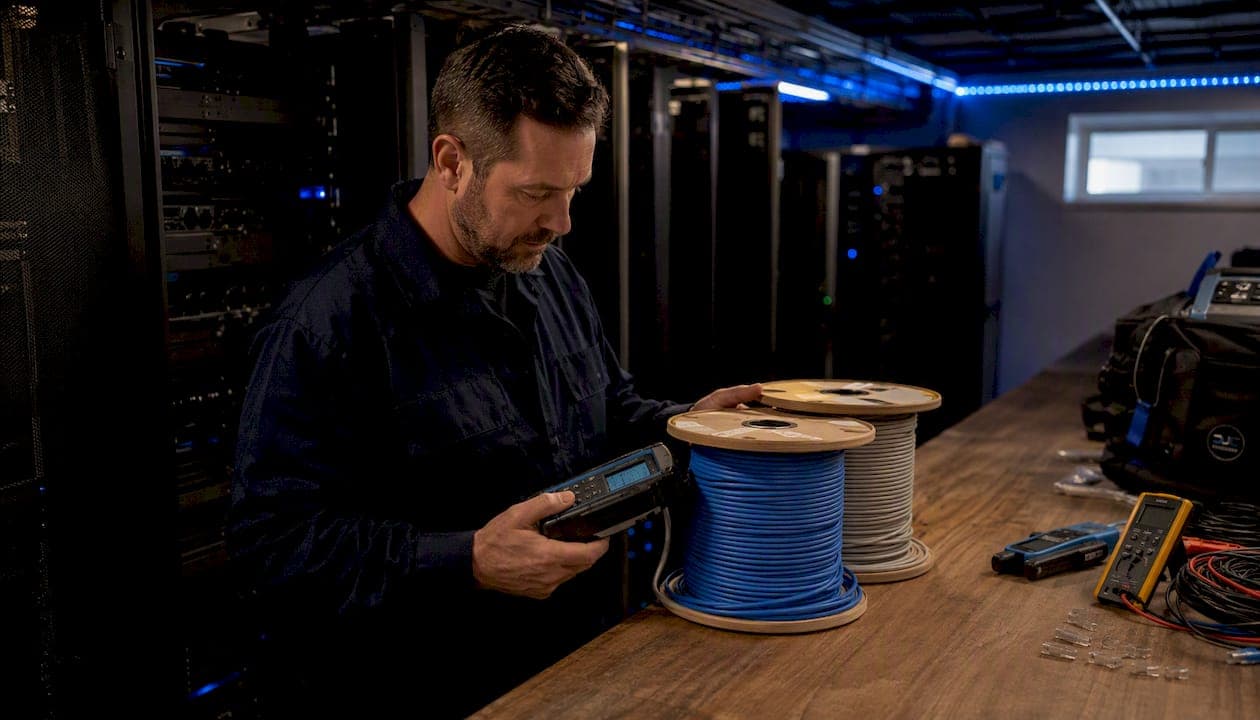
Cat6A is the right call for any new in-wall installation, any run longer than 55 meters, any high-power PoE deployment, or any build expected to last a decade or more. Cat6 still makes sense for short runs, budget-constrained retrofits, and environments where 10 Gbps to the desktop is genuinely not on the roadmap.
Three factors drive that verdict:
- Run length and 10G distance. Cat6 supports 10 Gbps only up to roughly 55 meters in real-world bundled conditions; Cat6A holds 10 Gbps for the full 100 meter channel. If you don't know your exact run lengths yet, assume Cat6A.
- PoE and heat. Dense bundles of Cat6 carrying IEEE 802.3bt (Type 3/4, up to 90 W) generate heat that degrades performance and can void certification. Cat6A's larger conductors handle that load more reliably.
- Shielding and EMI. In electrically noisy environments, Cat6A with S/FTP shielding controls alien crosstalk that Cat6 UTP cannot. Unshielded Cat6A can work in low-density offices, but it demands strict pathway discipline and field testing.
- Cost trade-off. Cat6A materials cost 20–40% more per foot, and installed per-drop costs usually run around 20–30% higher than Cat6. However, labor is the bigger line item. Re-pulling cable later costs far more than the material premium today.
Testing and installation discipline matter as much as the cable spec. A perfectly specified Cat6A run that skips field certification is not a Cat6A installation.
Table of Contents
- How does Cat6 compare to Cat6A at a glance?
- What are the real technical differences between Cat6 and Cat6A?
- When does shielded Cat6A actually make sense?
- Why PoE changes the Cat6 vs Cat6A decision
- What are the physical installation trade-offs?
- What does Cat6A actually cost, and when does it pay off?
- Will Cat6A still be the right cable in 10–15 years?
- How do you test installed cabling, and when should you hire a pro?
- How do you choose between Cat6 and Cat6A for your project?
- Key Takeaways
- The case for specifying Cat6A even when Cat6 "would work"
- Djcengineering handles the cable decision for you
- Useful sources
How does Cat6 compare to Cat6A at a glance?
| Dimension | Cat6 | Cat6A |
|---|---|---|
| Certified bandwidth | 250 MHz | 500 MHz |
| Max 10Gb certified distance | ~55 m (bundled field conditions) | 100 m |
| Shielding options | UTP standard | UTP or S/FTP |
| Alien crosstalk (AXT) control | Not specified | Required by TIA standard |
| PoE handling (IEEE 802.3bt) | Marginal at high density | Recommended |
| Typical OD | ~6 mm | ~7.5–8.5 mm |
| Material cost premium | Baseline | 20–40% higher per foot |
| Installed cost premium | Baseline | 20–30% higher per drop |
| Best fit | Short runs, retrofits, tight budgets | New builds, long runs, 10G, high-power PoE |
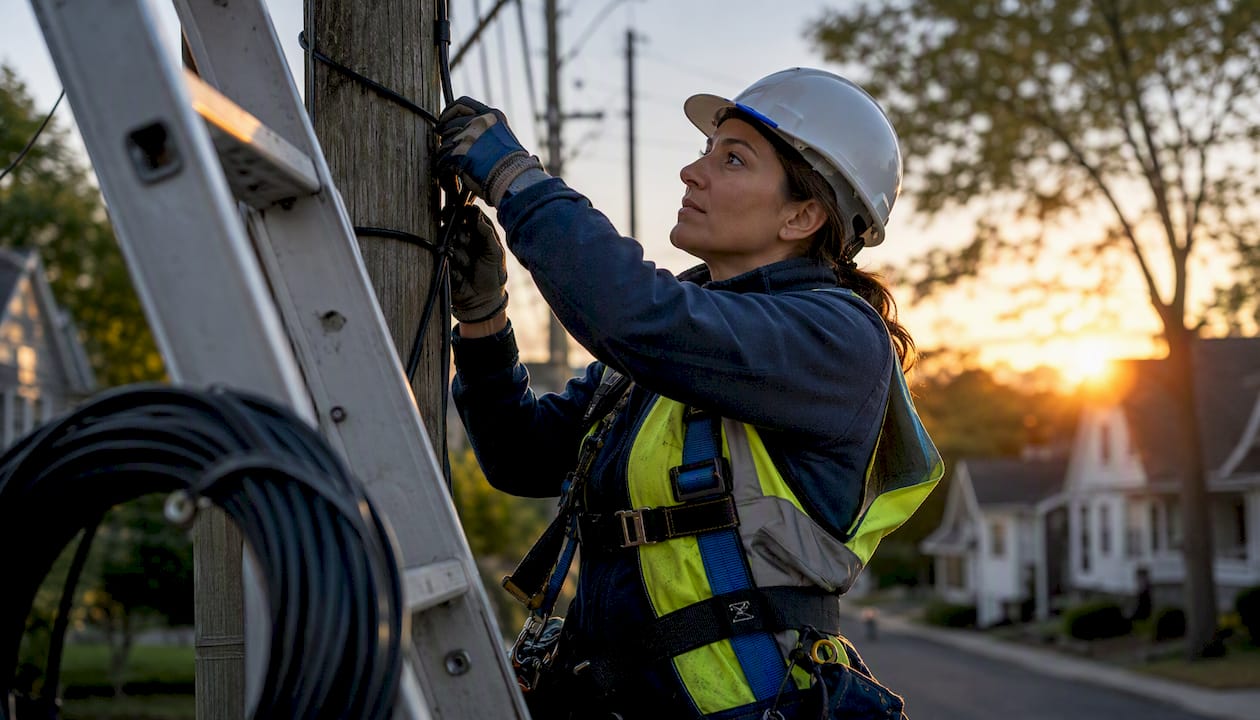
Both categories terminate with standard RJ45 connectors and are fully backward compatible with existing switches, patch panels, and NICs. You can mix Cat6 and Cat6A in the same infrastructure without compatibility issues; the channel performs at the lower-rated cable's spec.
What are the real technical differences between Cat6 and Cat6A?
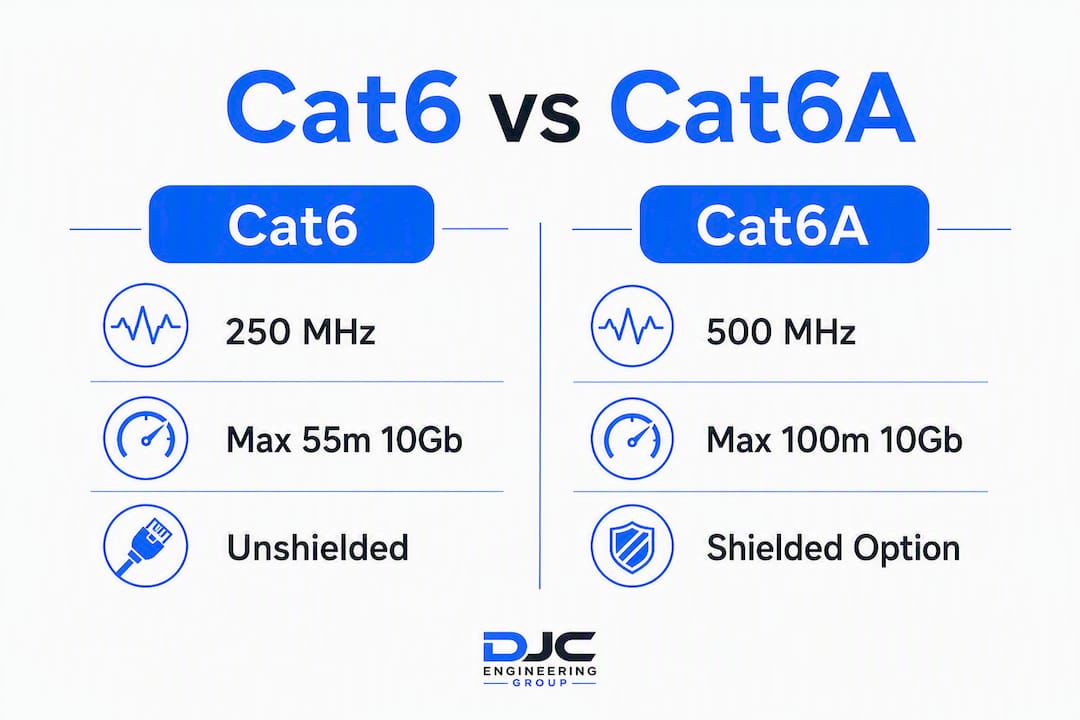
The TIA-568 and IEEE 802.3an standards define the performance gap precisely. Cat6 is certified to 250 MHz; Cat6A doubles that to 500 MHz. That extra headroom is what allows Cat6A to sustain 10GBASE-T over a full 100-meter channel.
The 55-meter rule explained
Cat6's 55-meter limit for 10 Gbps is not a marketing caveat. It reflects real-world alien crosstalk (AXT) behavior in bundled cable trays. In a controlled, low-density environment, Cat6 can sometimes push 10G further, but TIA-568 does not certify it beyond 55 meters for 10GBASE-T. Cat6A was specifically engineered to solve that problem.
| Standard | Frequency | 1Gb distance | 10Gb certified distance |
|---|---|---|---|
| Cat6 | 250 MHz | 100 m | ~55 m (field, bundled) |
| Cat6A | 500 MHz | 100 m | 100 m |
How NEXT and AXT testing differ
Near-end crosstalk (NEXT) measures interference between pairs within the same cable jacket. Both Cat6 and Cat6A are tested for NEXT. Alien crosstalk (ANEXT/AXT) measures interference between adjacent cables in a bundle. TIA standards require AXT testing for Cat6A performance claims in dense bundles, and Cat6A's design intent centers on controlling AXT through improved twist rates and shielding options. Cat6 has no AXT specification at all, which is exactly why it struggles in high-density trays at 10G.
55 m vs. 100 m: That 45-meter gap is the single most consequential spec difference for anyone designing a floor plate or running cable through a building riser.
When does shielded Cat6A actually make sense?
Shielding is not a universal upgrade. It is a solution to a specific problem, and installing it without understanding the grounding requirements creates new problems.
UTP vs. F/UTP vs. S/FTP
- UTP (unshielded twisted pair): No foil or braid. Works well in low-density, low-EMI environments with proper pathway separation.
- F/UTP: An overall foil shield around all four pairs. Reduces external EMI pickup but does not shield individual pairs from each other.
- S/FTP: An overall braided shield plus individual foil shields on each pair. The most complete AXT and EMI protection, and the standard recommendation for data centers and high-density bundles.
Shielded Cat6A S/FTP is the conservative choice for data centers and very dense bundles; UTP Cat6A can be acceptable in low-density office runs when installers enforce strict pathway separation and field-test every link for AXT compliance.
Environmental triggers for shielding
Choose shielded Cat6A when any of these apply:
- Cable runs near fluorescent lighting ballasts, VFDs, or industrial motors
- High-density bundles (more than 24 cables in a shared pathway)
- Data center hot-aisle/cold-aisle environments
- Runs within 6 inches of power conduit carrying more than 480V
- Outdoor or plenum runs with significant EMI exposure
Pro Tip: A floating shield is worse than no shield. An improperly grounded shielded cable can re-radiate noise and raise measured noise by 3–6 dB at 300–500 MHz. Every shielded connector, patch panel port, and equipment rack must be bonded to the same ground reference. If your installer cannot describe their grounding scheme, that is a red flag.
Why PoE changes the Cat6 vs Cat6A decision
Power over Ethernet is where the cable spec becomes a thermal engineering problem, not just a data problem.
Conductor size and heat buildup
Cat6A's larger conductors carry PoE current with less resistance, which means less heat generated per watt delivered. In a bundle of 24 cables all carrying 802.3bt Type 4 (90 W), that difference compounds quickly. Cat6A is the recommended choice for IEEE 802.3bt deployments precisely because of this thermal advantage.
IEEE 802.3bt defines four PoE types:
| PoE Type | Standard | Max power | Cat6 suitability | Cat6A suitability |
|---|---|---|---|---|
| Type 1 | 802.3af | — | Fine | Fine |
| Type 2 | 802.3at | 30 W | Fine for low density | Fine |
| Type 3 | 802.3bt | 60 W | Marginal in bundles | Recommended |
| Type 4 | 802.3bt | 90 W | Not recommended in bundles | Recommended |
Bundling and derating
TIA-568 requires temperature derating for bundled PoE cables. A bundle of 24 Cat6 cables all carrying Type 3/4 PoE can exceed the cable's rated temperature range, which degrades insulation, increases resistance, and eventually causes intermittent failures that are very difficult to diagnose. The failures often look like switch problems, not cable problems.
Pro Tip: When planning PoE runs for access points, PTZ cameras, or door controllers, count the cables in each conduit or tray segment. If more than 12 cables share a pathway and any of them will carry Type 3 or Type 4 PoE, spec Cat6A and document the bundle count in your as-built drawings.
What are the physical installation trade-offs?
Cat6A is heavier, stiffer, and fatter than Cat6. Those three facts have real consequences for labor, conduit sizing, and termination time.
Diameter and conduit fill
Cat6A's typical outer diameter runs 7.5–8.5 mm versus Cat6's roughly 6 mm. That sounds minor until you are filling a 1-inch conduit. A 1-inch EMT conduit that holds 12 Cat6 cables at 40% fill holds roughly 7–8 Cat6A cables. Conduit fill calculations need to be redone from scratch when switching categories, and existing conduits in a retrofit may simply not have the capacity.
Bend radius and pull tension
Cat6A requires a minimum bend radius of roughly 8 times the cable OD (versus 4 times for Cat6). In tight junction boxes or wall plates, that extra stiffness means more careful routing and occasionally a deeper box. Pull tension limits are also lower for Cat6A, so long pulls through multiple bends need intermediate pull points.
Termination complexity
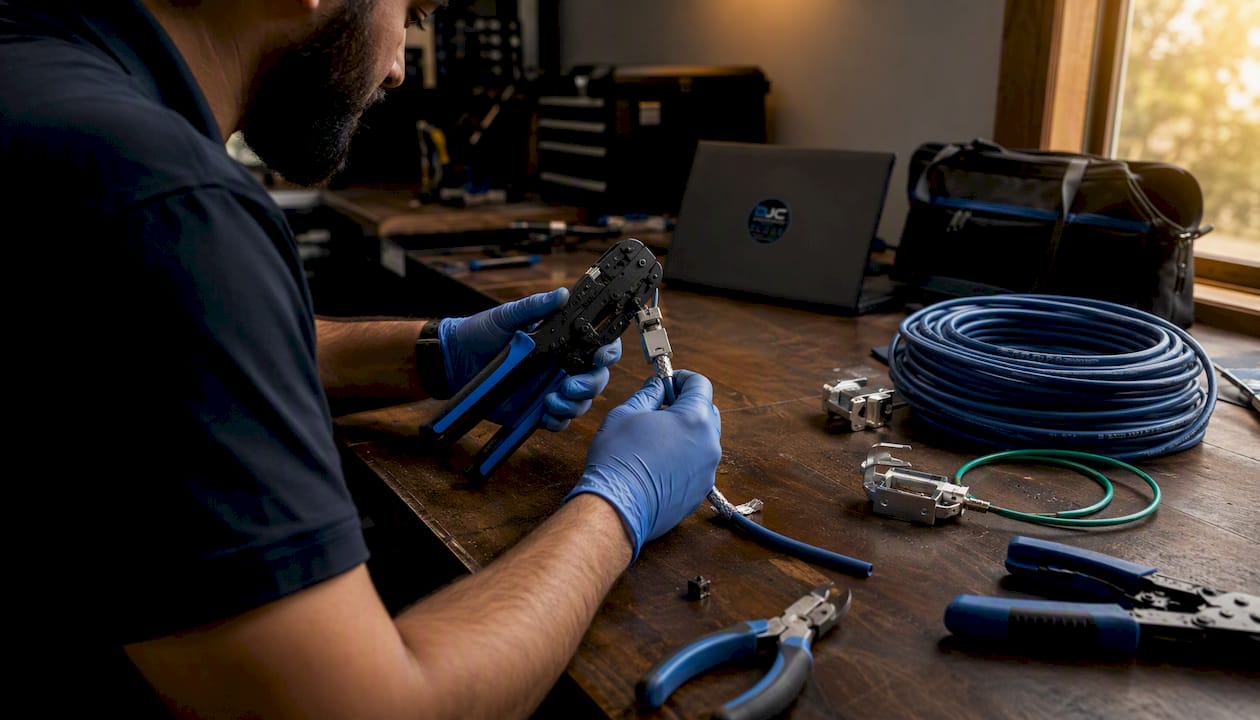
Shielded Cat6A termination requires shielded keystone jacks and patch panel ports, plus a grounding tail bonded to the rack or wall plate. Unshielded Cat6A still needs a larger-format jack to accommodate the cable's diameter. Either way, termination takes longer than Cat6, and a mismatched connector (shielded cable into an unshielded jack) breaks the shielding continuity and can fail AXT testing.
Pro Tip: Label every run at both ends before you pull. Once Cat6A is in the wall, the stiffness makes re-routing expensive. A $0.10 label applied during the pull saves a $200 service call later.
Installation tips for pulling Cat6A:
- Use a fish tape or pull string rated for the cable weight; Cat6A is noticeably heavier per 1,000 feet
- Avoid kinking; a kinked Cat6A run almost always fails insertion loss testing
- Keep bend radius generous at every junction box and pull point
- For network cabinets and comms infrastructure, verify rack unit depth and cable management capacity before ordering patch panels
What does Cat6A actually cost, and when does it pay off?
Cat6A materials cost more per foot than Cat6, and installed per-drop costs are higher when you factor in the larger connectors, longer termination time, and conduit adjustments. For a 48-drop office, that premium might add several thousand dollars to the total installed cost depending on run lengths and local labor rates.
That sounds significant until you price a re-pull. Labor is multiple times the material cost; cutting open finished walls, pulling new cable, patching, and repainting can easily cost 5–10 times the original material difference. The lifecycle math almost always favors Cat6A for any installation expected to stay in place for more than five years.
Use-case guidance
- Home runs under 30 m, no 10G planned: Cat6 is fine and saves money.
- Home runs in new construction: Cat6A, because the walls close once and stay closed.
- Small office, runs under 40 m, 1G switching: Cat6 is reasonable.
- Office with Wi-Fi 6E or Wi-Fi 7 APs: Cat6A for every AP backhaul run; Wi-Fi 7 uplinks can saturate a 1G port, and 10G switching to APs is already common in enterprise deployments.
- PoE cameras, door controllers, Type 3/4 PoE: Cat6A, especially in bundles.
- Data center horizontal runs: Cat6A S/FTP as the default.
- AV-over-IP backbones: Cat6A; uncompressed 4K AV-over-IP flows can exceed 1G per stream.
A hybrid strategy works well in practice: run Cat6A to every AP, PoE device, and long run, and use Cat6 for short desktop drops in areas where 10G is not planned. Document which category goes where in your as-built drawings.
Will Cat6A still be the right cable in 10–15 years?
The honest answer is yes, for most installations. The question is whether Cat6 will be.
Wi-Fi 6E and Wi-Fi 7 are pushing aggregate AP throughput well past 1 Gbps. Multi-gig switching (2.5G and 5G) is now standard in prosumer home equipment, and 10G switching to the desktop is moving from enterprise-only to mid-market. For new builds or major renovations expected to last 10 or more years, professional installers recommend Cat6A as the default for future wireless backhaul and high-power PoE without recabling.
Cat6 installed today in a new building will likely need to be replaced before the building's next major renovation cycle. Cat6A installed today has a credible path to supporting whatever comes after 10GBASE-T, at least at the horizontal cabling level.
The cat6a vs cat7 question
Cat7 and higher proprietary categories rarely justify their price and connector complications for enterprise or commercial installs. Most Cat7 sold in North America terminates with RJ45, and once fitted with RJ45, the channel is certified at Cat6A parameters. You pay Cat7 prices for Cat6A performance. Cat6A with RJ45 is lower risk, more compatible, and the right ceiling for most horizontal copper runs.
Future-proofing matters most in:
- New construction where re-pulling means opening finished walls
- Institutional buildings with 15–20 year renovation cycles
- High-density wireless deployments where AP backhaul will scale with each Wi-Fi generation
- Any building where the owner expects to sell or lease and wants to advertise certified 10G infrastructure
How do you test installed cabling, and when should you hire a pro?
A cable that passes visual inspection is not a certified cable. Field certification is the only way to know whether a run will perform to spec under load.
Essential field tests
- Wiremap: Confirms correct pin-to-pin continuity and catches split pairs, reversed pairs, and shorts.
- Insertion loss: Measures signal attenuation across the channel; long runs and poor terminations show up here.
- NEXT (near-end crosstalk): Tests pair-to-pair interference within the cable; a failed NEXT usually means a bad termination or excessive untwisting at the jack.
- Return loss: Measures signal reflection from impedance mismatches; mismatched connectors or kinked cable are common causes.
- AXT (alien crosstalk): Required for Cat6A certification in dense bundles; tests interference between adjacent cables. This test requires a multi-port field certifier and takes longer than the others.
When to require field certification
- Any new construction or major renovation where the cable will be in-wall for years
- Any run carrying Type 3 or Type 4 PoE where thermal derating applies
- Any installation where the cable manufacturer's warranty requires it
- Any commercial project where the owner will require as-built documentation
When to call a professional installer
Hire a pro when:
- The installation involves shielded Cat6A and a proper grounding scheme
- Conduit runs exceed 30 meters or involve multiple 90-degree bends
- The project includes riser or backbone cabling in a multi-story building
- PoE++ devices will be deployed in bundles of more than 12 cables
- The owner requires a manufacturer's extended warranty (most require certified installation)
Pro Tip: When requesting quotes, ask specifically: "Will you provide a field-certification report for every link?" A contractor who hesitates or offers only a wiremap test is not delivering a certified installation. The report should come from a Fluke DSX or equivalent certifier and show pass/fail against the TIA-568 Cat6A channel standard.
For professional structured cabling and network installation, the certifier report is part of the deliverable, not an optional add-on.
How do you choose between Cat6 and Cat6A for your project?
Work through these questions in order. The first "yes" that applies determines your answer.
Choose Cat6A if:
- Any run exceeds 55 meters (or you cannot confirm run lengths before pulling)
- You need 10 Gbps to any device on that run
- Any run will carry IEEE 802.3bt Type 3 or Type 4 PoE (60 W or 90 W)
- More than 12 cables share a conduit or tray segment and any carry PoE
- The installation is in a new build or renovation expected to last 10+ years
- The environment has significant EMI sources within 6 inches of the cable path
- The project requires a manufacturer's extended warranty
Choose Cat6 if:
- All runs are under 40 meters and 10G is not planned
- PoE loads are Type 1 or Type 2 only (under 30 W)
- The installation is a retrofit where conduit capacity limits Cat6A's OD
- Budget constraints are firm and the lifecycle is under five years
Mixed approach: Run Cat6A to every AP, PoE device, and any run over 40 meters. Use Cat6 for short desktop drops where 10G is not planned. Document every run with its category, length, and test result in your as-built drawings. Label both ends of every cable at installation time, not after.
Key Takeaways
Cat6A is the right default for any new installation where runs exceed 55 meters, high-power PoE is involved, or the cabling is expected to remain in place for a decade or more.
| Point | Details |
|---|---|
| The 55-meter rule | Cat6 supports 10 Gbps only to ~55 m in bundled conditions; Cat6A holds 10 Gbps for the full 100 m channel. |
| PoE heat is the hidden risk | IEEE 802.3bt Type 3/4 PoE (60–90 W) in dense bundles can degrade Cat6; Cat6A's larger conductors handle the thermal load. |
| Shielding requires grounding | A floating shield raises noise by 3–6 dB at 300–500 MHz; shielded Cat6A only outperforms UTP when the entire channel is properly grounded. |
| Lifecycle math favors Cat6A | Cat6A materials cost 20–40% more per foot, and installed per-drop costs are 20–30% higher. However, re-pulling cable costs multiples of that; new builds almost always justify the premium. |
| Djcengineering delivers certified installs | Djcengineering provides field-certification reports, as-built documentation, and site-surveyed cabling for every structured cabling project in South East Queensland. |
The case for specifying Cat6A even when Cat6 "would work"
The conventional wisdom on Cat6 is that it is a sensible, cost-conscious choice for most office and home installations. That framing made sense in 2015. It is increasingly difficult to defend in 2026.
The problem is not that Cat6 is bad cable. It is that the margin for error has shrunk. Wi-Fi 7 APs with multi-gig uplinks, 90-watt PoE for PTZ cameras and digital signage, and 10G switching moving into mid-market buildings have all arrived faster than most cabling schedules anticipated. A Cat6 installation that was "future-proof" five years ago is now a constraint.
What people underestimate is the asymmetry of the decision. Specifying Cat6A when Cat6 would have technically sufficed costs you 20–30% more on materials and maybe a day of extra labor on a 48-drop job. Specifying Cat6 when you actually needed Cat6A costs you a full re-pull, finished wall repairs, and the downtime of a network that cannot support the equipment the business just bought. Those are not comparable risks.
The shielding question is where installers most often get burned. Shielded Cat6A installed without a coherent grounding plan performs worse than UTP. The cable is not the problem; the installation practice is. That is why the cable specification and the installer's competence are inseparable decisions.
For anyone designing a network that will be in the walls for more than five years, the question is not "can I get away with Cat6?" It is "what will I wish I had run?"
Djcengineering handles the cable decision for you
Choosing the right cable category is straightforward once you know the run lengths, PoE loads, and expected lifecycle. Getting those numbers right before the walls close is the hard part, and that is exactly where a site survey pays for itself.

Djcengineering designs and installs structured cabling, mesh WiFi, and full AV and security backbones for homes, businesses, and rural properties across South East Queensland. Every cabling project includes a pre-installation site survey to confirm run lengths and conduit capacity, field certification with a Fluke-class certifier, and as-built documentation you can hand to the next technician or building owner. No subcontractors. No guesswork on conduit fill or PoE derating. Just a certified, documented installation backed by a 98% first-visit fix rate.
If you are planning a new build, a commercial fit-out, or a cabling upgrade and want a fixed-scope quote, contact Djcengineering to arrange a site survey and get a written scope before anything goes in the wall.
Useful sources
- Cat6 vs Cat6A Cabling: Cost Per Drop & When Cat6A Pays Off (ICTAlly) — cost-per-drop data, the 55 m vs 100 m distance rule, and OD/conduit fill figures.
- Cat6 vs. Cat6A: Which Cable Does Your Facility Need? (WCC Tech Group) — lifecycle and future-proofing guidance, AXT design intent for Cat6A.
- Shielded vs Unshielded Cable: How to Choose (AMPCOM) — shielding type comparisons, grounding requirements, and the floating-shield noise data.
- Cat6 vs. Cat6A: What's the Difference and When Do You Need 10G? (CrimpShop) — PoE type recommendations and thermal handling for 802.3bt deployments.
- Cat5e vs Cat6 vs Cat6a vs Cat7 vs Cat8: A Factory Engineer's Buyer's Guide (OWIRE) — lifecycle cost math, Cat7/RJ45 compatibility limitations, and hybrid strategy guidance.
- Cat6a Shielded vs. Unshielded: Which Is Better for 10G Cabling? (FS.com) — detailed shielded vs. unshielded Cat6A comparison for 10GbE and PoE applications.
Recommended
- Commercial Network Cabling Brisbane: The Engineered Backbone of Modern Business in 2026 | DJC Engineering
- Data Cabling & Networks Brisbane SEQ | DJC
- Professional WiFi Design vs Mesh: Why Your Gold Coast Home Still Has Black Spots | DJC Engineering
- Commercial CCTV Security: A Professional Guide to High-Performance Surveillance | DJC Engineering