

Yes, you need a professional installer for a proper guest WiFi setup if you want segregated visitor access that doesn't compromise your main network. A flat network with one shared SSID is not a guest WiFi setup, no matter what the box says. A real deployment gets you:
- A site survey with a predictive and validation heatmap
- VLAN mapping that keeps guest, staff, and IoT traffic apart
- Managed switches sized for PoE load and uplink speed
- AP placement based on measured signal, not guesswork
- A commissioning report confirming the network performs as designed
These aren't extras. They're the difference between "the WiFi works today" and a system that still performs in twelve months, under load, with three new smart devices on the network.
Key Takeaways
A professional guest WiFi setup requires a site survey, VLAN-based segmentation, managed PoE switches, and a commissioning report to deliver secure, reliable visitor access.
| Point | Details |
|---|---|
| Site survey is non-negotiable | Predictive and validation surveys determine AP placement and prevent costly rework. |
| VLANs stop lateral attacks | Guest, staff, and IoT traffic need separate VLANs with firewall rules blocking cross-access. |
| Managed switches unlock segmentation | Unmanaged switches can't tag VLANs, so guest isolation only works with managed hardware. |
| Commissioning proves it works | A validation report with throughput data confirms the network meets its design before handover. |
| Djcengineering delivers survey-first installs | Site-surveyed VLAN deployments with managed switches and a 98% first-visit fix rate across South East Queensland. |
Table of Contents
- What a Professional Guest WiFi Installation Delivers
- Why Do VLANs and Client Isolation Matter for Guest Networks?
- How Do Installers Plan Coverage With Site Surveys?
- Sizing, Switches, and the Hardware Decisions That Matter
- What Does a Guest WiFi Project Actually Cost, and How Long Does It Take?
- What Should You Ask an Installer Before You Sign?
- What Happens During Commissioning and Handover?
- How DJC Engineering Approaches Guest WiFi Installations
- An Installer's Note From the Field
- Ready to Get Your Guest WiFi Professionally Installed?
- Frequently Asked Questions
- Sources
What a Professional Guest WiFi Installation Delivers
A proper quote should read like an engineering scope, not a sales sheet. At handover, you should receive a predictive site survey, an AP count and placement heatmap, a VLAN and IP addressing plan, a managed PoE switch specification, documented firewall rules, and a captive portal or RADIUS design if you need guest authentication. The final piece is a commissioning report with a validation heatmap and throughput test results proving the network hits its design targets after install, not just on paper.
Not every project needs everything on that list. A small café with 20 guest devices a day doesn't need RADIUS authentication. A multi-building rural property with staff, guests, and security cameras almost certainly does need full VLAN segregation and a documented firewall policy.
- Predictive site survey and design heatmap
- VLAN and IP addressing plan
- Managed PoE switch specification with power budget
- Firewall rules separating guest traffic from staff systems
- Commissioning report with validation data
Pro Tip: Ask specifically for an installation warranty tied to the commissioning report. If an installer won't warranty their own validation data, that data probably wasn't taken seriously in the first place.
Why Do VLANs and Client Isolation Matter for Guest Networks?
A guest network without VLANs is just your main network with a different password. Network segmentation using VLANs (guest, staff, IoT, and management as separate segments) keeps broadcast domains apart using 802.1Q tagging, so a compromised guest device on the visitor VLAN has no path to your point-of-sale system, your NAS, or your security cameras.
The second layer is firewall policy and access point client isolation: rules that explicitly deny guest-to-corporate routing, plus isolation settings that stop one guest device from even seeing another on the same SSID. This combination is what actually blocks lateral movement, not just a separate WiFi name.
- Guest, staff, and IoT traffic on distinct VLANs
- Firewall rules denying guest access to internal resources
- Client isolation preventing guest-to-guest visibility
Pro Tip: Segmentation also narrows compliance scope. If your guest network never touches systems handling payment data, you've meaningfully reduced what falls under PCI review. This is also where unmanaged switches fall short. Most can't tag or route VLANs at all, so the segmentation you paid for on paper never actually exists on the wire.
How Do Installers Plan Coverage With Site Surveys?
Coverage planning happens in stages, not guesswork. A predictive survey models AP placement and channel plans against your floor plan before anyone touches a ladder. An active survey walks the site with real hardware to confirm those predictions. A validation survey, done after install, compares measured performance against the original design and flags any spot that needs a repositioned AP or a channel change.
The heatmap that comes out of this process shows signal strength, signal-to-noise ratio, and channel overlap across every square meter of the site, and that data is what actually determines AP model and location, not a rule of thumb about square footage.
- Predictive planning model of the site
- Active survey confirming real-world signal
- Post-install validation with throughput data
- Spectrum check for interference and rogue devices
Cisco's own site survey guidance treats this checklist as standard practice for any serious WLAN deployment, and for good reason: survey tools like Ekahau have cut the time surveys and reports take, which means the diligence now costs installers far less than the rework a skipped survey causes down the line.
Sizing, Switches, and the Hardware Decisions That Matter
Unmanaged switches are fine for a single flat network with no guest access and no cameras. The moment you need VLANs, quality-of-service prioritization for voice traffic, PoE monitoring, or a multi-floor uplink, you need a managed switch. The hardware itself does nothing without correct configuration, since a managed switch left on default settings behaves exactly like an unmanaged one.
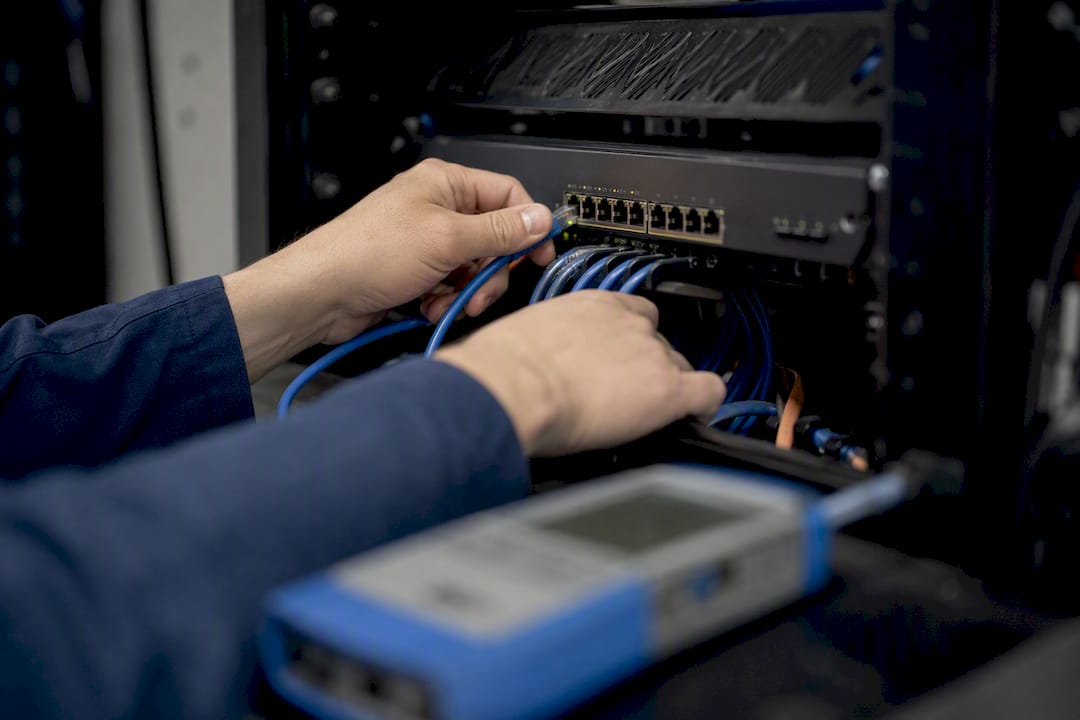
Beyond the VLAN capability, the decisions that matter are PoE power budget, uplink speed (gigabit is often no longer enough once you add cameras and access points), and AP radio class, with Wi‑Fi 6 or 6E justified once device density climbs.
| Condition | Why managed infrastructure is required |
|---|---|
| Guest WiFi with VLAN separation | Unmanaged switches can't tag or route VLAN traffic |
| VoIP phones on site | QoS prioritization prevents call quality drops |
| A moderate to high number of connected users | PoE and traffic monitoring prevent overload |
| Security cameras or access control | IoT devices need their own isolated VLAN |
What Does a Guest WiFi Project Actually Cost, and How Long Does It Take?
A straightforward install typically runs through six phases: scoping and quote, predictive survey and design, procurement, installation and cabling, commissioning and validation, and handover with documentation. For a small home or single-tenant office, that whole sequence often wraps within one to two weeks. A commercial site with structured cabling or a multi-building rural property can run several weeks, mostly driven by cabling runs and procurement lead time on switches and access points.
- Scoping and quote: same week in most cases
- Survey and design: 1 to 3 days on site
- Procurement: variable, often the longest single delay
- Install and commissioning: 1 to 3 days depending on scale
Cost bands vary enormously based on cabling complexity, AP count, and whether you need a managed PoE switch with a 10Gb uplink versus a basic gigabit unit. The single biggest driver of a lowball quote is a missing site survey. Skip it, and the "savings" usually resurface later as an emergency callout to fix a dead zone nobody planned for.
What Should You Ask an Installer Before You Sign?
Ask these questions before comparing any two quotes side by side:
- Do you perform a predictive site survey before quoting, or just eyeball the floor plan?
- Will I receive a written VLAN and IP plan, not just a verbal description?
- What's included in your commissioning report, and can I see a sample?
- What is your first-visit fix rate, and how do you handle a callback if something's wrong?
- Who provides warranty and ongoing support after handover?
Then check credentials directly: ask for evidence of past site surveys, relevant trade licensing, insurance, and at least one reference who had a comparable project done.
Red flags worth walking away from:
- No mention of a site survey anywhere in the quote
- No VLAN or IP addressing plan documented
- PoE budget left unspecified for switch and AP power draw
- No commissioning or validation step after install
What Happens During Commissioning and Handover?
Commissioning is the verification step that separates "installed" from "working." It includes a validation survey against the original design, throughput testing at multiple points, roaming checks as a device moves between access points, and a spectrum sweep to catch interference or rogue access points nearby.
At handover, you should receive:
- Final heatmaps from the validation survey
- A device inventory listing serial numbers and firmware versions
- VLAN and firewall configuration documentation
- Captive portal or RADIUS setup details, if applicable
- Throughput and roaming test results
- Ongoing support usually falls into one of three models: ad hoc ticket-based fixes, remote monitoring with alerting, or a managed service that schedules firmware updates and watches for anomalies.
- Ask which model applies to your contract before you sign, since "support included" means very different things across those three.
How DJC Engineering Approaches Guest WiFi Installations
Djcengineering builds every guest network around a site survey first, not a generic AP drop. That means managed PoE switch provisioning, VLAN segregation between guest, staff, and IoT traffic, and structured cabling done to spec rather than run along the shortest path.
- Site-surveyed design with validation heatmaps on every project
- Managed switch provisioning matched to PoE and uplink needs
- Structured cabling and rack setup, not just wireless access points
- Starlink and NBN integration where rural sites need a reliable uplink
Djcengineering reports a 98% first-visit fix rate across installations, meaning most jobs get done right without a return visit to chase a problem that should have been caught the first time. A DJC quote includes fixed-scope deliverables, a commissioning report, and clear warranty terms, spelled out before work begins, not negotiated after.
An Installer's Note From the Field
Every guest WiFi job I scope comes down to tradeoffs: how many access points versus how much cabling, where the switch rack actually fits, whether the client's IoT devices need their own VLAN today or in six months. Skipping the survey to save a day always costs more later.
South East Queensland sites add their own variables: rural properties with long cable runs between buildings, and homes with raked ceilings that scatter signal in ways a floor plan alone never shows.
Ready to Get Your Guest WiFi Professionally Installed?
Djcengineering scopes guest WiFi projects the way they should be scoped: survey first, hardware decisions second, quote third. If you're comparing a DIY router setting against a properly segmented network, the real difference isn't the SSID name. It's whether a compromised guest device can ever reach your staff systems, your cameras, or your point-of-sale terminal.

To request a quote, have your floor plan or property layout ready, a rough device count for guests and staff, and a list of anything that needs its own segregated network (cameras, POS terminals, smart locks). On the first visit, expect a walk-through, signal checks in problem areas, and a discussion of cabling paths before any formal design work starts. Scheduling windows vary by season, so book your site survey and WiFi design early if you're planning around a renovation or a busy trading period. For sites that also need structured cabling or rack upgrades, the networking service page covers what's involved beyond the wireless side. Start with a scoped quote request through Djcengineering and get a design built around your actual property, not a generic template.
Frequently Asked Questions
Do I really need a site survey for a small home guest network?
For a single-story home with straightforward layout, a lighter survey may suffice. For anything with multiple floors, thick walls, or a rural footprint, skipping the survey usually means dead zones that cost more to fix after install than the survey would have cost upfront.
Can I add a guest network to my existing router instead of hiring an installer?
A consumer router's guest toggle doesn't create a true VLAN, doesn't isolate IoT devices, and won't survive a firmware update without you noticing it silently reverted to defaults. It's a different category of solution than a segregated, commissioned network.
What's the difference between Cisco Meraki, Ubiquiti UniFi, and Aruba Instant On?
These are cloud-managed and locally managed platforms commercial installers commonly deploy, each with different management interfaces and licensing models. The platform matters less than whether the installer configures VLANs, firewall rules, and client isolation correctly on top of it, since misconfigured hardware performs the same regardless of brand.
How often should a guest WiFi network be re-surveyed after installation?
Periodic checks every few months, or whenever performance issues arise, help catch coverage drift and rogue access points before they become a real problem.
Does a captive portal always require collecting guest personal data?
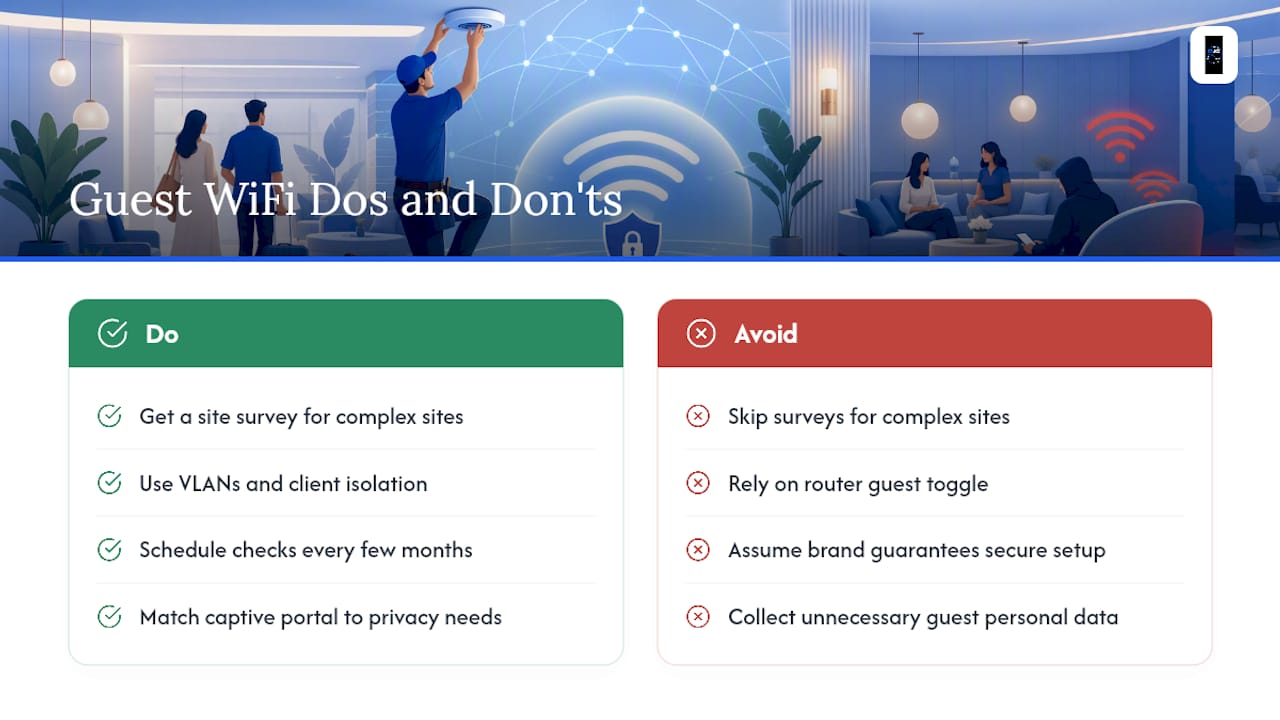
No. Captive portals can range from a simple click-through terms page to full email or SMS verification. Which approach fits depends on your privacy obligations and what you actually intend to do with the data collected.