
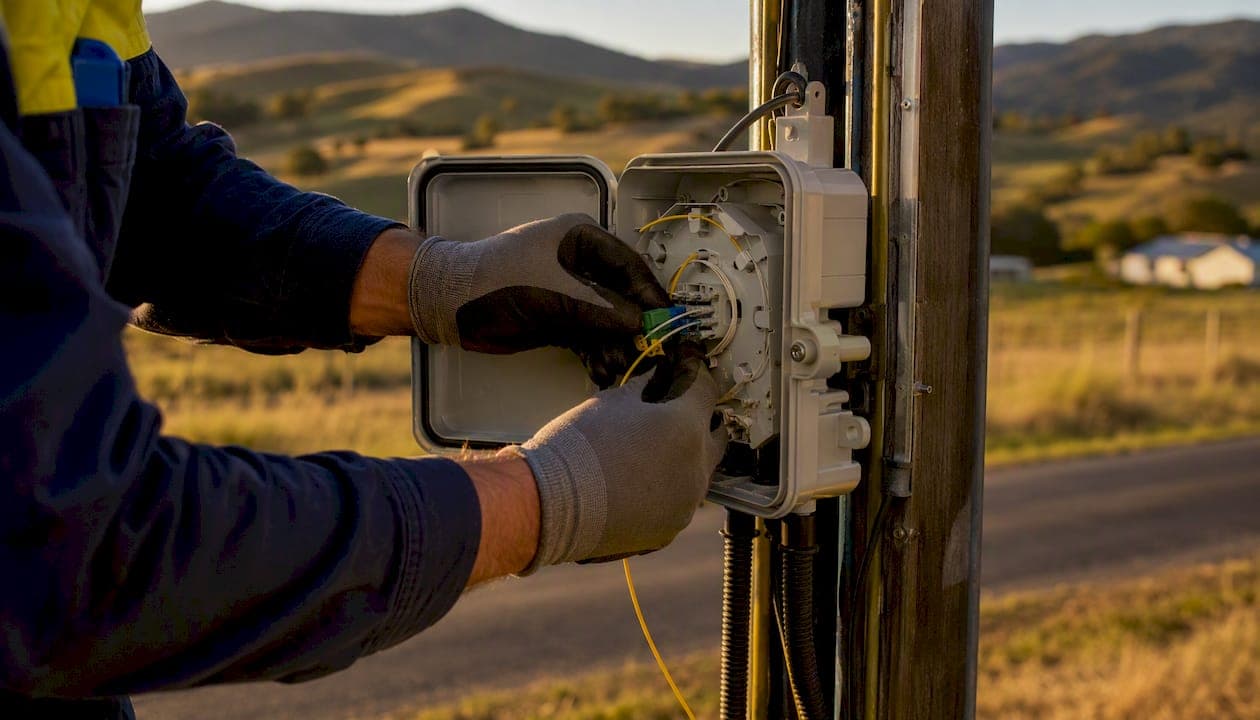
Australia's NBN network uses seven distinct technology types under its Multi Technology Mix (MTM): FTTP, FTTB, FTTC, FTTN, HFC, Fixed Wireless, and Sky Muster Satellite. Of these, FTTP (Fibre to the Premises) is the most reliable and future-proof. HFC is the next best option where FTTP isn't available. Copper-based connections like FTTN, FTTC, and FTTB carry distance-related speed limits, while Fixed Wireless and Sky Muster Satellite serve regional and remote Australia.
Here's the canonical list at a glance:
- FTTP — Fibre to the Premises
- FTTB — Fibre to the Building/Basement
- FTTC — Fibre to the Curb
- FTTN — Fibre to the Node
- HFC — Hybrid Fibre Coaxial
- Fixed Wireless — Radio from a tower
- Sky Muster Satellite — Geostationary satellite for remote areas
This guide covers how each type performs, which speed tiers each can realistically deliver, how to check your address, upgrade paths, and when to bring in a professional installer like Djcengineering.
Table of Contents
- What are the NBN technology types and how do they compare?
- How does each NBN technology actually work?
- How does your NBN type affect your internal network?
- How do you check your NBN type and upgrade eligibility?
- Which NBN speed tier should you choose?
- Common problems by NBN type and how to fix them
- Key Takeaways
- Why the "just plug it in" approach costs you more than you think
- Get a professional NBN installation in South East Queensland
- Useful sources
What are the NBN technology types and how do they compare?
| Technology | Max Download | Max Upload | Latency | Distance Sensitivity | Best For | Upgradeable to FTTP? |
|---|---|---|---|---|---|---|
| FTTP | Up to 2,000 Mbps | Up to 500 Mbps | Very low | None | All premises | Already FTTP |
| HFC | Up to 2,000 Mbps | Up to 100 Mbps | Low | Low | Homes, MDUs | Possible in some areas |
| FTTB | Up to 100 Mbps | — | Low–medium | Medium (building wiring) | Apartments, MDUs | Possible |
| FTTC | Up to 250 Mbps | Up to 25 Mbps | Medium | Low (~300m copper) | Houses, townhouses | Yes, via upgrade programs |
| FTTN | Up to 100 Mbps | — | Medium–high | High (up to ~1km copper) | Houses (older areas) | Yes, via upgrade programs |
| Fixed Wireless | Up to 75 Mbps | — | Medium | Line-of-sight dependent | Regional properties | Limited |
| Sky Muster | Up to 25 Mbps | Up to 5 Mbps | High (600ms+) | N/A | Remote/very remote | No |
Key trade-offs to keep in mind:
- FTTP and HFC are the only technologies that support the highest NBN tiers (NBN 500, 1000, and 2000) in most areas.
- FTTN speed drops sharply with copper length; two houses on the same street can get very different results.
- Fixed Wireless and Sky Muster latency makes real-time applications (gaming, video calls) noticeably less responsive than fiber-based connections.
How does each NBN technology actually work?
FTTP — fiber all the way to your door
Fiber runs directly from the street to a Network Termination Device (NTD) inside your home or business. No copper anywhere in the last mile. That means consistent speeds regardless of distance, very low latency, and a clear path to speeds up to 2,000 Mbps as NBN Co upgrades wholesale tiers. Experts consistently prioritize FTTP as the superior, future-proof solution because copper interference simply isn't a factor.
Pros: Highest speed ceiling, lowest latency, no distance degradation, supports all NBN tiers. Cons: Not yet available everywhere; installation may require an NBN Co technician visit.
HFC — fiber to the street, coax to your wall
HFC runs fiber to a node in your street, then uses existing pay-TV style coaxial cable into your home. It supports NBN 500 and NBN 1000 plans in many areas, and NBN 2000 where deployed. Peak-time congestion can occur on shared coax segments, though NBN Co has invested in network upgrades to reduce this.
Pros: High speed potential, widely available in suburban areas, no copper phone line needed. Cons: Upload speeds are lower than FTTP; shared infrastructure can affect peak-time performance.
FTTB — fiber stops at the building
Fiber arrives at the building's communications room; from there, existing internal copper or ethernet wiring connects individual apartments. Speed and reliability depend heavily on the condition and type of that internal wiring. Older buildings with degraded copper can limit speeds significantly.
Pros: Practical for apartment blocks without full rewiring; faster than FTTN in most cases. Cons: Shared building infrastructure; internal wiring quality varies; limited to lower speed tiers.
FTTC — fiber almost to your door
Fiber runs to a Distribution Connection Unit (DCU) at or near the curb, typically within 300 meters of your premises. FTTC is usually more reliable than FTTN because that short copper run loses far less signal than the up-to-1km run used by FTTN. Most FTTC connections can realistically reach NBN 100 or NBN 250 plans.
Pros: Short copper run means better speeds and stability than FTTN; supports higher tiers. Cons: Still copper-dependent; eligible for FTTP upgrade in many areas.
FTTN — fiber to the neighborhood node
FTTN uses VDSL/VDSL2 technology over existing copper phone lines from a street-side node to your premises. The copper run can stretch up to around 1km, and performance is highly sensitive to both length and cable condition. A house 200m from the node might get NBN 100 speeds; one 800m away might struggle to sustain NBN 25.
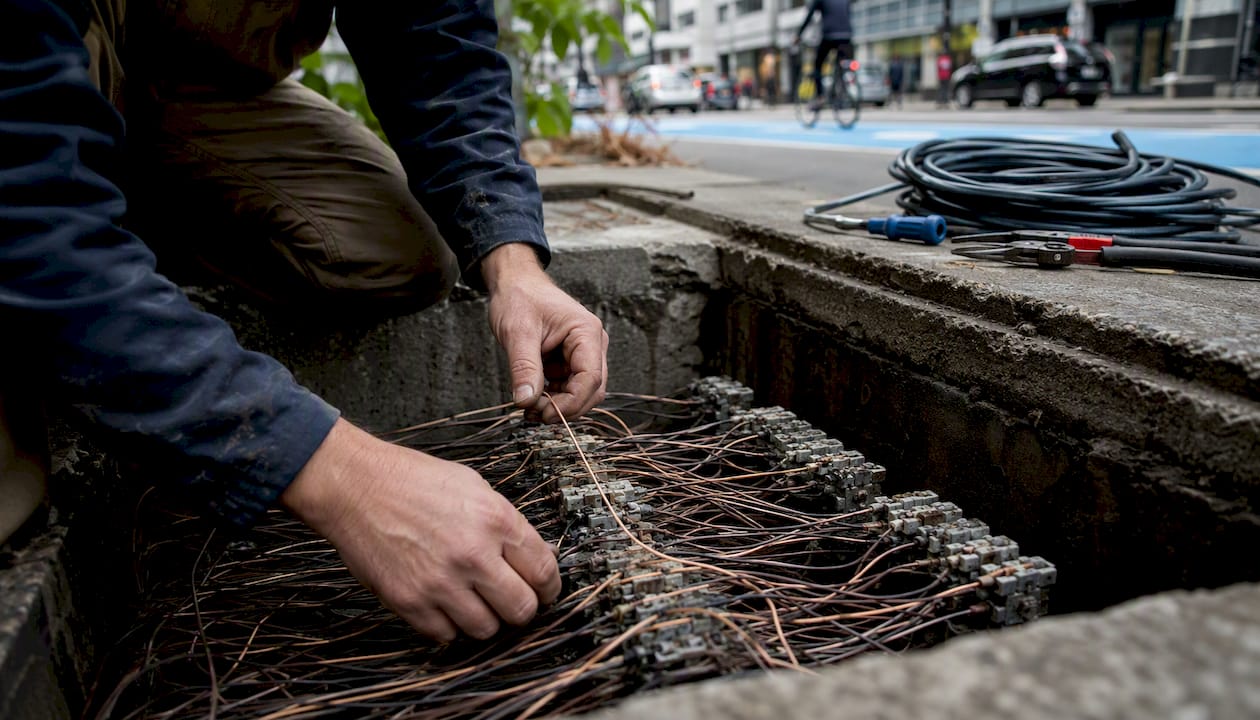
Pros: Widely deployed; upgrade paths exist (vectoring, G.fast, FTTP). Cons: Speed varies dramatically by distance; requires a VDSL2 modem-router; older copper can cause dropouts.
Pro Tip: For FTTN, a VDSL2 modem-router is mandatory — a mesh router alone cannot connect to the phone line. Bridge your VDSL2 modem to a mesh system rather than replacing it.
Fixed Wireless — radio from a tower
NBN Co transmits a radio signal from a fixed tower to an antenna mounted on your roof. Speeds top out at around 75 Mbps download in most areas. Line-of-sight matters: trees, terrain, and weather can all affect signal quality. Latency is higher than any fiber option, which affects video calls and gaming noticeably.
Pros: Available in regional areas where fiber isn't; no phone line required. Cons: Weather and terrain sensitive; lower speed ceiling; higher latency.
Sky Muster Satellite — last resort for remote Australia
Sky Muster covers very remote premises where no other NBN technology reaches. Speeds max out around 25 Mbps download, and latency runs above 600ms due to the round-trip to a geostationary satellite. For remote properties where Sky Muster is the only option, Starlink's low-earth-orbit satellite is worth comparing — latency is dramatically lower and speeds are generally higher, though it operates outside the NBN network entirely. Djcengineering installs both Starlink and NBN connections across South East Queensland.
How does your NBN type affect your internal network?
The technology arriving at your premises determines what hardware you need and how much internal work is required to actually use those speeds across your property.
- FTTP: Only needs a router connected to the NTD. No modem required. Simpler setup, more flexibility for mesh WiFi placement.
- FTTN: Requires a VDSL2 modem-router connected to the phone line. Mesh nodes must be bridged to the modem, not used as standalone routers.
- FTTB: Depends on building wiring type. Ethernet-wired buildings are straightforward; copper-wired buildings may need a modem and can limit speeds.
- HFC: Connects via a cable modem or NBN connection box; router connects to that device.
For businesses, the stakes are higher. Professional site surveys and structured cabling align internal networks with incoming NBN capacity, preventing the common situation where a fast NBN connection is bottlenecked by poor internal wiring. A commercial cabling installation typically includes a comms rack, Cat6 structured cabling to workstations, and managed switches sized to the incoming speed tier.
Before any installation, check:
- NTD or modem placement relative to the incoming termination point
- Copper or coax condition (especially in older buildings)
- Building comms room access for FTTB
- Power over Ethernet (PoE) requirements for access points and cameras
Pro Tip: A professional site survey before installation identifies copper condition, termination point placement, and WiFi dead zones. Getting this right on the first visit avoids the most common cause of poor NBN performance: good connection at the wall, poor delivery across the property.
How do you check your NBN type and upgrade eligibility?
- Go to the NBN Co address lookup and enter your address. The result shows your current technology type and available speed tiers.
- Confirm with your ISP if the result is unclear or if you're mid-upgrade.
- Check for FTTP upgrade eligibility. NBN Co has been progressively upgrading FTTN, FTTC, and FTTB premises to FTTP in eligible areas. Your ISP can confirm whether your address qualifies.
- If eligible, your ISP initiates the upgrade. NBN Co typically handles the external fiber work; an in-premises technician visit installs the NTD.
- Internal cabling work (if needed) is arranged separately, often through an accredited installer.
Upgrade timelines vary by area and demand. In most cases, the on-premises work for an FTTP upgrade is minimal — a new NTD installation and a short fiber run inside the premises. Where structured cabling or comms rack work is needed, a professional installer visit adds time but significantly improves the final result.
Which NBN speed tier should you choose?
| Use Case | Recommended Tier | Technologies That Deliver It |
|---|---|---|
| 1–2 users, light browsing/streaming | NBN 25 | All types |
| Family of 3–5, 4K streaming + video calls | NBN 100 | FTTP, HFC, FTTC, FTTB, FTTN (if close to node) |
| Small business, cloud apps, VoIP | NBN 100 or NBN 250 | FTTP, HFC, FTTC |
| Heavy upload users, video production | NBN 500 or NBN 1000 | FTTP, HFC (selected areas) |
| Enterprise or multi-site | NBN 1000 or NBN 2000 | FTTP primarily |
A few practical notes:
- NBN 500, 1000, and 2000 plans are only reliably available on FTTP and HFC in most areas. Don't pay for a tier your technology can't deliver.
- For latency-sensitive work (video production, real-time collaboration, VoIP), FTTP's lower latency matters more than raw download speed.
- Businesses often benefit from overprovisioning by one tier to handle simultaneous users without degradation during peak hours.
Common problems by NBN type and how to fix them
Start with these quick checks before calling your ISP:
- Reboot in sequence: modem first, wait 60 seconds, then router, then devices.
- Check NTD or modem indicator lights against your ISP's guide.
- Run a speed test via ethernet cable directly from the modem to rule out WiFi as the bottleneck.
- For FTTN, check the phone line connection at the wall plate — a loose or corroded connection degrades VDSL signal significantly.
Per-technology fixes worth trying:
- FTTN: Move the VDSL2 modem as close to the incoming phone line termination as possible. Long internal copper runs before the modem reduce signal quality.
- HFC: Inspect coaxial cable connections at the wall and at the cable box. Loose or corroded fittings cause dropouts.
- FTTC: If speeds are inconsistent, check the DCU outside (the small box near the curb) for physical damage or water ingress — report this to your ISP.
- Fixed Wireless: Check antenna alignment and clear any new vegetation growth blocking line-of-sight to the tower.
Call your ISP when rebooting and basic checks don't resolve the issue. Book a professional installer when the problem is internal: poor cabling, inadequate WiFi coverage, or a comms room that needs restructuring. Djcengineering's site-surveyed WiFi installations address the full chain from the NTD to the last device on the network.
Key Takeaways
Australia's NBN uses seven technology types, and FTTP is the best choice for reliability and future capacity wherever it's available.
| Point | Details |
|---|---|
| Seven NBN technology types | FTTP, FTTB, FTTC, FTTN, HFC, Fixed Wireless, and Sky Muster Satellite are all active in Australia. |
| FTTP leads on every metric | FTTP delivers the lowest latency, highest speed ceiling (up to 2,000 Mbps), and no copper degradation. |
| Check your address first | Use the NBN Co address lookup to confirm your technology type and upgrade eligibility before choosing a plan. |
| Match your tier to your technology | NBN 500/1000/2000 plans are only reliably available on FTTP and HFC; copper-based types cap out lower. |
| Djcengineering for professional installs | Djcengineering provides accredited site surveys, structured cabling, and NBN/Starlink installs across South East Queensland. |
Why the "just plug it in" approach costs you more than you think
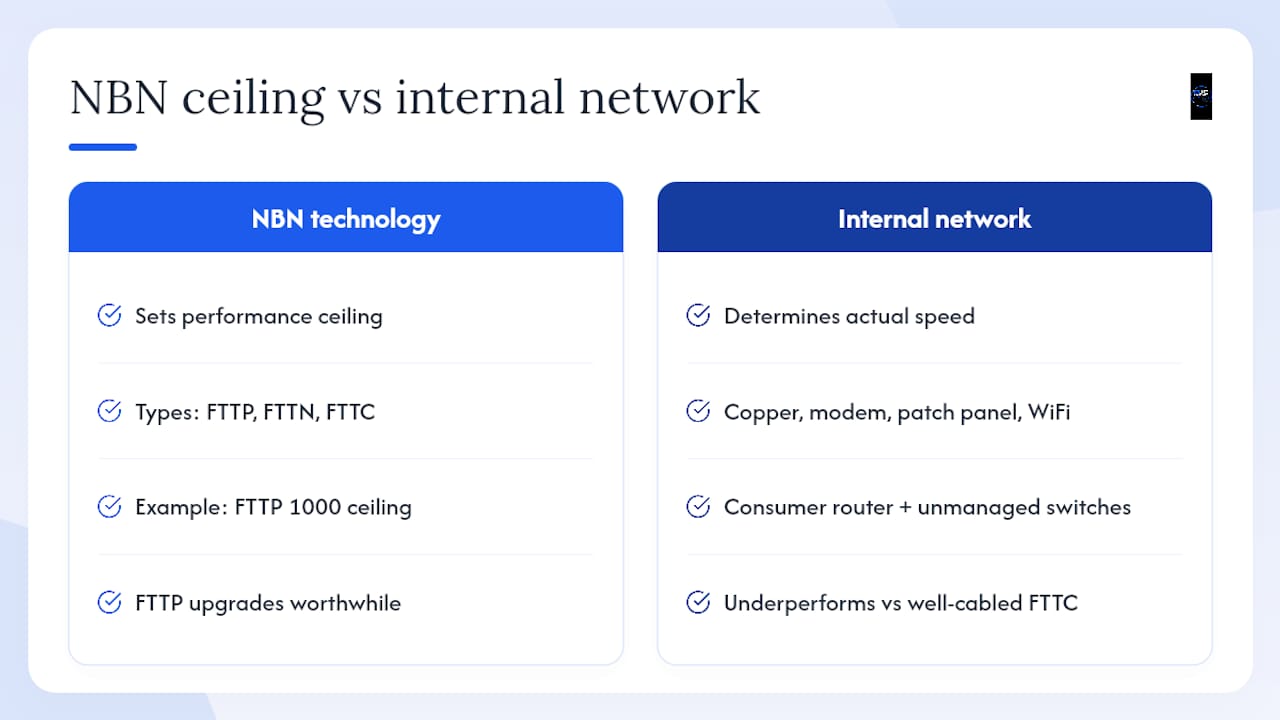
Most people assume that once NBN arrives at the wall, the hard part is done. The technology type at your address is only half the equation. The other half is what happens between that wall socket and every device in your home or business.
Copper condition, modem placement, patch panel quality, and WiFi design all determine whether you actually experience the speed you're paying for. A business on FTTP NBN 1000 with a consumer-grade router and unmanaged switches will routinely underperform a well-cabled FTTC connection. The technology type sets the ceiling; your internal network determines whether you get anywhere near it.
The upgrade programs rolling out FTTP to former FTTN and FTTC premises are genuinely worth pursuing. But an FTTP upgrade without a structured cabling review is a missed opportunity. The fiber arrives clean; what happens after the NTD is entirely your responsibility.
Get a professional NBN installation in South East Queensland
Knowing your NBN technology type is the starting point. Getting full-property performance from it requires the right hardware, correctly installed, in the right locations.
Djcengineering delivers accredited NBN and Starlink installations across South East Queensland, with no subcontractors and a 98% first-visit fix rate. A typical site visit covers NTD and modem placement, structured Cat6 cabling, comms rack setup, and a site-surveyed mesh WiFi design that delivers your NBN speed to every corner of the property.

Whether you're upgrading from FTTN to FTTP, setting up a new business premises, or replacing a patchy WiFi setup that's been throttling a perfectly good HFC connection, the process starts with an accurate scope. Request a site survey or installation quote from Djcengineering to get a fixed-scope proposal with no surprises.
Useful sources
- Multi Technology Mix (MTM) | nbn
- How to check your NBN connection type | WhistleOut
- nbn™ technology 101: What is FTTN? | nbn
- FTTP vs. FTTN modems and routers | WhistleOut
- Is My NBN Fibre to the Node or Fibre to the Premises? | Move In Connect
- NBN FTTN guide | Finder
- FTTP vs. FTTN vs. FTTC — what’s best for your business | Telstra
Recommended
- Commercial WiFi Systems: Engineering High-Performance Networks for QLD Businesses | DJC Engineering
- Commercial Network Cabling Brisbane: The Engineered Backbone of Modern Business in 2026 | DJC Engineering
- Starlink: High-Speed Internet Guide for Rural QLD | DJC Engineering
- Commercial WiFi Design Brisbane: The Master Technician’s Guide to Business Connectivity | DJC Engineering