

For most home and small-office setups, a keystone patch panel is the better pick because it adapts as your port needs change. Choose a punch-down panel instead when you need a permanent, certifiable structured cabling run that won't be touched again for years. The real decision driver is not brand or price, but how often that rack will change. A network that gets rewired every few months needs different hardware than a wiring closet installed once and left alone.
That lifecycle rule is what actually separates keystone panels from punch-down (IDC) panels, and it's the framework installers use before they ever touch a cable. A keystone panel holds modular jacks you can swap individually. A punch-down panel terminates cable directly into fixed 110-style connectors on the back of the panel itself. Both can hit Cat6 or Cat6A performance. The difference shows up later, when you need to add a port, fix a bad connection, or prove the link still certifies to TIA-568.2-D.
Here's the short version before we get into specifics:
- Pick keystone if you're wiring a home, a small office with fewer than 24 ports, or anywhere the port count or media type might change in the next few years.
- Pick punch-down if you're running a permanent structured cabling backbone in an IDF/MDF closet that needs formal certification and won't be reconfigured often.
- Pick pass-through or fixed if you're managing a high-change rack with constant moves and adds, or rolling out identical, low-cost installs across multiple sites.
Key Takeaways
The right patch panel choice depends on how often your rack will change, not on which option looks more advanced on a spec sheet.
| Point | Details |
|---|---|
| Lifecycle decides the panel | Frequent changes favor keystone or pass-through; permanent runs favor punch-down. |
| Front and back are separate choices | Keystone vs fixed is the interface; punch-down vs pass-through is the termination method. |
| Match keystone ratings to targets | A Cat6A keystone in a Cat6 frame won't deliver Cat6A performance. |
| Certification needs a certifier | Continuity testers confirm wiring; only a certifier verifies Cat6A channel results. |
| Djcengineering scopes it properly | DJC Engineering specifies panel type on site based on port projection, MAC cadence, and rack space, then certifies and documents the install. |
Table of Contents
- Patch Panel vs Keystone: A Side-by-Side Comparison
- What Actually Separates Keystone, Punch-Down, and Pass-Through Panels?
- How Do You Install Each Type, and What Will It Cost?
- Weighing the Real Tradeoffs of Each Option
- Which Panel Fits Your Specific Setup?
- Avoiding the Mistakes That Cause Callbacks
- Does Your Panel Choice Affect Cat6A Certification?
- How a Professional Installer Chooses on Site
- How DJC Engineering Handles Your Cabling Install
- Frequently Asked Questions
- Sources
Patch Panel vs Keystone: A Side-by-Side Comparison
The two options aren't really competing on the same axis. A patch panel is the physical unit mounted in your rack; keystone is one style of front interface that panel can use. Punch-down is a termination method on the back. Confusing those two decisions is one of the most common specification mistakes installers see, according to AMPCOM's patch panel guide. Here's how the main types stack up against the factors that actually matter on a job site.
| Factor | Keystone (modular) | Punch-down (IDC) | Pass-through / feed-through | Fixed-port (wired) |
|---|---|---|---|---|
| Best-fit environment | Home, SOHO, mixed media | Permanent structured cabling, IDF/MDF closets | High-change racks, data centers, event venues | Repeatable multi-site rollouts |
| Rear termination | Toolless or punch-down jack | 110/180° punch-down | No termination, cable passes through | Factory-wired, no field termination |
| Front interface | Keystone (swappable) | Fixed | Keystone or coupler | Fixed |
| Tools and skill | Low to moderate | Moderate to high | Low | None (pre-built) |
| MAC frequency | Handles frequent changes well | Best for rare changes | Built for constant changes | Poor fit for change |
| Testability / certification | Good, varies by module rating | Strong, predictable channel results | Good, minor insertion loss | Predictable, fixed spec |
| Cost / rework overhead | Higher per-port parts, low rework cost | Lower per-port parts, high rework labor | Moderate, fast rework | Lowest BOM, no rework flexibility |
| Port density | Moderate | High | Moderate to high | High |
| Cat6 / Cat6A suitability | Yes, if module is rated correctly | Yes | Yes, with slight loss margin | Yes |
Two things trip people up when reading a table like this. First, "testability" for keystone panels depends entirely on the module you buy. A Cat6A keystone in a Cat6-rated panel doesn't make the link Cat6A. Second, "rework overhead" for punch-down panels isn't about the initial install cost; it's about what happens six months later when someone needs to move a port and has to repunch instead of swapping a module.
What Actually Separates Keystone, Punch-Down, and Pass-Through Panels?
Two separate decisions get bundled together on every patch panel spec sheet: what's on the front, and how the cable gets attached on the back. Understanding them as independent choices makes the rest of this article a lot easier to apply.
Keystone (modular) panels hold empty frames that accept individual keystone jacks. Those jacks come in three flavors. Toolless keystones snap the conductors into place by hand, which is slower per-connection but requires no tools. Punch-down keystones use a 110-style termination and need a punch tool, offering a more secure long-term connection. Pre-terminated (plug-and-play) keystones arrive with a factory connector already attached to a short pigtail, which you then splice or connect. Because each port is its own module, you can mix Cat6, Cat6A, fiber couplers, and even HDMI or coax keystones in the same frame.
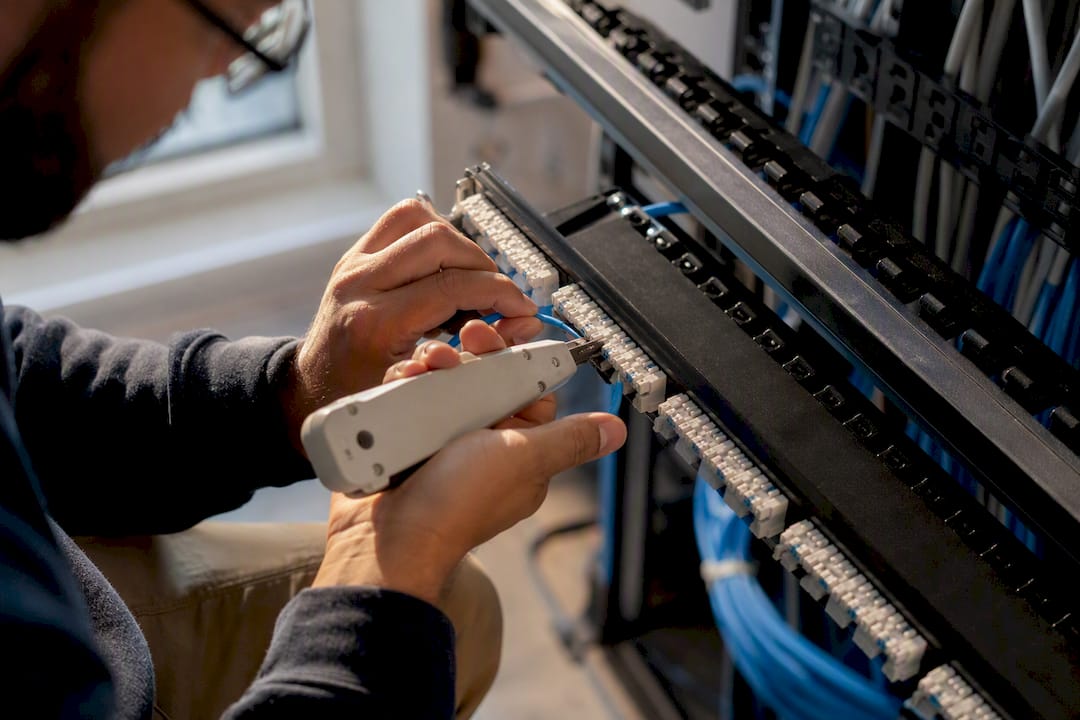
Punch-down (IDC) panels are a single fixed unit where every port terminates directly onto the board using insulation displacement contacts. The two common punch angles are 110° and 180°, referring to how the conductor sits in the slot before you seat it with a punch tool. Workmanship matters more here than with keystone jacks, because a sloppy punch produces intermittent faults that are hard to trace later.
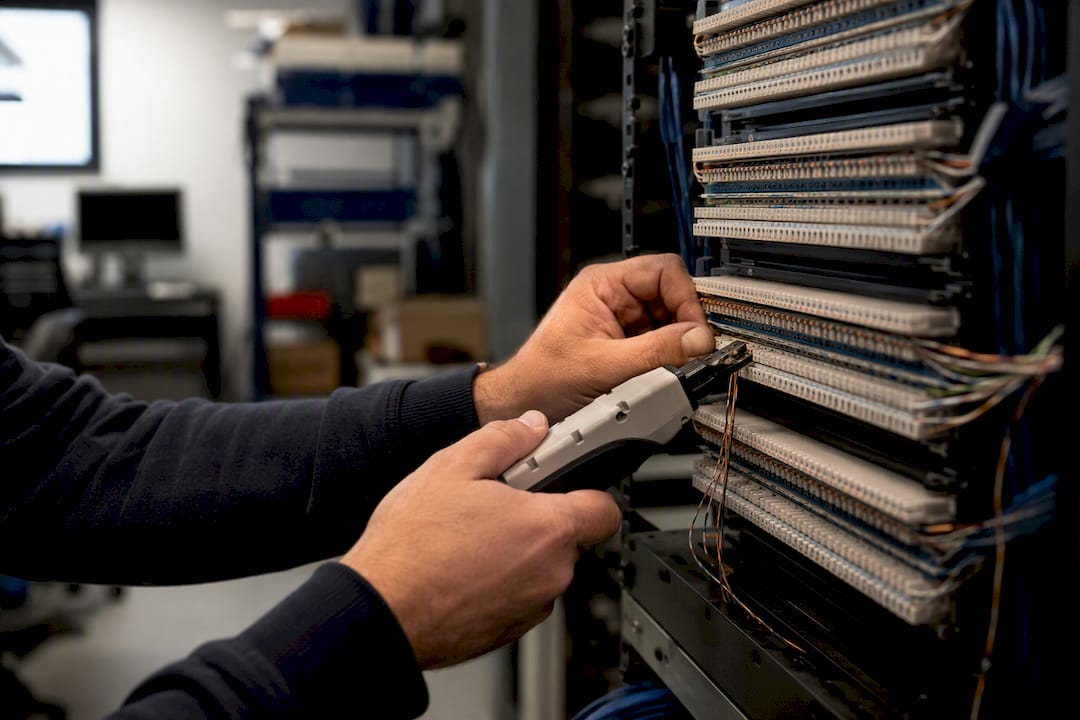
Pass-through (feed-through) panels skip termination entirely. A pre-made patch cord runs from the wall plate, through the panel, and straight to the switch, with the panel acting only as a coupler and cable organizer.
Fixed/wired panels are factory-built with cable already attached, offering the lowest cost and zero field labor, at the expense of any flexibility once installed.
Pro Tip: If you're unsure which front interface to buy, decide the termination method first. A punch-down keystone jack and a punch-down panel use nearly identical tools and technique, so the "keystone vs patch panel" choice often comes down to modularity, not skill level.
How Do You Install Each Type, and What Will It Cost?
Punch-down panel installation follows a fairly fixed sequence. You dress and bundle the incoming cables, label each one before termination (not after), punch each conductor pair into its slot with a 110 or 180° tool, trim the excess, seat a strain relief bar, then test.
Keystone installation looks similar but happens at the jack level before it ever goes into the frame:
- Strip and prep the cable end, keeping the twist as close to the termination point as possible.
- Terminate the jack, either by punching it with a small tool or seating it in a toolless housing by hand.
- Snap the finished jack into the keystone frame or wall plate.
- Test the port with a continuity tester or certifier before closing up the rack.
A basic tool kit covers most of this work: a 110/180 punch-down tool, a cable stripper, a wire-map continuity tester for quick checks, and a certifier if you need documented Cat6A channel results. Keystone jobs add a keystone insertion tool and some cable management gear to keep dozens of pigtails organized inside a shallow media cabinet.
Time per port runs faster for punch-down once you're practiced, roughly two to four minutes a port versus three to six for toolless keystones, though a skilled installer with a punch-down keystone can close that gap. A 12-port home panel is typically a half-day job including patch cord dressing and labeling; a 24-port SOHO panel often runs a full day; a 48-port closet installation with full channel certification can take a day and a half to two days depending on run length and documentation requirements.
On cost, keystone modules carry a higher per-port component price than a bare punch-down panel, but that premium buys you a lower rework cost later, since replacing one bad jack takes minutes instead of repunching an entire port.
Weighing the Real Tradeoffs of Each Option
Every one of these panel types wins on some axis and loses on another. None of them is universally "better," which is exactly why the lifecycle question matters more than any spec sheet.
Keystone gives you modularity: mix media types, replace a failed jack in minutes, and phase in Cat6A later without re-cabling the whole rack. The tradeoff is a higher per-port parts cost and a labeling discipline requirement, since an unused keystone slot looks identical to a live one until someone traces it.
Punch-down delivers predictable, stable channel performance at a lower parts cost per port, which is why it remains a common choice for permanent structured cabling runs. The catch is that quality depends entirely on the installer's technique, and any rework means desoldering... well, repunching... the whole termination rather than swapping a module.
Pass-through panels are the fastest option for moves, adds, and changes, since there's no termination step at all, just a patch cord running straight through. The tradeoff is a small amount of added insertion loss from the extra coupled connection, and they're a poor fit for permanent horizontal cabling where you want one clean run, not two mated joints.
Fixed/wired panels keep the bill of materials simple and the per-unit cost low, which makes them attractive for rolling out identical racks across multiple sites. The obvious drawback is that once it's wired, it's wired. There's no flexibility if the layout changes.
Pro Tip: If you're debating between keystone and pass-through for a rack that changes often, ask how permanent the horizontal cabling itself is. Pass-through only makes sense when the patch cords, not the wall-to-rack runs, are what keeps changing.
Which Panel Fits Your Specific Setup?
Matching the panel to the project is less about brand preference and more about answering one question: how often will this rack change over the next three to five years?
- Home or small media cabinet: Keystone usually wins here. Space is tight, upgrades happen in phases as devices get added, and toolless keystone jacks let you terminate on a bench instead of contorting behind a rack in a closet.
- Small office or SOHO with occasional changes: Keystone or pass-through, depending on how often you're adding desks or moving printers. If changes happen a few times a year, keystone's modularity is enough. If they happen monthly, pass-through saves real time.
- Structured horizontal runs requiring certification (IDF/MDF, enterprise closets): Punch-down is generally the better call, since it produces the stable, predictable channel results certifiers expect and avoids the extra mated connection a pass-through introduces.
- High-change racks (data centers, event venues, broadcast trucks): Pass-through or a dedicated patch distribution layer, because speed of reconfiguration outweighs the marginal signal loss from the extra coupler.
- Repeatable multi-site rollout: Fixed-port panels for bill-of-materials simplicity. When you're installing the same design fifty times, consistency beats flexibility.
Avoiding the Mistakes That Cause Callbacks
Most patch panel headaches trace back to a handful of repeat offenders. Mixing up the front-interface decision with the termination decision is the biggest one. Buying a keystone panel and then treating every jack like a punch-down job (skipping the toolless option entirely) adds labor for no real benefit.
Other common mistakes: leaving unused punch-down ports that look identical to live ones, which wastes an hour of someone's future troubleshooting time; skipping strain relief on cable bundles, which stresses terminations over months of vibration and heat cycling; and ignoring bend radius near the panel, which quietly degrades performance on Cat6A runs.
Good labeling heads off most of this. Use consistent port numbering that matches your wall plate IDs exactly, and note the punch date and installer initials on the panel or in your documentation. When something fails later, that record tells you whether it's a fresh termination issue or an old one.
Pro Tip: Run this quick troubleshooting order before assuming a cable is bad: check continuity end to end, check for a split pair, check length against distance limits, and only then decide whether to repunch or swap the keystone.
Does Your Panel Choice Affect Cat6A Certification?
Yes, and this is where a lot of DIY installs quietly fail testing. Channel testing measures the full run from wall plate to switch, including every connector in between; component testing checks a single piece in isolation. A punch-down panel installed correctly simplifies channel certification because there's one less mated connection to introduce loss.
Keystone panels only perform as well as the module you buy. A Cat6A keystone in a Cat6-rated frame does not upgrade the link. You have to match the keystone rating to the target performance across the whole channel, not just the panel.
For guaranteed results, use a proper certifier, not just a continuity tester, especially on Cat6A runs where insertion loss and NEXT (near-end crosstalk) margins get tight. Pass-through couplers add a second mated RJ45 connection compared to a single direct termination, which can measurably affect signal quality on long or high-reliability links. If you're using patch cords through a pass-through panel, test the complete channel, and retest after any moves or adds rather than assuming the original certification still holds.
How a Professional Installer Chooses on Site
A DJC Engineering technician doesn't pick a panel off a catalog page. The decision starts with a walkthrough and a handful of practical questions.
- Review the scope: how many devices need wired drops today, and what's the realistic growth over the next few years?
- Project port count with headroom, not just the current device list.
- Ask how often the client expects to move desks, add equipment, or reconfigure the space (the MAC cadence).
- Check available rack U space, since dense keystone frames and punch-down panels don't always occupy the same footprint.
- Inspect cable pathways and confirm bend radius clearance before committing to a termination method.
Handover on a structured cabling job should always include a testing certificate for every run, a labeling standard the client's future IT support can follow, a handful of spare ports or spare keystone jacks, and documentation of what was installed where. Sometimes the right call is punch-down even though it costs more to rework later, specifically when certification is required or the horizontal run is long enough that every connection point matters.
Pro Tip: If a client says they "probably won't touch this rack again," ask what happened the last time someone said that. It's usually wrong within two years, which is exactly why lifecycle planning belongs at the design stage, not as an afterthought.
A Note From the Field
On more jobs than I'd like to admit, the panel gets picked after the cable's already run, and that's backward. The best outcomes come from deciding the termination method before the first cable hits the wall, because retrofitting a punch-down closet into something modular later means redoing work that should have taken an extra ten minutes to plan correctly the first time.
How DJC Engineering Handles Your Cabling Install
Getting the patch panel right is one decision. Getting the whole structured cabling job right, from rack placement to certification paperwork, is what actually determines whether your network holds up for the next decade. Djcengineering handles that full scope directly, without subcontractors, and backs it with a 98% first-visit fix rate across South East Queensland installs.

Services relevant to a project like this include:
- Structured cabling design and installation for homes, offices, and rural properties
- Cat6/Cat6A termination and full channel certification
- Rack layout, labeling standards, and handover documentation
- Site surveys for mesh WiFi and integrated network design
If you're planning a new install or trying to fix a rack that was wired without a plan, book a site survey with DJC's networking team and get a scoped quote before any cable gets cut. For readers who also need clarity on telco service versus cabling scope, Netera Communications covers the voice and telco side of that distinction.
Frequently Asked Questions
Do I need a patch panel for a home network? Not always. For a handful of direct runs, a switch alone can work, but a patch panel protects your in-wall cabling from repeated plug and unplug wear and makes future troubleshooting far easier as you add devices.
What's the actual difference between a keystone jack and a patch panel port? A keystone jack is an individual, swappable connector module. A patch panel port on a punch-down panel is a fixed connection built into the panel itself. Keystone panels use jacks as their front interface; punch-down panels don't.
Can I mix keystone and punch-down panels in the same rack? Yes, and it's common. Many installs use punch-down for permanent backbone runs to a central closet and keystone panels closer to end users where port needs change more often.
Is keystone or punch-down better for Cat6A? Both support Cat6A if you use rated components throughout the channel. Punch-down often makes certification more straightforward since there's one less mated connection, but a properly rated keystone system certifies just as well.
How long does it take to install a 24-port patch panel? Budget roughly a full day for a 24-port keystone or punch-down install, including labeling, dressing cables, and testing each port, though experienced installers can move faster.
Sources
- Patch Panel Guide: Fixed vs Keystone vs Punch-Down
- A guide to three types of Ethernet patch panels: punch down, feed through and blank keystone
- What Are the Two Types of Patch Panels? A Complete Guide
Recommended
- Professional Audio Visual Installation: The Engineering Approach to Integrated Systems | DJC Engineering
- Professional WiFi Design vs Mesh: Why Your Gold Coast Home Still Has Black Spots | DJC Engineering
- Commercial Network Cabling Brisbane: The Engineered Backbone of Modern Business in 2026 | DJC Engineering
- Data Cabling Gold Coast: The 2026 High-Performance Installation Checklist | DJC Engineering