
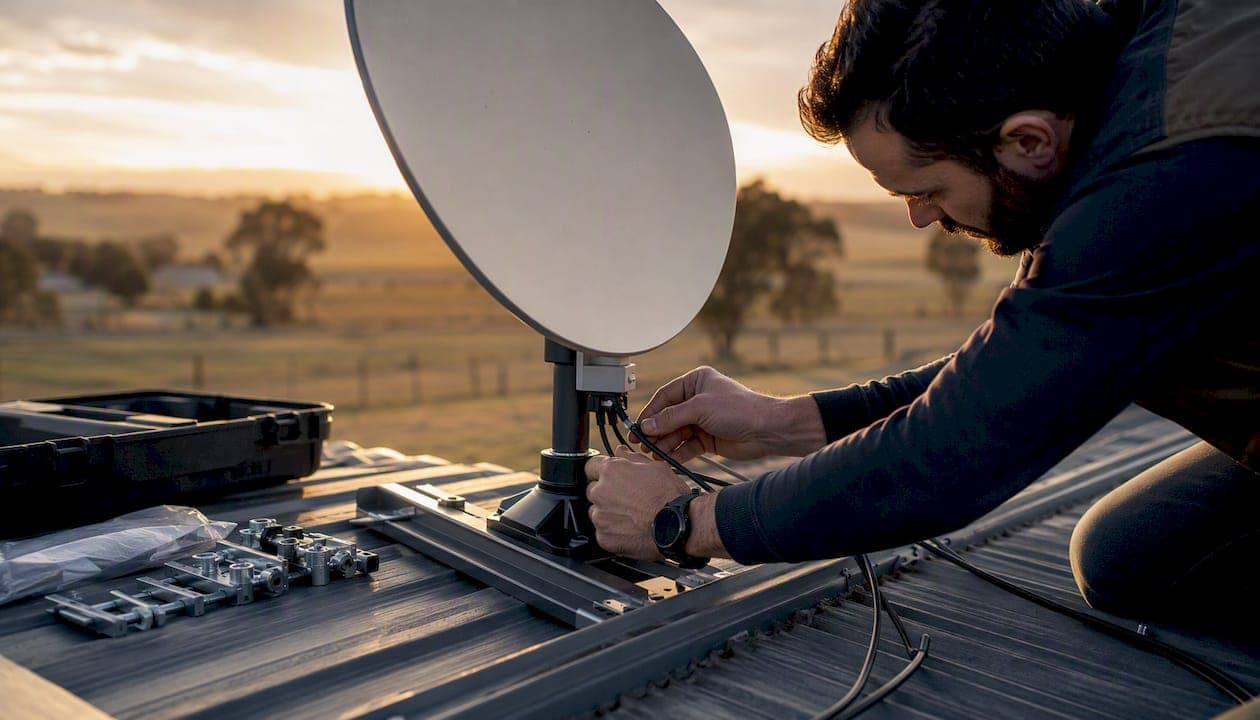
Starlink Business is fully available in Australia, and the fastest path forward is to run your site address through the Starlink Business coverage checker or contact an accredited local installer to confirm line-of-sight and deployment options before you order hardware. Most Australian business sites, including rural and remote properties across Queensland, New South Wales, and Western Australia, fall within active coverage today.
Here is what to expect once you confirm availability:
- Equipment: A high-performance business antenna kit (larger than the residential dish), mounting hardware, and a Wi-Fi router shipped directly or through a reseller
- Priority data: Business plans include dedicated priority data allocations, so your traffic is not deprioritized during peak network hours
- Timeline: Hardware typically ships within a few weeks of ordering; professional installation in South East Queensland can usually be scheduled within days of hardware arrival
- Procurement routes: Direct order via Starlink, through an authorized Australian reseller such as Skymesh or Vocus, or via a telco bundle like Telstra's satellite business internet product
Key Takeaways
Starlink Business is available across Australia and delivers the most value for rural and remote operators where fixed-line alternatives are limited or absent. A professional, site-surveyed installation is the single most important factor in long-term reliability.
| Point | Details |
|---|---|
| Availability in Australia | Starlink Business is active across Australia; confirm your site address via the official coverage checker before ordering. |
| Plan types and use cases | Fixed site, mobility (land), and maritime variants cover most business scenarios, each with dedicated priority data. |
| Cost structure | Three components: hardware kit, monthly subscription (varies by plan tier and route), and professional installation; get a site survey quote for accuracy. |
| Procurement routes | Order direct via Starlink, through authorized resellers (Skymesh, Vocus), or via a telco bundle (Telstra); each route has different support and eligibility terms. |
| Djcengineering for SEQ installs | Djcengineering provides accredited, site-surveyed Starlink business installations across South East Queensland with a 98% first-visit fix rate. |
Table of Contents
- What does Starlink Business offer Australian operators?
- How does Starlink Business differ from residential Starlink?
- What does Starlink Business actually cost in Australia?
- How do you check availability and order Starlink Business in Australia?
- What does a professional business Starlink installation involve?
- What regulatory and safety requirements apply in Australia?
- Is Starlink Business the right fit for your operation?
- Why professional installation matters more than most buyers realize
- Djcengineering handles your Starlink business installation in SEQ
- Sources
What does Starlink Business offer Australian operators?
Starlink Business is a separate product tier from the standard residential service, built around higher-performance hardware, priority data, and support structures suited to commercial operations. Three main variants cover most Australian business scenarios.
Fixed site is the most common deployment. A permanently mounted high-performance (HP) antenna connects a single business location, whether that is a rural office, farm, mine site, or retail outlet with no viable NBN or fixed wireless option. Speeds typically range from 100 Mbps to over 200 Mbps download, with latency in the 20–40 ms range under normal conditions.
Mobility (land) allows the terminal to operate across different locations, which suits construction companies, event operators, and field service teams that need connectivity wherever the job takes them. The antenna is rated for use while stationary at any covered location rather than in motion.
Maritime covers vessels operating in Australian coastal and offshore waters, with ruggedized hardware and plan structures designed for intermittent or continuous offshore use. Skymesh supports all three variants and offers local support packages for Australian customers.
Core features across business plans include:
- High-performance antennas: Larger aperture dishes with higher gain than residential terminals, better suited to commercial mounting configurations
- Priority data buckets: Dedicated data allocations that are not subject to the same network management as residential traffic during congestion
- Scalable data tiers: Some plans allow data pooling across multiple sites or devices, useful for multi-site operators
- Business support lines: Access to dedicated support channels rather than standard consumer queues
- Enterprise integration options: Resellers like Vocus offer SD-WAN integration, managed security stacks, and data pooling on top of the base Starlink service
Connectivity gap context: The ACCC's measuring broadband Australia program tracks broadband availability and performance across Australian markets, and its data consistently shows that rural and remote areas face the most significant gaps in fixed-line coverage. Starlink Business directly targets those gaps.
How does Starlink Business differ from residential Starlink?
The gap between residential and business Starlink is wider than most buyers expect. It is not just a branding distinction.
Hardware: Business plans use high-performance antennas with a larger aperture than the standard residential dish. That translates to better signal in marginal conditions, higher sustained throughput, and stricter mounting requirements. The HP antenna needs more clearance, a more robust mounting structure, and proper earthing to meet commercial installation standards. Starlink's support documentation covers hardware compatibility and setup requirements in detail.
Data and prioritization: Residential plans sit in a shared pool and are subject to network management during congestion. Business plans carry dedicated priority data allocations. Once you exhaust the priority bucket, traffic may be deprioritized, but the priority window is substantially larger than anything on the residential tier.
Support: Business customers access dedicated support channels. Residential support is self-service by default.
Installation expectations: Residential Starlink is designed for self-install. Business deployments, particularly on commercial premises, are expected to meet higher standards: certified mounting, proper earthing, structured cabling to a comms rack, and integration with the existing network. Authorized installers are the standard path for commercial sites.
Key differences at a glance:
- Residential dish: smaller aperture, plug-and-play setup, shared priority pool
- Business antenna: larger HP dish, commercial mounting required, dedicated priority data
- Residential support: self-service portal
- Business support: dedicated support line, faster escalation paths
- Residential install: DIY-friendly
- Business install: site survey and certified installer recommended
Pro Tip: Before ordering business hardware, map your comms room or server rack space. The HP antenna's power injector and router take up more rack space than the residential kit, and running structured cabling from the antenna to the rack before hardware arrives saves a full day on installation.
What does Starlink Business actually cost in Australia?
Pricing has three components: hardware, monthly subscription, and installation. Each varies depending on your procurement route and site complexity.
Hardware: The business kit costs more than the residential dish. Canstar's Starlink Australia pricing overview provides a useful ballpark for current plan and hardware pricing, though vendor quotes and site surveys are the authoritative figure for your specific deployment. Resellers and telcos sometimes bundle hardware into a monthly fee or finance it across a contract term, which reduces the upfront outlay.
Monthly subscription: Business plan pricing scales with data tier, plan type (fixed, mobility, maritime), and whether you are ordering direct or through a reseller bundle. Mobility and maritime plans carry higher monthly fees than fixed-site plans, reflecting the additional network resources required. Telco bundles, such as Telstra's satellite business internet product, may include hardware, support, and billing consolidation in a single monthly fee, though some plans cap eligibility at businesses with no more than five employees.
Installation: This is where costs vary most. A straightforward roof mount at a suburban SEQ business site sits at the lower end of the range. A rural property requiring a high mast, trenched conduit runs, power upgrades, and a full comms rack build sits considerably higher. Factors that push installation cost up include:
- Tower or high-mast mounting for clear line-of-sight over vegetation or terrain
- Trenching for underground cable runs between the antenna and the comms room
- Switchboard or power upgrades to support the antenna's power injector
- Integration with existing managed switches, firewalls, or SD-WAN appliances
- Multiple-site or multi-antenna deployments
Budget guidance: Treat any published price guide as a starting point, not a quote. The only reliable cost figure for a commercial install is one produced after a physical site survey. Request a site survey before committing to a procurement route.
How do you check availability and order Starlink Business in Australia?
Coverage confirmation comes first. Ordering hardware before verifying your site address against the current coverage map risks a delay or a return if your location is on a waitlist.
Step-by-step ordering process:
- Go to the Starlink Business page and enter your site address in the coverage checker. Select "Business" as the service type to see business-specific availability and plan options.
- Note the deployment type you need: fixed site, mobility, or maritime. Each has a different hardware kit and pricing structure.
- Choose your procurement route: direct order via Starlink, through an authorized reseller, or via a telco bundle.
- Place your order and confirm the shipping address for hardware delivery.
- Schedule a professional site survey and installation before or immediately after ordering, so the installer is ready when hardware arrives.
Procurement routes in Australia:
- Direct via Starlink: Order hardware and activate a plan on the Starlink website. Straightforward for operators who already have an installer lined up and understand their site requirements.
- Authorized resellers: Skymesh and Vocus both offer business Starlink plans with added support, data pooling, and managed integration options. Vocus specifically targets enterprise customers needing SD-WAN or managed security alongside connectivity.
- Telco bundles: Telstra's satellite business internet bundles hardware, plan, and support into a single product. Useful for small businesses that want one bill and local support, but check eligibility restrictions and whether the plan is address-locked before committing.
Before you order, collect:
- Site address and GPS coordinates for rural properties without a standard street address
- Photos of the proposed antenna mounting location and any obstructions (trees, structures, ridgelines)
- Confirmation of available power at the mounting location or comms room
- Comms room or rack dimensions and available space
- Details of existing network equipment the Starlink WAN will connect to
What does a professional business Starlink installation involve?
A business-grade install is a structured engineering project, not a Saturday afternoon job. Here is what a professional deployment looks like from survey to handover, the kind Djcengineering carries out across South East Queensland.
Numbered installation process:
- Site survey: Assess line-of-sight from candidate mounting positions using a sky obstruction check (the Starlink app includes a tool for this). Confirm roof or mast suitability, load-bearing capacity, and access for ongoing maintenance.
- Power and earthing assessment: Verify that a suitable power circuit is available at the antenna location. Plan earthing and surge protection to meet Australian electrical safety standards.
- Cabling route planning: Map the cable run from the antenna to the comms room, noting penetrations, conduit requirements, and any trenching needed for underground sections.
- Mounting and antenna installation: Install the mast or roof mount to the required structural standard, fit the HP antenna, and connect the cable run with weatherproof terminations.
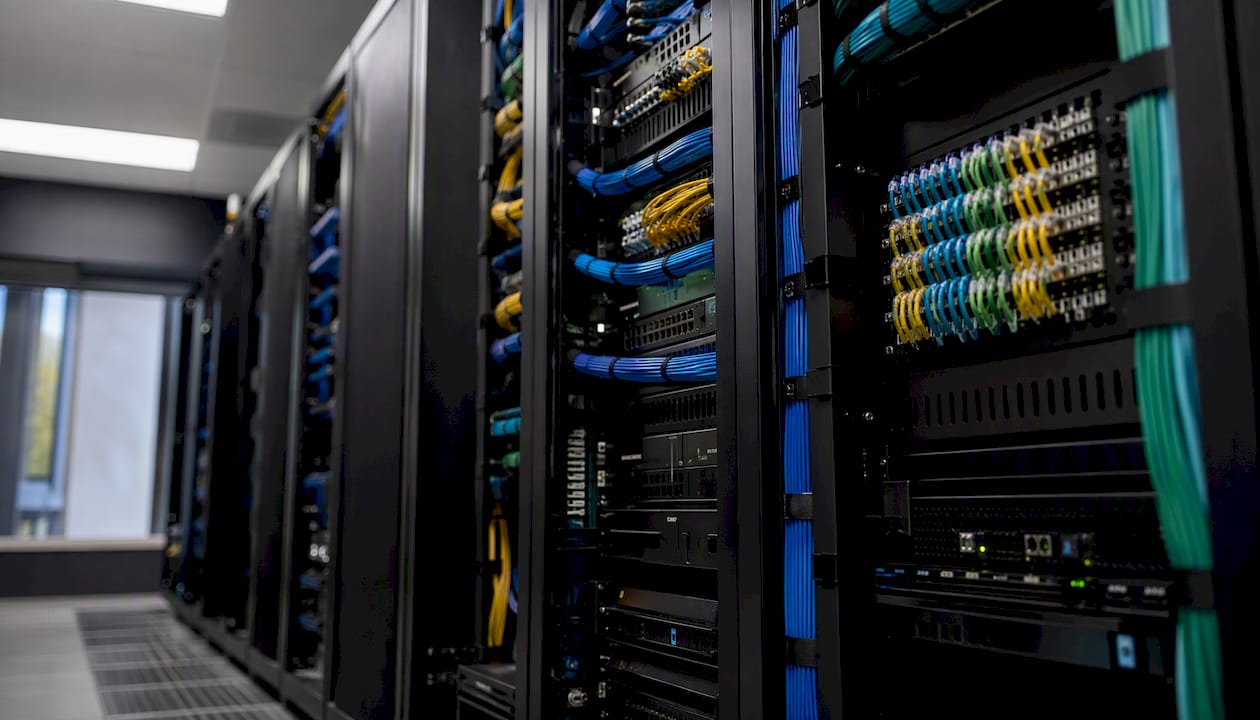
- Comms rack build: Terminate the cable at the power injector, connect to the router, and integrate with managed switches, firewalls, or SD-WAN appliances as required.
- Network integration: Configure WAN failover (so Starlink takes over if the primary link drops), set up VLANs to segment traffic, and apply QoS rules to prioritize latency-sensitive applications like VoIP or video conferencing.
- Testing and commissioning: Run throughput, latency, and failover tests. Confirm priority data is active and that the business support contact is registered.
- Handover: Walk the site manager through the system, document the configuration, and confirm warranty and support contacts.
For rural Queensland deployments, Djcengineering's professional Starlink installation guide for SE QLD covers site-specific considerations in detail. Typical time from survey to commissioning on a straightforward SEQ site is three to five business days, assuming hardware is on hand. Complex rural sites with mast work or trenching add time.
Network integration specifics worth planning for:
- WAN failover: A dual-WAN router or SD-WAN appliance monitors both your primary link (NBN, fixed wireless) and Starlink, failing over automatically with minimal disruption
- Load balancing: Some configurations run both links simultaneously, distributing traffic across them for higher aggregate throughput
- VLANs: Separate guest, staff, and IoT traffic on the same physical infrastructure
- QoS: Prioritize VoIP and video conferencing packets so a large file transfer does not degrade a client call
Integrating Starlink with a well-designed on-site WiFi network makes the difference between a connection that works and one that the whole team actually relies on.
Pro Tip: Schedule the network cutover for a low-traffic window, typically early morning or a weekend. Pre-configure the failover appliance on the bench before the install day so the live cutover is a cable swap, not a configuration session under pressure.
What regulatory and safety requirements apply in Australia?
Deploying Starlink Business on a commercial site in Australia involves several compliance checkpoints that are easy to overlook when you are focused on connectivity.
Regulatory and safety considerations:
- ACMA licensing: Starlink operates under SpaceX's carrier license in Australia. Business customers do not need a separate spectrum license to operate a Starlink terminal, but the terminal must be used within the terms of SpaceX's authorization. The ACCC's broadband monitoring program provides broader context on the regulatory environment for satellite broadband in Australia.
- Electrical safety: All cabling and earthing work on a commercial premises must comply with AS/NZS 3000 (the Australian wiring rules) and be carried out by a licensed electrician. The antenna's power injector draws continuous power; an unlicensed installation on a commercial site creates both a safety risk and an insurance liability.
- Earthing and surge protection: The HP antenna must be properly earthed to protect both the hardware and the building's electrical system. Lightning surge protection on the cable run is standard practice for any elevated antenna installation in Queensland, where storm activity is frequent.
- Planning and council approvals: Roof-mounted antennas on commercial buildings generally fall within permitted development, but high masts (typically above 10 meters) or installations on heritage-listed buildings may require a development application to the local council. Check with your local government authority before committing to a mast design.
- Strata and body corporate: If the business premises is in a strata-titled building, written approval from the body corporate is required before any external antenna installation.
- Weather performance: Starlink performs well in rain and moderate wind, but heavy rain fade can briefly reduce throughput during severe storms. A failover link provides continuity during those events.
- Backup power: For business-critical applications, a UPS on the router and power injector keeps the connection live during short power outages. Generator integration is worth planning for remote sites.
Compliance note: The combination of electrical safety requirements, earthing standards, and potential council approvals means a commercial Starlink installation is not a DIY project. Using a certified installer protects your warranty, your insurance, and your staff.
Is Starlink Business the right fit for your operation?
Not every Australian business needs the business tier. The decision comes down to your site, your usage, and what you are replacing or supplementing.
Decision checklist:
- Your site has no viable NBN fixed-line or fixed wireless option, or the available service does not meet your throughput or reliability needs
- You have five or more concurrent users, or run applications that need consistent throughput (video conferencing, cloud ERP, VoIP, large file transfers)
- Your operation is in a rural or remote location where terrestrial alternatives are limited or unreliable
- You need a primary link with a failover, or a failover for an existing primary link
- You operate mobile assets (vehicles, vessels, temporary sites) that need connectivity away from a fixed address
- Downtime has a direct cost to your business, making reliability worth paying for
Where Starlink Business typically delivers clear value:
- Remote primary link: A farm, mine site, or rural office with no fixed-line option. Starlink Business replaces a slow or unreliable 4G connection with consistent 100+ Mbps throughput.
- Failover for a fixed-line primary: An urban or regional business that cannot afford downtime adds Starlink as an automatic failover. The cost of the monthly plan is trivial compared to a day of lost productivity.
- Mobile fleets: Construction, agriculture, and resources companies with vehicles or temporary sites use the mobility plan to keep field teams connected.
- Maritime operations: Vessels operating in Australian coastal waters use the maritime plan for crew communications, operational data, and safety systems.
For rural Queensland businesses specifically, Djcengineering's rural QLD Starlink guide covers use-case scenarios and ROI considerations in detail.
Questions to ask your provider before committing:
- What is the priority data allocation on this plan, and what happens to traffic once it is exhausted?
- What is the SLA or priority traffic commitment for business customers?
- What are the hardware lead times from order to delivery?
- Does the plan include an installation warranty, and who handles hardware replacement under warranty?
- Are managed options (SD-WAN, managed security, data pooling) available, and at what additional cost?
- Is the plan address-locked, or can the terminal be relocated?
Quick recommendation framework:
A small remote office with five or fewer staff and basic internet needs can often start with a direct Starlink Business order and a professional install. A larger multi-user site, a business running latency-sensitive applications, or an operator needing SD-WAN and managed security should go through a reseller like Vocus that can integrate Starlink into a broader managed network stack.
Why professional installation matters more than most buyers realize
The business case for Starlink in rural and remote Australia is straightforward. What is less obvious is how much the quality of the installation determines whether that business case actually holds up.
A poorly sited antenna, an undersized mast, or a network integration that drops the failover at the wrong moment does not just cause inconvenience. It creates the exact downtime problem Starlink was supposed to solve. The hardware is only as reliable as the installation around it.
Djcengineering's high first-visit fix rate reflects what happens when a site survey is done properly before a single cable is run. Every job is scoped by the engineers who will carry it out, with no subcontractors. That matters on a commercial site where the person who surveyed the job needs to be the person who knows where every cable runs and why every configuration decision was made.
For SEQ businesses, Djcengineering covers the full scope: site survey, mounting, earthing, structured cabling, comms rack build, network integration, and commissioning. The connectivity services page outlines what a typical engagement includes.
Djcengineering handles your Starlink business installation in SEQ
Getting Starlink Business connected is one decision. Getting it connected properly, so it performs reliably on day one and integrates cleanly with your existing network, is a different job.

Djcengineering designs and installs business Starlink systems across South East Queensland, from a single-site rural office to multi-antenna commercial deployments with full SD-WAN integration. Every project starts with a site survey, moves through a fixed-scope quote, and ends with a commissioned, documented system, no subcontractors, no surprises. The 98% first-visit fix rate is the result of scoping jobs correctly before work begins.
Request a site survey or quote to get a real cost and timeline for your specific site, or visit Djcengineering to learn more about Djcengineering's full range of connectivity, networking, and security services for SEQ businesses.
Sources
- Starlink Business
- Telstra Satellite Business Internet – powered by Starlink
- Vocus Satellite – Starlink | Business satellite internet | Vocus
- Starlink Business Plans Australia | Skymesh
- Starlink Australia: Satellite internet plans and prices
- ACCC measuring broadband Australia program
Recommended
- Starlink: High-Speed Internet Guide for Rural QLD | DJC Engineering
- Starlink Brisbane: Overcoming Urban Connectivity Gaps with Professional Engineering | DJC Engineering
- Professional Starlink Installation: A Step-by-Step Engineering Guide for SE QLD | DJC Engineering
- Commercial WiFi Systems: Engineering High-Performance Networks for QLD Businesses | DJC Engineering