
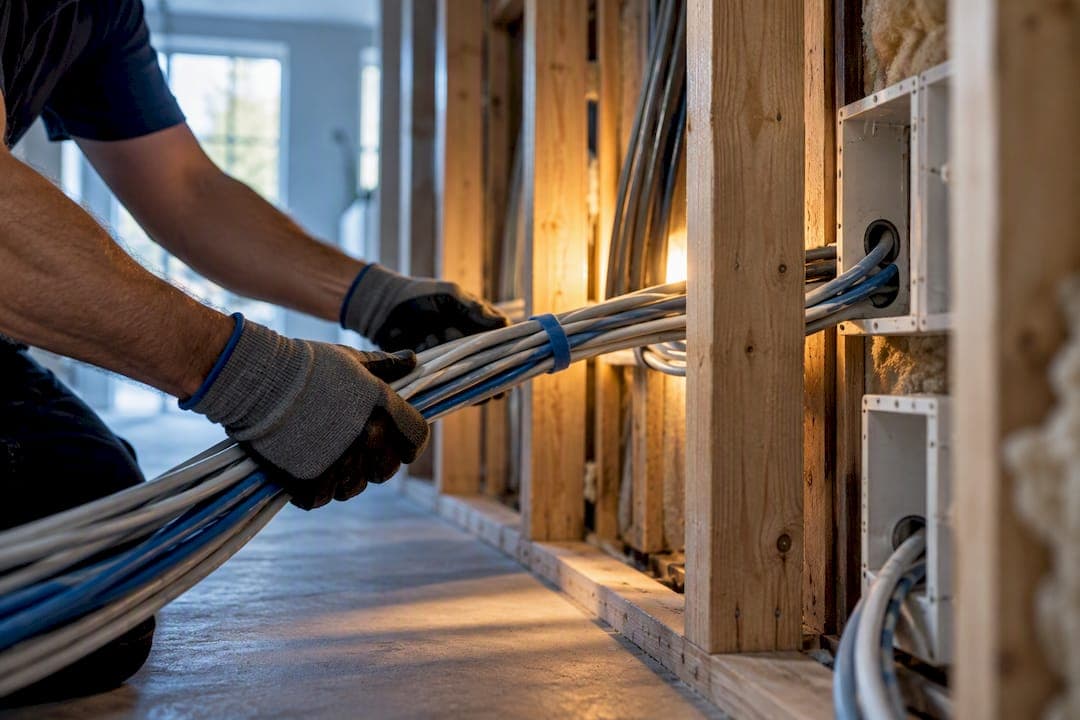
A single Cat6 data point typically runs $150 to $280, a home office setup with two or three points costs a moderate amount typically within a several hundred dollar range, and whole-home structured cabling for six to ten points lands between $800 and $2,500. The single most useful thing you can do next is book an on-site fixed-scope quote from an ACMA-registered cabler and give every provider the same brief so you can compare quotes properly.
TL;DR:
- Most home and small office cabling projects in Australia range from $150 to $2,500, depending on access difficulty, cable type, and the number of points.
- Cost variations often stem from access challenges like solid brick walls or multi-storey builds, and from additional services such as patching or cable disposal.
- Using Cat6 cable is sufficient for typical Australian home and small office needs, supporting gigabit speeds over 100 meters, with Cat6A being more suitable for longer or interference-prone runs.
- Always request fixed-scope quotes based on a detailed site survey, photos, and uniform briefs to compare prices accurately and avoid scope creep.
- Cable work must be performed by an ACMA-registered cabler with proper licensing, signed compliance certificates, and adherence to wiring standards to ensure legality and quality.
Table of Contents
- At-a-glance network cabling cost ranges
- What changes the price: the key cost factors you must know
- Cost examples by project type
- Materials and cable choices: Cat5e, Cat6, Cat6A
- Regulations and hiring: ACMA registration and what to ask your cabler
- How to get an accurate fixed-scope quote
- Pre-wire during construction vs retrofit
- What to expect on the day
- Practical advice from an experienced cabling installer
- Specialist installers design, install, and commission structured cabling, mesh WiFi, PoE networking, and comms racks for homes, businesses, and rural properties, alongside Starlink and nbn connectivity and CCTV security systems.
- Sources
- FAQ
At-a-glance network cabling cost ranges
Prices shift with access, cable type and how many points you need, but most Australian jobs fall into predictable bands. Metro areas tend to sit at the lower end of each range, while regional call-outs and after-hours work add a premium on top.
| Job type | Typical Australian range | Typical timeframe | Complexity |
|---|---|---|---|
| Single Cat6 data point | $150 to $280 | 1 to 2 hours | Low |
| Home office (2 to 3 points) | $400 to $900 | Half a day | Low to moderate |
| Whole-home (6 to 10 points) | $800 to $2,500 | 1 to 2 days | Moderate to high |
| Patch panel supply and install | $200 to $500 | 1 to 3 hours | Moderate |
| Small comms rack | $500 to $1,500 | Half a day | Moderate to high |
| Wireless access point cabling | $200 to $400 per point | 1 to 2 hours | Low to moderate |
| NBN equipment relocation | $200 to $500 | Half a day | Moderate |
A few things push a job from simple to difficult pricing fast:
- Solid brick, double-brick or concrete walls that need drilling rather than a quick cavity run.
- Multi-storey properties where cable has to travel through floors rather than a single ceiling space.
- Jobs booked outside normal business hours, which usually carry an after-hours or urgency loading.
If your property has any of these, expect quotes to sit toward the top of the range rather than the bottom.
What changes the price: the key cost factors you must know
Two quotes for what sounds like the same job can differ by hundreds of dollars, and the gap almost always comes down to a short list of variables rather than one installer simply being cheaper.
- Access difficulty: double-brick walls, concrete slabs and tight roof cavities all add drilling, fishing or patching time that a straightforward plasterboard ceiling run does not need.
- Run length and point count: longer cable runs use more material and labour, though most installers drop the per-point price once you're ordering several points in the same visit.
- Cable category and containment: Cat6A, shielded cable and any requirement for conduit or trunking cost more in materials and take longer to install than basic Cat6 in an open ceiling space.
- Labour and call-out structure: travel time, minimum call-out fees and after-hours or weekend loadings all sit on top of the base installation price.
- Inclusions and exclusions: cable disposal, wall patching, and coordination with electricians or builders on site can be bundled in or billed separately depending on the quote.
Cable disposal and patching are the two line items homeowners most often assume are included and then get charged for as a variation. A fixed-scope quote should state clearly whether old cable removal, wall patching and any coordination with other trades on site are part of the price or billed separately.
Pro Tip: Ask every installer to quote against the same written brief, including photos of each point location, so you're comparing identical scopes rather than different assumptions about access and inclusions.
Cost examples by project type
Matching your job to a realistic scenario is the fastest way to sanity-check a quote before you accept it.
- Single point, easy access: running one Cat6 point through an open roof cavity to a nearby wall typically sits at the low end, around $150 to $200, because there's no drilling or patching involved. The same point through a double-brick wall with no cavity access can push toward $300 or more once drilling and wall repair are factored in.
- Home office package: two to three points wired to a small switch or patch point usually costs $400 to $900 in total, and the per-point price tends to drop compared to booking single points separately because the installer is already on site with tools out.
- Whole-home structured cabling: six to ten points distributed to a central patch panel costs more overall, typically $800 to $2,500, because it involves planning cable routes across multiple rooms, terminating everything at one distribution point and testing the full run rather than isolated cables.
- Wireless access point and PoE cabling: running Cat6 to a ceiling-mounted access point for Power over Ethernet typically costs $200 to $400 per point, reflecting the extra care needed for a clean ceiling termination and the PoE-capable switch port it connects to.
- Patch panel and small rack: supplying and installing a patch panel alone sits around $200 to $500, while a small wall-mounted rack with a patch panel, switch and basic cable management runs $500 to $1,500 depending on how many devices it needs to house.
- NBN or NTD relocation: moving your nbn connection box to a more convenient spot typically costs $200 to $500, and nbn guidance notes that most internal cabling and pathway work needs a registered cabler, with some relocation work requiring nbn authorization before it goes ahead.
Combining trades in one visit is worth asking about too. Some installers bundle a data point with an extra power point in the same call-out, which the pricing guide from TheQuoteYard notes can save $100 to $200 compared to booking an electrician separately for the power side.
Materials and cable choices: Cat5e, Cat6, Cat6A
Material cost is a small slice of most quotes, but it still shapes which cable makes sense for your job.
- Cat5e: now largely superseded for new installs, though still found in older homes; cheapest option but limits future upgrade headroom.
- Cat6: the standard choice for most homes and small offices, typically costing $0.80 to $1.50 AUD per metre.
- Cat6A: better suited to longer runs or environments with electrical interference, typically costing $1.50 to $3.00 AUD per metre.
- Shielded variants: worth considering near power conduits, lift shafts or industrial equipment where electromagnetic interference is a real risk.
Cat6 cable supports gigabit speeds over the standard 100-metre run, which covers almost every point in a typical home or small office. Cat6A holds up to 10-gigabit speeds but only over shorter distances, which matters if you're planning a rack-to-rack backbone or a media server setup rather than a general internet connection.
For most Australian homes connecting to an nbn service, Cat6 is enough. Cat6A earns its premium on long runs, in properties with heavy electrical interference nearby, or when you want to future-proof a build without pulling new cable in a few years. Whichever category you choose, avoid unbranded budget cable with no warranty. The material cost difference between cheap and quality Cat6 is small, but a failed run inside a wall is expensive to fix twice.

Regulations and hiring: ACMA registration and what to ask your cabler
Cabling work in Australia isn't a free-for-all. ACMA's cabling provider rules set out three registration categories, Open, Restricted and Lift, each tied to specific training and competency requirements, including at least 360 hours of supervised experience for Open registration. This isn't a formality: it's the framework that determines who is legally allowed to connect internal cabling to the telecommunications network.
Before you sign off on any quote, check the following:
- Ask for the registration number and confirm it matches the category the job requires (most home and small business jobs need Open registration).
- Request a signed compliance certificate on completion. nbn guidance points to TCA compliance forms as the standard documentation for this kind of work, and skipping it can create problems later with insurance or future upgrades.
- Check against AS/CA S009, the wiring rules that govern how customer cabling must be installed, terminated and tested.
- Verify insurance and warranty terms, and read the quote's variation clause so you know exactly what triggers an extra charge.
If you want a deeper walkthrough of how to verify a cabler's registration before you book, our guide to hiring licensed cablers in Australia covers the exact steps. Skipping this check is one of the more common ways homeowners end up with cabling that technically works but doesn't meet the standard, which becomes a problem the moment something needs to be modified or claimed on insurance.
How to get an accurate fixed-scope quote
A vague enquiry gets a vague quote. Preparing a few things up front makes the difference between three comparable numbers and three quotes that don't actually describe the same job.
- Take photos of every proposed point location and, if you have one, sketch a rough floor plan marking where each cable needs to run.
- Request an on-site survey rather than a phone estimate. Access issues rarely show up in a photo the way they do in person.
- Ask for a written, fixed-scope quote that spells out inclusions, exclusions and the exact circumstances that would trigger a variation charge.
- Confirm the cable spec, termination standard, patch panel type, labelling convention and earthing approach before work starts, not after.
- Send the identical brief to each provider you're comparing, including the same photos and the same list of point locations.
Pro Tip: A guide to network setup costs and hiring recommends supplying the same brief and photos to every provider you're comparing, which Cockatoo's Australian hiring guide notes is the single biggest factor in getting genuinely comparable quotes rather than apples-to-oranges pricing.
Pre-wire during construction vs retrofit
If you're building or renovating, this is the cheapest point in a property's life to run cabling. Pre-wiring during construction typically costs 30% to 50% less than retrofitting the same cabling later, because open wall and ceiling cavities let an installer run cable in minutes rather than drilling, fishing and patching around finished surfaces.
To capture that saving, make sure your build includes:
- Dedicated conduit running to a central comms cupboard or cabinet location.
- An allowance for a small wall-mount rack (commonly 6U to 12U) with power nearby.
- Extra cable length built into each run to allow for minor routing changes later.
- Coordination between your builder, electrician and cabler so conduit placement is locked in before walls close up.
Skipping this step usually means surface-mounted trunking or a piecemeal series of retrofits later, both of which cost more over the life of the property than getting it right during the build. Our structured cabling planning guide breaks down exactly what to hand your builder before framing starts.
What to expect on the day
A single point usually takes one to two hours. A home office job takes half a day, and a full whole-home structured cabling install typically runs one to two days depending on point count and access.
Once cabling is run, a proper installer performs a defined set of tests rather than just checking the connection works:
- Continuity and pair map testing to confirm every wire is connected correctly at both ends.
- Length testing to confirm each run falls within standard for its cable category.
- NEXT and return loss testing on higher-spec jobs where signal integrity over longer or Cat6A runs matters.
At handover you should receive a labelled patch panel, printed test results for each run, any compliance paperwork required for the job, and a plain explanation of what's been installed. If anything comes up on site that wasn't in the original scope, a properly run job documents it as a variation with a price attached before the work proceeds, not as a surprise on the final invoice.
Practical advice from an experienced cabling installer
One major cause of cost blowouts is scope creep from a quote made without a site survey. Phone estimates may miss site-specific challenges like inaccessible roof cavities, degraded existing cabling needing replacement, or inconvenient network termination device locations.
Access difficulty, failing cable tests, and equipment placement are common reasons fixed quotes become variations. Ensuring a fully commissioned handover—tested, labelled, and documented—helps avoid future call-backs. Accurate scope definition from the initial site survey can help keep the final cost close to the original quote.
Specialist installers design, install, and commission structured cabling, mesh WiFi, PoE networking, and comms racks for homes, businesses, and rural properties, alongside Starlink and nbn connectivity and CCTV security systems.

To get a fixed-scope quote for your property:
- Send photos of each proposed point location and, if you have one, a rough floor plan.
- Note your priorities, whether that's a home office upgrade, whole-home cabling, a new comms rack or PoE access points.
- Suggest a few preferred times for an on-site survey so the quote reflects your actual access and conditions, not assumptions.
Visit the data cabling and networking page to see the full range of services and request a quote, or start with the IT and networking services page if you're also considering mesh WiFi or a network rack upgrade alongside your cabling.
Sources
FAQ
How much does network cabling cost in Australia?
Most residential and small business jobs fall between $150 for a single Cat6 point and $2,500 for whole-home structured cabling covering six to ten points. The final price depends heavily on access difficulty, cable category and how many points you're installing in one visit.
Is Cat6 overkill for home use?
No. Cat6 supports gigabit speeds over standard 100-metre runs, which comfortably covers a typical nbn connection and home network. Cat6A is worth the extra cost mainly for long runs, areas with electrical interference, or if you want extra future-proofing.
How much does it cost for an electrician to install an Ethernet connection?
A single Ethernet data point typically costs $150 to $280 when installed by a registered cabler, with access difficulty as the main factor pushing that price up. Jobs through solid brick or concrete without cavity access tend to sit at the higher end due to the extra drilling and patching involved.
What is a typical cost of network cable installation?
A home office setup with two to three points usually costs $400 to $900, while larger structured cabling projects for a whole home or small office run $800 to $2,500. Getting a fixed-scope quote after an on-site survey is the most reliable way to know where your specific job will land.
Do I need an ACMA-registered cabler for network cabling work?
Yes, most internal cabling work connecting to the telecommunications network needs to be installed by a cabler holding the appropriate ACMA registration category, typically Open registration for standard home and business jobs. Ask for the registration number and a signed compliance certificate once the work is finished.