
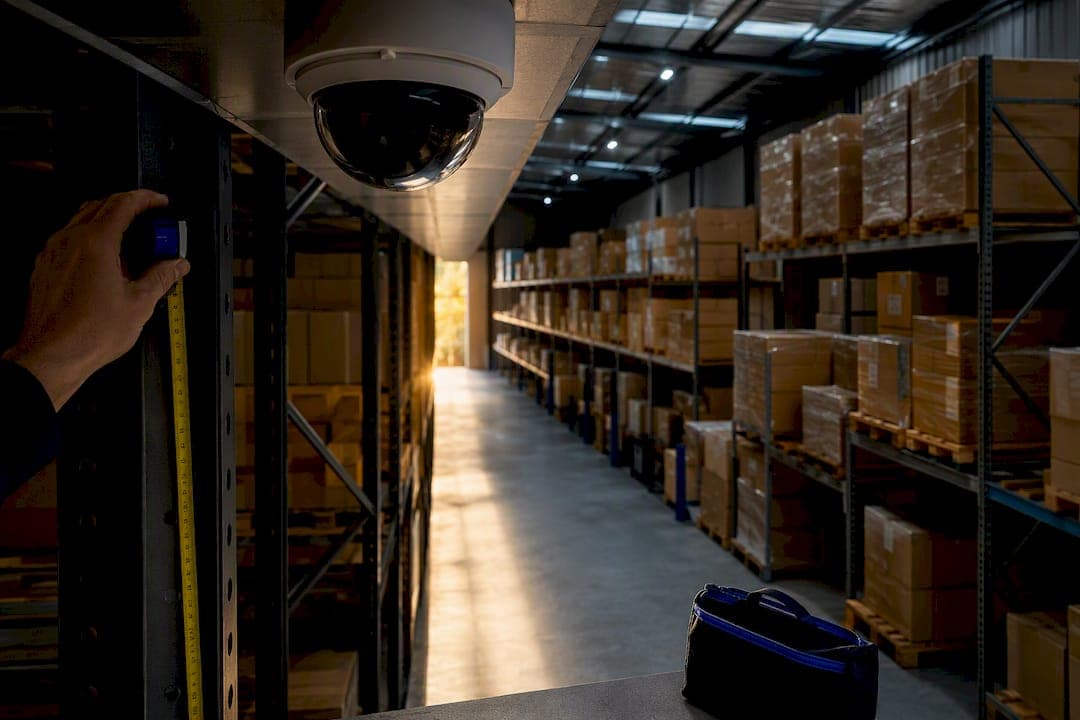
Commission a licensed, accredited security systems installer to run an objectives-based site survey before you buy a single camera. That survey should produce an integrated CCTV and access-control design sized to your actual operational risks, not a generic parts list. Expect a written scope, a wiring plan, and a formal commissioning handover. Skip this step and you'll likely pay twice: once for the install, and again for the retrofit.
TL;DR:
- An objectives-based site survey by a licensed professional is essential to ensure cameras are correctly placed for specific risks and operational needs.
- Resolution requirements vary from 4MP for general monitoring to 8MP or 4K for identification purposes at entry points or critical zones.
- Proper network setup, including dedicated VLANs and adherence to wiring standards, is vital to avoid interference, unauthorized access, and future expansion issues.
- Integration of CCTV with access control and alarms must be planned during the initial design to enable reliable automation and avoid costly retrofits.
- The typical cost per camera in Australia ranges from $700 to $1,500, with total system prices depending on grading, features, cabling complexity, and monitoring services.
Table of Contents
- Why an Objectives-Based Site Survey Comes First
- Choosing Camera Types, Resolution, and Lens Setup
- Network, Power, and Storage Planning for Australian Workplaces
- Planning Integration Before You Buy, Not After
- What to Demand From Your Installer in Writing
- What Workplace CCTV Actually Costs in Australia
- How a professional installer approaches workplace surveillance installs
- Ready to Book a Site Survey?
- Where to Check the Fine Print
- Sources
- FAQ
Why an Objectives-Based Site Survey Comes First
A camera pointed at the wrong angle is worse than no camera at all. It gives you the illusion of coverage while missing the exact moment you'll need footage for.
That's why the first real decision isn't "how many cameras" but "what is this system actually for." Deterrence, identification, and operational monitoring call for different gear entirely. A servo shop deterring after-hours break-ins needs wide coverage and visible hardware. A retail counter needing face-level identification for insurance claims needs a narrower field of view, higher resolution, and controlled lighting. Queensland Police guidance is blunt about this: footage is only as useful as the placement, resolution, focus, and lighting behind it.
A proper site survey documents:
- A risk map of entry points, cash handling areas, loading docks, and blind spots
- Recommended camera locations tied to stated objectives, not guesswork
- A lighting assessment, including where infrared or supplementary lighting is needed
- Mounting constraints (eaves, awnings, structural obstacles) and available wiring paths
Before the surveyor arrives, pull together your floor plan, any existing network diagram, and your insurer's written camera or monitoring requirements — or consult a Sicherheitsdienst Augsburg expert for event and property security insights. If your industry carries specific licensing conditions (liquor venues, pharmacies, childcare), have those on hand too. It saves a second visit.
Choosing Camera Types, Resolution, and Lens Setup
Camera selection should follow the objective you set in the survey, not the other way around. Four form factors cover almost every workplace scenario, and mixing them is normal on a single site.
- Dome cameras suit reception areas and offices where a discreet, tamper-resistant housing matters more than long-range zoom.
- Bullet cameras work well for perimeter and car park coverage where a visible deterrent and a long, straight line of sight both help.
- PTZ (pan-tilt-zoom) cameras earn their cost on large yards or warehouse floors where one operator needs to track movement across a wide area.
- Multi-sensor cameras cover intersections, wide loading bays, or corner sites where a single housing needs several overlapping views.
Resolution is where a lot of quotes get it wrong. A 4MP camera is generally adequate for general area monitoring and staff safety oversight. If you need to read a license plate, identify a face at a distance, or satisfy an insurer's evidentiary standard, step up to 8MP or 4K, particularly on entry points and cash areas.
Mounting height matters as much as resolution. Cameras set too high shrink faces to a handful of pixels; too low invites tampering. A fixed lens is cheaper and fine for a static frame, but a varifocal lens lets the installer fine-tune the field of view on-site, which is worth the extra cost on any camera covering a critical zone. Factor in infrared range and ambient lighting changes between day and night. A camera that looks perfect at 2 p.m. can be useless at 9 p.m. without the right IR rating.
Network, Power, and Storage Planning for Australian Workplaces
The network behind your cameras determines whether the system stays reliable for years or becomes a source of constant callouts. Power over Ethernet (PoE) delivered over Cat6 cabling is the standard for commercial workplace installs. It eliminates separate power runs to each camera and simplifies future changes.
Fixed cabling and concealed wiring must meet Australian wiring rules, including AS/CA S009:2020, and should be run by a registered cabler with proper conduit separation from mains power. This isn't paperwork for its own sake. Incorrectly separated cabling causes interference and, in a fire or insurance claim, can leave you without cover.
Network segmentation deserves the same attention as the cameras themselves. Put the camera network on its own VLAN, separate from staff Wi-Fi and point-of-sale systems, and never expose your NVR directly to the internet. An unsegmented camera network is one of the easier ways for an intruder to reach the rest of your business systems.
Sizing storage comes down to three variables: camera count, resolution, and recording mode. As a rule of thumb, a single 4MP camera on continuous recording can chew through 30 to 40 gigabytes per day, while motion-only recording cuts that dramatically. Work through it this way:
- Multiply camera count by daily storage per camera at your target resolution.
- Multiply that by your required retention period (many licensed venues expect at least 28 to 30 days).
- Add headroom for future camera additions or a resolution upgrade before you settle on drive size.
Whoever supplies your switch and NVR should confirm total PoE wattage budget on the switch itself, not just per-port ratings, and leave spare ports for expansion. Get this in writing in the quote, not as a verbal assurance.
Planning Integration Before You Buy, Not After
Retrofitting access control or alarm integration onto an existing camera system is one of the most expensive mistakes a business can make. Designing the integration path at specification stage, shared video management software, door events mapped to camera clips, alarm verification workflows, is dramatically cheaper and more reliable than bolting it on later. It also removes the finger-pointing between trades when something doesn't talk to something else.
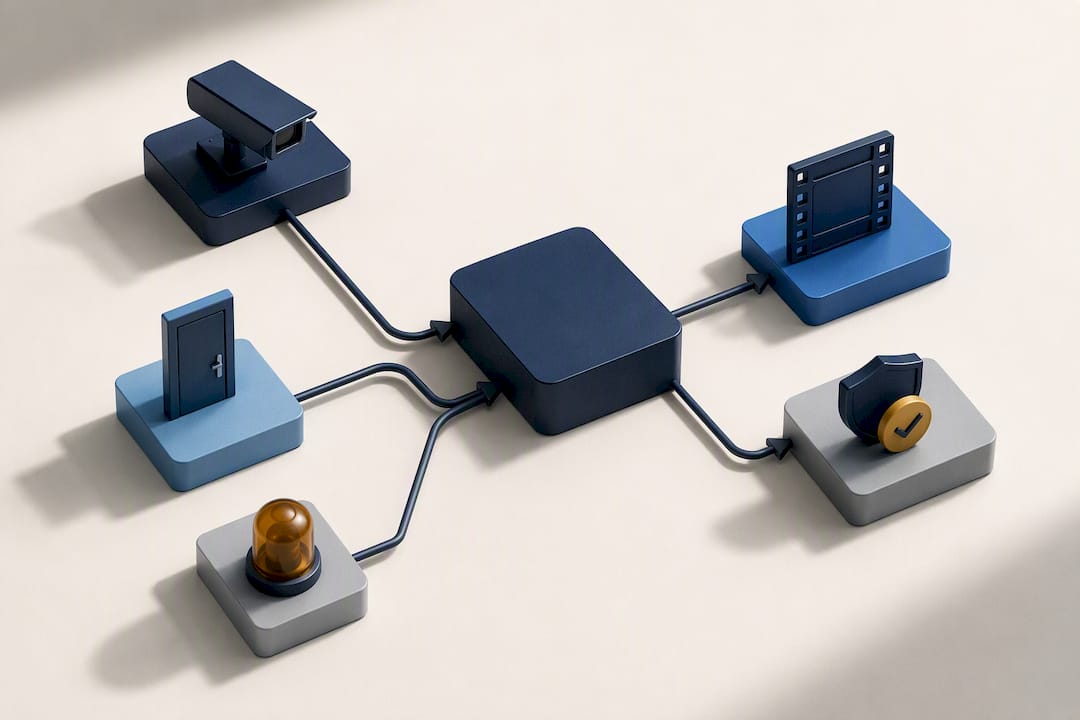
A well-specified system should let a door forced-open alarm pull the matching camera clip automatically, or let a duress alarm trigger a live camera feed to a manager's phone. None of that works cleanly if the CCTV and access-control systems were bought from different vendors with no shared platform in mind.
When you're reviewing a quote, ask for:
- Confirmation of which video management software (VMS) the cameras and access-control panel share, or how they'll interoperate
- Spare PoE ports and network headroom for the access-control panel, intercom, or future camera additions
- Documented test cases showing door and alarm events are actually linked to recorded footage, not just theoretically compatible
Pro Tip: Ask your installer to demonstrate one door-to-camera event live during commissioning, not just describe it on paper. If they can't show it working, it isn't actually integrated.
What to Demand From Your Installer in Writing
Security installation work is licensed in every Australian state and territory, and that licence should show up in your quote without you having to ask twice. Confirm it covers commercial installation, and if fixed cabling is involved, confirm the installer is a registered cabler working to AS wiring rules.
Beyond the licence, insist on these deliverables before you sign off:
- Survey drawings showing camera positions, coverage zones, and cable runs
- A full equipment schedule listing model numbers, not just generic descriptions
- Cabling compliance certificates for any fixed wiring
- A commissioning report confirming every device is functioning and recording as specified
- Staff training on daily operation, and a handover documenting admin account access and how to export evidential footage for police or insurers
Clarify who owns the recorded footage and login credentials after handover, and whether a service contract or remote monitoring option is included or separate. Under the Privacy Act 1988, organisations with turnover above $3 million must handle recorded personal information according to the Australian Privacy Principles, so ask how footage access and storage security are managed as part of the handover.
What Workplace CCTV Actually Costs in Australia
Commercial IP CCTV typically runs $700 to $1,500 per camera installed in Australia, and a packaged four-camera small-business install commonly lands between $2,200 and $5,300. Price climbs with:
- AS 2201 graded installation, often required by insurers for full policy benefits
- Analytics features like number-plate recognition or people counting
- Each additional access-control door
- Long PoE cable runs or structural work to route conduit
- Ongoing monitoring, cloud storage subscriptions, or a service contract
Get your insurer's grading requirement in writing before accepting any quote. It changes the spec, and the price, more than almost any other single factor.
How a professional installer approaches workplace surveillance installs
Every workplace system should be built around an accredited, in-person site survey, then designed so CCTV, access control, and alarms form one integrated system rather than separate purchases. A thorough handover ideally includes site drawings, NVR sizing documentation, and staff training, so integration is planned before installation starts rather than patched in afterward at a higher cost.
Ready to Book a Site Survey?
You've seen what separates a system that just looks good on a spec sheet from one that actually holds up when you need footage, verified access logs, or an insurer's grading requirement met. A qualified installer should run that objectives-based site survey in person, on your property, with a consistent, accredited team handling design, installation, and commissioning end to end.

Before your visit, pull together your floor plan, any insurer requirements around camera grading or retention, and a short list of your top three risk areas. On the first visit, the Djcengineering team will walk the site, document camera lines of sight, assess your existing network and cabling, and scope out how access control or alarms should tie into the same system. Whether you need a first-time install or an upgrade of an aging system, start with a site survey request through the security enquiry page, or browse the full security systems offering to see what's included in a properly integrated setup.
Where to Check the Fine Print
For privacy obligations, read the OAIC's guidance on security cameras. For placement and technical basics, see Queensland Police's CCTV guidance. Djcengineering's technical guide to commercial CCTV systems covers deeper specification detail. Always confirm final requirements with your own insurer.
Sources
- OAIC — Security cameras (surveillance and monitoring)
- Queensland Police Service — Security video systems (CCTV)
- Commercial security cost Australia (2026) — WhatsTheDamage
- The 2026 Australian CCTV Compliance & Legality Checklist — Active Online
FAQ
Do I Need a Licensed Installer for Workplace CCTV in Australia?
Yes. Security installation work is licensed in every state and territory, and commercial installs without the correct licence can jeopardize insurance cover and compliance. Ask to see the installer's licence details before signing any quote.
How Much Does a Commercial CCTV System Cost in Australia?
Commercial IP CCTV typically costs $700 to $1,500 per camera installed, with packaged four-camera small-business systems commonly running between $2,200 and $5,300. Price rises with AS 2201 grading, analytics, access-control doors, and monitoring.
What Resolution Camera Do I Need for Identification?
A 4MP camera generally suits general area and staff safety monitoring, but identification tasks like reading license plates or recognizing faces at distance call for 8MP or 4K cameras, especially at entry points. Mounting height and lighting affect this just as much as the resolution rating itself.
How Long Should We Retain CCTV Footage?
Retention depends on your industry and insurer, but many licensed venues expect a minimum of 28 to 30 days. Size your storage with headroom above that minimum so future camera additions or resolution upgrades don't force an early drive replacement.
Can Djcengineering Integrate CCTV With Access Control and Alarms?
Yes. Djcengineering designs CCTV, access control, and alarm systems as one integrated system from the site survey stage, rather than retrofitting them separately, which avoids the higher cost and reliability issues that come with bolt-on integration later.