
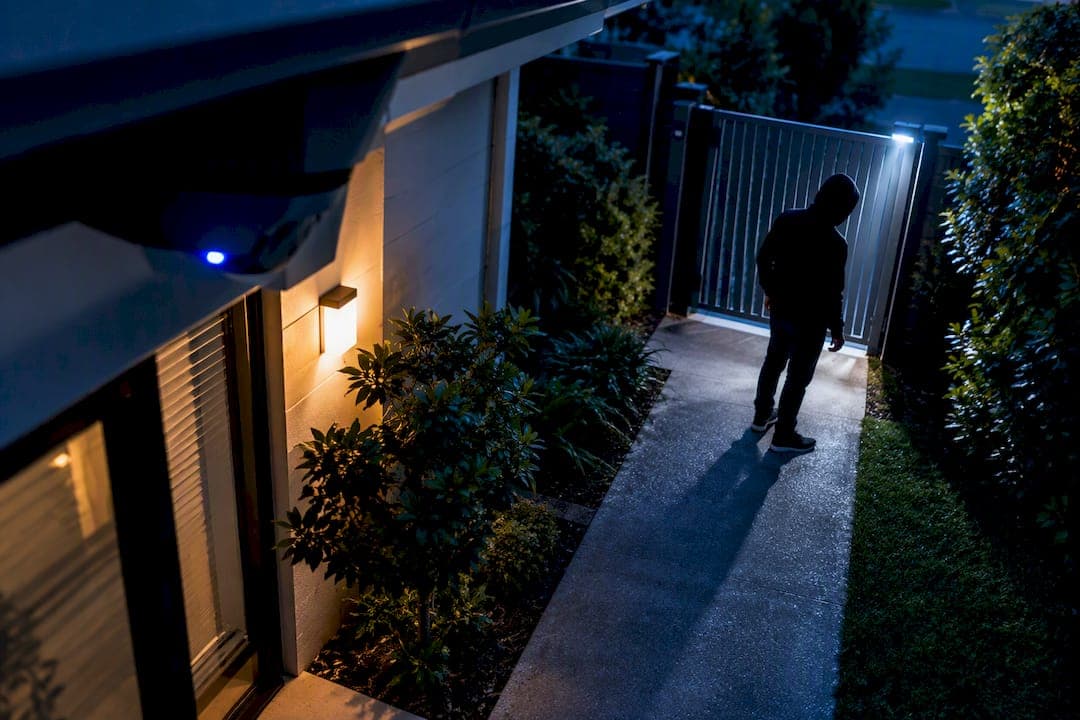
Active deterrence cameras are the right choice for anyone protecting a property with real exposure: exposed entry points, commercial storefronts, warehouses, or rural land where a break-in might go unnoticed for hours. A basic outdoor camera on a shed or a low-risk residential porch can often work fine as a DIY kit. Once the stakes rise, correct commissioning by a licensed installer becomes the difference between a system that actually stops incidents and one that just films them.
TL;DR:
- Proper AI zone programming and site-specific calibration are crucial for avoiding false alarms and ensuring the system responds appropriately to genuine threats.
- A staged escalation response—starting with lighting and voice warnings before activating a siren—improves deterrence without causing alert fatigue.
- Commercial-grade systems with full commissioning and adherence to Australian standards cost between $1,800 and $3,000 for small setups, depending on site complexity.
- Legal compliance involves clear signage, secure storage, and careful placement to prevent privacy violations, especially concerning audio recording and neighboring properties.
- Regular firmware updates and event audits are essential for maintaining long-term system effectiveness and cybersecurity protection.
Table of Contents
- What active deterrence cameras are and how they work
- Key features to evaluate before you buy
- Benefits over passive CCTV and realistic effectiveness
- Privacy, legality, and the standards you must follow
- Common mistakes and how to configure a system that actually works
- Choosing between a DIY kit and a professional installation
- What professional commissioning actually includes
- Why properly commissioned AI deterrence systems win long-term
- How DJC Engineering can help with commissioned camera systems
- Sources
- FAQ
What active deterrence cameras are and how they work
An active deterrence camera is not just a lens with a memory card. It pairs detection with a physical response: the camera identifies a person or vehicle, decides that the activity looks unwanted, and reacts in real time rather than waiting for someone to review the footage later. That reaction usually comes as a bright LED strobe, an audible siren, a prerecorded voice warning, or a two-way audio channel that lets a monitoring operator speak directly to whoever triggered the alert.
The intelligence behind that reaction is AI-based classification. Rather than firing on every gust of wind or passing cat, the camera's onboard processor separates people and vehicles from other movement, and staged systems escalate the response only as the intrusion progresses. A camera might light up and issue a spoken warning on first detection, then move to a siren if the person keeps approaching.
Multi-sensor designs and full-color low-light imaging matter here too. A camera that renders a face or number plate in usable color at night gives both the deterrent effect and any later evidence far more value than a grainy black-and-white frame.
A typical active deterrence response chain looks like this:
- Detection: AI engine classifies the object as human, vehicle, or irrelevant motion.
- Assessment: the system checks the object against a defined zone and dwell time.
- Warning: strobe and spoken message activate as a first-stage deterrent.
- Escalation: siren or live two-way audio engages if the person does not leave.
- Logging: the event, snapshot, and response are recorded for review.
That sequence is what separates active deterrence from a passive camera that simply records and hopes someone reviews it in time.
Key features to evaluate before you buy
Not every camera marketed as "smart" or "AI-powered" performs the same way once it is mounted outdoors in the dark. The features below have the biggest effect on whether a system actually deters incidents or just adds another light on a pole.
- Imaging: sensor size and full-color low-light technology determine whether footage is identifiable at night, while wide dynamic range handles glare from headlights or direct sun and the lens field of view sets how much ground one camera can actually cover.
- Deterrence hardware: strobe brightness, siren decibel rating, and the quality of the two-way audio speaker all affect whether the response is convincing or easily ignored.
- Analytics: object classification, perimeter and line-crossing rules, and false-alarm filtering decide whether the system fires appropriately or wears out its welcome with constant nuisance alerts.
- Connectivity and storage: Power over Ethernet (PoE) simplifies cabling and reduces failure points compared with WiFi-only cameras, and the choice between a local network video recorder and cloud storage affects retention length, ongoing cost, and how quickly footage is available after an incident.
- Cybersecurity: firmware update policy and default password practices matter as much as image quality, since an unpatched camera on a home or business network is a genuine entry point for attackers.
Pro Tip: Ask any installer or supplier what the firmware update schedule looks like before you buy. A camera that stops receiving security patches after a year or two is a liability, not a bargain.
Retention limits deserve a second look too. Cloud plans often cap storage at a set number of days unless you pay for an upgrade, while a local NVR gives you control over retention but adds a device that itself needs to be secured and maintained. For a technical breakdown of how these pieces fit together in commercial-grade deployments, see DJC Engineering's guide to high-performance surveillance.
Benefits over passive CCTV and realistic effectiveness
Active deterrence interrupts an incident while it is happening, rather than waiting for someone to review footage after the fact. A passive camera can identify a suspect after a break-in; an active system tries to make sure the break-in never finishes. Government guidance on video surveillance notes that a survey of convicted burglars found roughly half viewed outdoor cameras as an effective deterrent, which lines up with the logic of active response: visible cameras change offender behavior before anything is stolen or damaged.
One widely cited industry claim is that human-monitored escalation platforms deter more than 90% of intruders on their first attempt, according to vendor-reported figures summarized in the same government guidance. That figure comes from the vendors running the monitoring, not an independent study, so treat it as an illustration of what well-configured, human-in-the-loop escalation can achieve rather than a guarantee for any specific installation.
None of this makes active deterrence foolproof. A system with poor placement, an unclassified detection zone, or a siren nobody takes seriously will underperform regardless of what the marketing promises. Effectiveness depends heavily on correct configuration, realistic escalation tiers, and a location where a visible, audible response can actually reach the person triggering it.
Passive CCTV still earns its place in some situations. If your priority is strictly evidentiary, capturing high-resolution footage for insurance or legal purposes without any live response, or budget rules out monitored escalation, a well-positioned passive system can be the more sensible spend.

Privacy, legality, and the standards you must follow
Camera systems in Australia sit inside a real legal and technical framework, not just a purchase decision. Getting this wrong risks both legal exposure and evidence that a court will not accept.
- Privacy obligations: the Privacy Act 1988 and state-level privacy rules govern how footage is collected, stored, and disclosed, and Queensland's privacy guidance on camera surveillance sets out expectations around reasonable necessity, signage, and secure storage under the Queensland Privacy Principles.
- Relevant standards: AS 4806 covers management and operation of CCTV, the AS/NZS 62676 series addresses system design, and AS/NZS 2201 relates to intruder alarm systems; installers who hold nationally recognized competency units such as CPPSEC2023 are trained to apply these standards correctly.
- Audio recording: capturing private conversations on outdoor cameras is legally sensitive, and government guidance recommends disabling audio by default unless you have explicit consent or the microphone only captures a private interior zone.
A short on-site compliance checklist covers most of the practical risk:
- Post clear signage stating that the property is under video surveillance.
- Avoid pointing cameras at neighboring windows, yards, or public footpaths beyond what is reasonably necessary.
- Complete a privacy impact assessment for higher-risk deployments such as workplaces or shared residential buildings.
- Store footage securely with access limited to authorized users, and set a defined retention period rather than keeping everything indefinitely.
For a deeper walkthrough of signage and retention rules, see this practical guide to cutting risk under CCTV privacy laws.
Common mistakes and how to configure a system that actually works
Most underperforming active deterrence systems fail for the same handful of reasons, and all of them are fixable at the configuration stage.
- Relying on raw motion detection instead of AI classification, which floods the system with false triggers from wind, animals, and passing traffic.
- Setting the siren or strobe to fire on every detection, which trains neighbors and even occupants to ignore the alert entirely.
- Poor camera placement, mounting too high, too far back, or into direct glare, which produces footage nobody can actually use to identify anyone.
- Skipping tiered escalation, jumping straight to a siren instead of a graduated warning, spoken message, then siren sequence.
The fix in most cases is a properly programmed AI zone: define exactly where a detection should count, set dwell-time thresholds so a person walking past on the footpath does not trigger the same response as someone lingering at a side gate, and choose mounting height and lens focal length based on an actual site assessment rather than guesswork. Scheduled firmware updates and periodic event audits, checking a sample of triggered events every few months, keep the system tuned as lighting, foliage, and traffic patterns change.
Pro Tip: Stage your responses. Illumination and a spoken warning first, siren only if the person doesn't leave. Jumping straight to a loud alarm on every detection creates intensity fatigue for neighbors and household members, and they'll start tuning it out just when it matters most.
Choosing between a DIY kit and a professional installation
The right delivery route depends on how much is at stake if the system underperforms, not just on sticker price.
- Complexity of the site: multiple entry points, long cable runs, or a rural property with limited connectivity usually outgrow a self-installed kit quickly.
- Evidence-grade requirements: if footage needs to hold up for insurance claims or legal action, mounting height, lens choice, and exposure settings need to be right the first time.
- Network security and integration: a camera that connects to a business network or existing alarm and access control system needs proper segmentation and PoE planning, not a consumer router and a hope.
- Compliance obligations: commercial and multi-tenant sites in particular need documented signage, retention policy, and privacy assessment, which a licensed installer builds in from the start.
Before hiring anyone, ask a short list of questions: which AS/NZS standards do they design and install to, what does their commissioning test actually cover, what is their firmware and maintenance policy, and can they show sample footage from a comparable site.
Cost bands vary by scope. A single-camera DIY kit typically runs a few hundred dollars in hardware alone. A single professionally installed and commissioned camera, and a small multi-camera system with proper cabling, AI-zone programming, and a documented handover, generally fall in the range of $1,800 to $3,000 depending on the number of cameras and site complexity. Larger commercial deployments with network integration and access control cost more but include the survey, commissioning, and support that a boxed kit does not.
DJC Engineering approaches this with a site survey first: mapping coverage, checking lighting and mounting points, and confirming cable runs before any hardware goes up, so the design matches the property rather than a generic template.
What professional commissioning actually includes
A proper commissioning process leaves you with far more than a working camera. The tangible outputs matter because they are what you can point to later if a system underperforms or a dispute arises.
- Site survey outputs: a coverage map showing what each camera actually sees, a lighting and mounting plan, and notes on cable runs and power requirements.
- Commissioning steps: focus and focal-length tuning for each lens, AI-zone programming with documented detection thresholds, sample event test logs, and integration checks against any existing alarm or access control system.
- Handover documentation: as-installed diagrams, a written retention policy, a short user training checklist, and clear terms for ongoing support and warranty.
- Acceptance testing: a walk-through that confirms footage is genuinely evidence-grade, meaning faces or number plates are identifiable at the distances the camera is expected to cover, not just that the camera is technically recording.
This level of detail is exactly what nationally recognized installer training units are designed to produce: a documented, standards-aligned handover rather than a camera left running on default settings. For more detail on how retention, signage, and audio settings get built into a compliant install, see this guide to making CCTV standards work on real sites.
Why properly commissioned AI deterrence systems win long-term
The hardest part of any deterrence installation is not the technology, it is the tuning. Set the response too aggressive and you get complaints from neighbors and occupants within weeks. Set it too soft and the system becomes background noise that nobody responds to, including the intended intruder. The systems that keep working two years later are the ones where zones, thresholds, and escalation tiers were adjusted to the actual site rather than left on factory defaults.
Site-specific adjustments are almost always necessary: a streetlight that throws false triggers at dusk, a driveway angle that puts headlight glare straight into a lens, a fence line that needs a tighter detection zone to avoid catching the neighbor's dog every night. Getting these right the first time avoids a callback, and some installers report a high first-visit fix rate, a reflection of how much of this work is done properly during the initial site survey rather than patched afterward.
— Dylan
How DJC Engineering can help with commissioned camera systems
Choosing professional installation means choosing a system engineered for your property instead of one guessed at from a box. Professional installers design, install, and configure systems with licensed, accredited teams without subcontractors, ensuring consistent handling from scoping to AI zone tuning and handover.

A professional site survey and installation typically covers:
- A full property assessment: coverage mapping, lighting checks, and mounting recommendations before any hardware is ordered.
- Installation of security camera systems with AI-based detection and other security components as required.
- Network integration, including PoE cabling and secure connectivity, so cameras sit on a properly segmented network rather than a consumer router.
- Full commissioning with documented handover, so you know exactly what was configured and why.
If your property has the kind of exposure that makes active deterrence worth doing properly, start with DJC Engineering's security systems page or go directly to the security camera installation page to book a site survey.
Sources
The claims and standards referenced throughout this guide come from a small set of official sources worth bookmarking if you are planning an installation.
- Video surveillance: guidance and considerations — Queensland Government (March 2025)
- CPPSEC2023 - Install video surveillance systems and equipment — National Training Register
- Camera surveillance and privacy — Office of the Information Commissioner Queensland
FAQ
What is an active deterrence camera?
An active deterrence camera combines AI-based detection with an automated physical response, such as a strobe light, siren, or spoken warning, that engages while an incident is happening rather than only recording it. This sets it apart from a passive camera, which captures footage for later review but takes no action in real time.
Is it legal to buy and use a security camera on your own property?
Yes, owning and operating a security camera on your own property is legal, but how you use it is governed by privacy law and, for audio, by state surveillance rules. Government guidance recommends disabling audio by default and points cameras only where you have a reasonable need to record, avoiding neighboring windows or public footpaths beyond what is necessary.
What does active deterrence mean?
Active deterrence means a security system responds to a detected threat in real time, using lights, sound, or voice warnings, instead of passively recording activity for someone to review afterward. The goal is to interrupt an incident before it happens rather than simply document it.
What are deterrence cameras?
Deterrence cameras are cameras built specifically to discourage intrusions through visible and audible responses, typically paired with AI object classification so the response only triggers for people or vehicles rather than every movement. They range from basic strobe-and-siren units to fully monitored systems with two-way audio and human escalation.
How much does a professionally installed deterrence camera system cost?
Costs vary with the number of cameras and site complexity, but a professionally installed and commissioned system typically falls between $1,800 and $3,000 for a small setup. DJC Engineering provides pricing on request after a site survey, since scope depends on cabling, network integration, and the number of cameras involved.
Recommended
- Security Camera Installation Gold Coast: High-Performance Surveillance Engineering
- 30m Night Range? Installer Proven Night Vision CCTV for Australia
- CCTV Cameras Installation Brisbane: How to Engineer a High-Performance Security System
- CCTV Installation Gold Coast: The Technical Checklist for High-Performance Security