
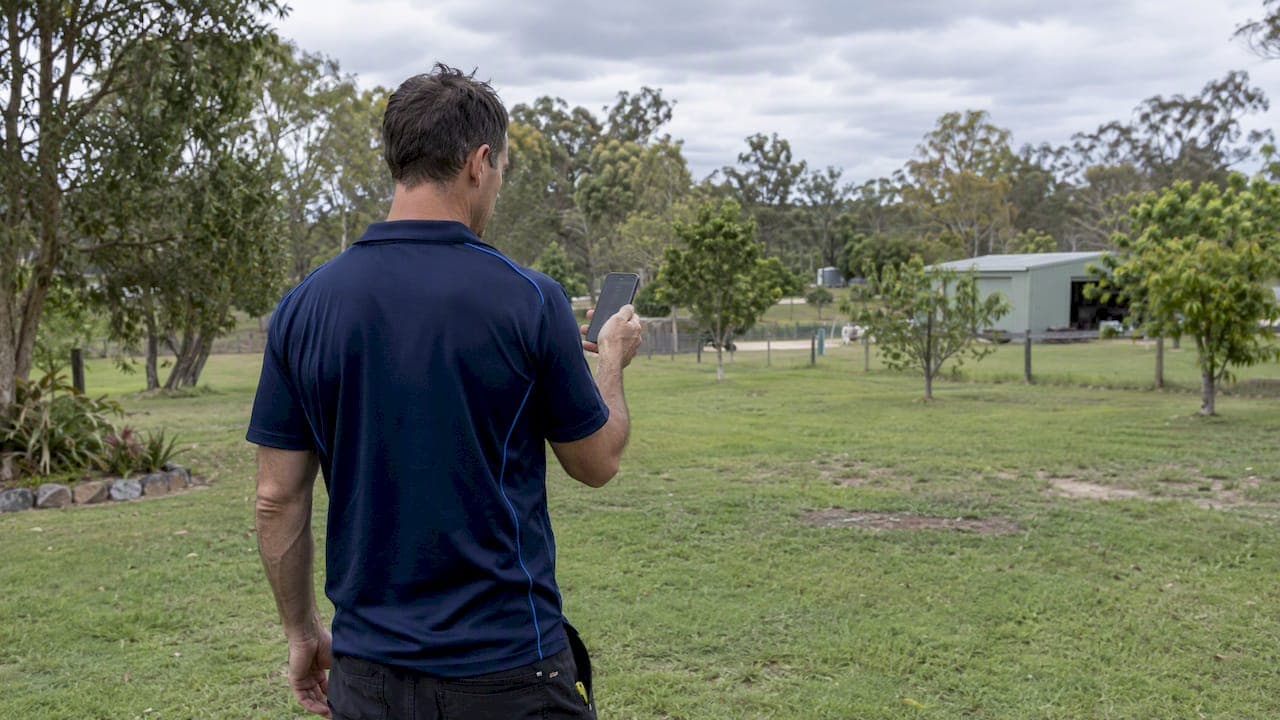
For reliable outdoor WiFi, use outdoor-rated PoE access points with site-surveyed placement, or a point-to-point backhaul link when you need to reach a separate building. Run a site survey before you buy anything if you're covering a large open area or more than one structure, since guessing at placement wastes equipment and creates dead zones. When range, capacity, or compliance with spectrum rules matters, it is advisable to hire an accredited installer rather than troubleshoot after the fact.
TL;DR:
- Choose IP65 or higher enclosures, using IP67 near flood prone ground, and confirm the access point’s 802.3at or 802.3bt power needs before buying.
- For 5 GHz, plan 40 to 60 feet between access points in open air, closer around walls or foliage, with 10 to 20 dB overlap.
- Use wired Ethernet or fiber for camera heavy traffic; a point to point bridge needs clear line of sight and careful alignment between buildings.
- Outdoor 6 GHz currently permits very low power devices at tightly limited power; automatic frequency coordination is not operational, so compliance needs expert attention.
- Use WPA3 encryption as the baseline, and place visitors and contractors on a separate network so they cannot reach cameras, alarms, or internal files.
Table of Contents
- What to buy: outdoor APs, PoE, antennas, and protective hardware
- Map the area and estimate how many access points you need
- Mounting, cabling, grounding, and on-site validation
- Choosing backhaul: wired, point-to-point wireless, or satellite uplink
- Spectrum rules that matter for outdoor WiFi
- Why a professional site survey and accredited install pay off
- Environmental factors that affect outdoor WiFi performance
- Security considerations specific to outdoor WiFi networks
- A straightforward path from idea to working coverage
- How we can help with site-surveyed outdoor WiFi
- FAQ
- Sources
What to buy: outdoor APs, PoE, antennas, and protective hardware
Standard indoor access points fail fast outdoors. Humidity cycles, rain, and temperature swings corrode components that were never built to handle them, so the first thing to specify is an outdoor-rated enclosure rated IP65 or higher. IP65 resists dust and low-pressure water jets, which covers most patios and gardens; IP67 adds protection against temporary submersion, worth it for low-mounted units near sprinklers or flood-prone ground.

Power delivery matters as much as the enclosure. Most outdoor APs draw enough current to need 802.3at (PoE+) rather than the older 802.3af, and higher-output units with heaters or multiple radios may require 802.3bt. Check the AP's power draw against your switch or injector before you order cable, since underpowering a unit in cold weather causes random reboots.
On frequency choice, sub-6 GHz bands (2.4 GHz and 5 GHz) still offer the best balance of range and wall penetration for mixed indoor-outdoor setups. Wi-Fi 6 covers the vast majority of outdoor use cases well; 6 GHz hardware (Wi-Fi 6E or 7) brings more bandwidth but attenuates faster through common building materials, and outdoor high-power 6 GHz use outside is still tightly constrained under current rules, which the regulatory section below covers.
Antenna pattern depends on the job:
- Omnidirectional antennas spread signal in a circle and suit open yards or patios with one AP.
- Directional or sector antennas focus energy in one direction, useful for narrow gardens, point-to-point links, or avoiding overspill onto a neighbor's property.
- Higher gain extends range but narrows the beam, so a high-gain omni can actually leave weak spots directly below the antenna.
Round out the parts list with a surge protector at the cable entry point, weatherproof conduit for any exposed run, IP-rated cable glands, and a mounting kit rated for the surface (masonry anchors differ from timber fascia brackets).
Pro Tip: Buy the mounting hardware and cable glands at the same time as the AP, not after, since mismatched gland sizes are a common cause of failed weather seals.
Map the area and estimate how many access points you need
Before buying a second AP, walk the property and sketch it. Note obstacles, likely mounting points, and materials, since glass, brick, metal cladding, and mature trees all add path loss that a straight-line distance measurement won't show you.
A simple planning sequence:
- Walk the perimeter and mark where you lose signal with your current router.
- Note materials between the router and dead zones (brick walls and metal sheds cut range far more than timber fences).
- Mark candidate mount points at roof eaves, fence posts, or poles with a clear line of sight to the coverage area.
- Estimate spacing: roughly 40 to 60 feet for 5 GHz in open air, tighter if foliage or walls sit between the AP and the target zone, further for 2.4 GHz.
- Plan 10 to 20 dB of signal overlap between adjacent APs so client devices roam without dropping the connection.
Think of path loss the way you'd think of light through frosted glass: brick and metal block far more signal than open air or timber fencing, so a mount point that looks close on a tape measure can still be a weak link.
For large open areas like acreage or a function lawn, a single sector antenna aimed down the length of the space often works better than several omnidirectional units competing for coverage. Capacity planning matters too: a backyard with a few phones is a different job than an outdoor camera system or event WiFi supporting dozens of concurrent devices, and the AP count should reflect expected device density, not just square footage.
Mounting, cabling, grounding, and on-site validation
Mount height and line of sight drive most outdoor performance problems. Eave or pole mounts at 10 to 15 feet usually clear fences and low shrubs; avoid mounting behind reflective glass or metal roofing, both of which bounce signal unpredictably instead of letting it pass.
Cabling needs the same attention as the AP itself:
- Use outdoor-rated, UV-resistant Ethernet cable for any run exposed to sun or rain.
- Route exposed sections through conduit to protect against abrasion and rodents.
- Keep PoE cable runs within the standard's specification to avoid voltage drop that can starve a distant AP of power despite a report of full output.
- Bond and ground exposed metal brackets and runs, and install a surge protector before any AP mounted outside the building envelope, since a near lightning strike can travel down an unprotected Ethernet run.
Configuration deserves its own checklist: design SSIDs that make sense to the people using them, set a channel plan that avoids overlapping channels between adjacent APs, tune transmit power so coverage zones meet without excessive bleed past the property line, and segregate a guest network from anything connected to cameras or access control.
Pro Tip: After install, walk the perimeter with a phone running a WiFi analyzer app and log signal strength at the farthest points you need covered, then run a quick speed test there before calling the job finished.
A short acceptance checklist, heatmap reviewed, throughput confirmed at the perimeter, failover tested if applicable, catches problems while the ladder is still out.
Choosing backhaul: wired, point-to-point wireless, or satellite uplink
Wired Ethernet or fiber is the most reliable way to connect an outdoor AP or a separate building back to your network, and planning the cable route and trunking early saves a second trenching job later. When trenching isn't practical, a point-to-point wireless bridge is the standard alternative for linking a separate structure, a shed, a granny flat, a detached office, as long as the two antennas have a clear Fresnel zone between them and are properly aligned.
- Wired backhaul handles high-capacity loads like multi-camera CCTV far better than a wireless hop.
- A mesh network with wireless backhaul is fine for light residential coverage but struggles once you add bandwidth-heavy devices.
- P2P bridges typically need unobstructed line of sight and careful alignment; even a small physical nudge after install can cut throughput.
- When Starlink or NBN is your internet source, size the uplink for your busiest expected hour, not your average, and plan bandwidth headroom for burst traffic like CCTV motion events, which can spike to two to three times baseline usage.
- For business-critical traffic, build in simple QoS rules so camera feeds and security systems get priority over general browsing.
Spectrum rules that matter for outdoor WiFi
Outdoor WiFi isn't a free-for-all on every band. Under current LIPD class licence rules, 6 GHz devices fall into lower-power indoor (LPI) or very-low-power (VLP) classes, and VLP devices are currently authorized for outdoor use with tightly limited power. Regulators are also consulting on an Automatic Frequency Coordination framework that could eventually allow coordinated standard-power outdoor 6 GHz use, but that framework isn't operational yet. Until it is, use authorized device classes and conservative power settings, or rely on an installer experienced in compliance management.
Why a professional site survey and accredited install pay off
A proper site survey hands you a heatmap, a channel plan, a PoE power budget, and specific recommended mount points, the same deliverables that keep a measured install from turning into a return visit. Accredited teams that scope, install, and configure the whole job themselves avoid the finger-pointing that comes with subcontractor handoffs. For long point-to-point links, multi-building campuses, CCTV integration, or anything touching spectrum compliance, that kind of coordinated expertise matters more than any single piece of hardware.
Environmental factors that affect outdoor WiFi performance
Weather, vegetation, and reflective surfaces all shape how far your signal actually travels, often more than the AP's spec sheet suggests. Heavy rain and dense fog absorb some signal, though the bigger issue is usually condensation inside a poorly sealed enclosure rather than the rain itself.
Vegetation is a moving target literally: a hedge or tree canopy that barely dents signal in winter can cut it substantially once full leaf cover returns in spring, so a survey done in one season may need a retest in another if foliage density changes a lot. Line of sight through bare branches is very different from line of sight through a summer canopy.
Reflective surfaces, metal roofing, glass facades, swimming pools, bounce and scatter signal in ways that create unpredictable dead zones or, occasionally, unexpected hot spots a few feet away. Metal sheds and colorbond fencing are common culprits in yards that otherwise look open on paper.
Temperature swings affect hardware more than the radio signal itself: direct summer sun on a poorly ventilated enclosure can push internal temperatures high enough to trigger thermal throttling, which is one more reason outdoor-rated hardware with proper ventilation and shading matters more than squeezing out another decibel of antenna gain.

Security considerations specific to outdoor WiFi networks
An outdoor network is more exposed than an indoor one, both physically and over the air, so security deserves the same attention as coverage. WPA3 encryption should be the baseline for any new outdoor deployment, with WPA2 as a fallback only where older client devices require it.
Guest network segregation matters even more outdoors than indoors, since outdoor APs often serve visitors, contractors, or tenants in a separate building who shouldn't have a path to cameras, alarms, or internal file shares. A separate SSID with its own VLAN keeps that traffic isolated without extra hardware.
Physical access control plays a role too: an AP mounted within easy reach on a low fence post is easier to tamper with or reset than one mounted at height, and a locked enclosure or tamper-resistant mount removes an easy attack vector. For properties already running access control or alarm systems, keeping the WiFi network segmented from those systems limits the damage if either side is ever compromised.
A straightforward path from idea to working coverage
Sketch the area, choose outdoor-rated PoE APs or a point-to-point link for separate buildings, then survey or bring in a professional before you commit to hardware. Four things to do this week: map dead zones, note materials in the way, list devices you need covered, and get quotes based on that list. Don't skip surge protection or compliance checks to save a weekend, since both are cheaper to plan for than to fix later.
— Dylan
How we can help with site-surveyed outdoor WiFi
We design and install outdoor WiFi the way this guide describes: a measured site survey first, then outdoor-rated PoE access points and point-to-point links for separate buildings.

When you request a quote, include a rough sketch of the property, the areas you need covered, and the devices or systems (cameras, access control, event WiFi) that need to run on the network. From there we handle the channel planning, cabling, and compliance details. Start with our data cabling and WiFi services page to get a quote scoped to your property.
FAQ
Will my WiFi work outside my house?
A standard indoor router usually reaches a patio or a small section of yard, but range drops fast once walls, distance, or foliage get involved. For consistent coverage across a full yard or into a separate structure, an outdoor-rated access point placed based on a site survey performs far more reliably than relying on your indoor router alone.
How many access points do I need?
It depends on the size, materials, and layout of the space rather than square footage alone. A single AP often covers a modest yard, while larger properties, multiple buildings, or areas with brick, metal, or heavy foliage typically need two or more APs with planned overlap and a channel plan to avoid interference.
What is the signal pattern of a WiFi antenna?
An omnidirectional antenna radiates signal outward in roughly a circle, which suits open yards or patios served by a single AP. A directional or sector antenna focuses signal in one direction instead, which is the better choice for narrow gardens, avoiding signal spill past a property line, or linking to a separate building.
Can 5 GHz WiFi go through walls?
5 GHz signal penetrates walls less effectively than 2.4 GHz, and that gap widens further at 6 GHz, where measured studies show greater penetration loss through common building materials. For mixed indoor-outdoor coverage, sub-6 GHz bands generally offer a better balance of range and wall penetration than higher-frequency options.
Do I need a professional installer for outdoor WiFi?
A simple single-AP setup covering a small patio is often manageable without professional help. Larger properties, multi-building links, CCTV integration, or anything involving spectrum compliance benefit from a measured site survey and an accredited installer, since those deliverables, heatmaps, channel plans, and power budgets, prevent the rework that comes from guessing at placement.