
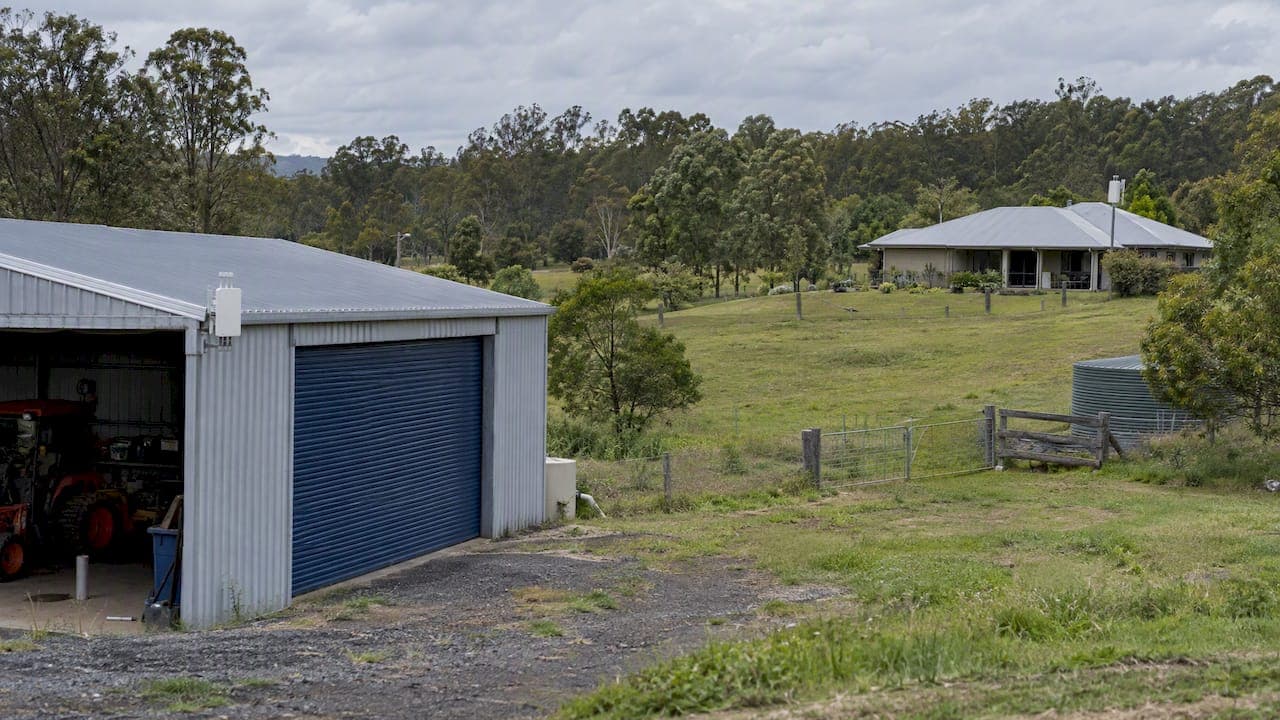
WiFi across acreage works when you stop thinking of it as one big signal and build it as a small network: a solid internet source, a dedicated link to each outbuilding, and several modest access points placed where people actually use their devices. A single powerful router, or a pack of consumer mesh nodes spread over the property, is the most common way this goes wrong.
This guide explains how a well-designed acreage network is laid out, what each part does, where the limits are, and what to check before you spend money. We install and commission these systems across South East Queensland, so the examples lean towards local conditions: hills, gum trees, steel sheds and Starlink or NBN at the house.
TL;DR
- Design acreage WiFi in three layers: internet source, a backhaul to each building, and access points that devices connect to. One device doing all three jobs is the main cause of failure.
- Link sheds and distant buildings with fibre, buried cable or directional point-to-point wireless bridges, not with repeaters chained off the house.
- A strong outdoor signal does not mean a working connection. Phones and tablets cannot transmit as far as an access point can, so several lower-power access points beat one big one.
- Outdoor wireless gear has to comply with the ACMA class licence, and line of sight, trees and mounting height matter more than the acreage figure.
- A site survey before installation is the cheapest way to avoid buying equipment twice.
Table of Contents
- Why acreage is different from a big house
- Coverage versus capacity
- The three-layer design
- Why consumer mesh struggles on acreage
- The two-way street problem
- Terrain, trees and mounting height
- Rules you need to follow
- Do you need a site survey?
- Our perspective
- What a finished acreage network looks like
- Work with us on your property
- FAQ
- Sources
Why acreage is different from a big house
Indoors, WiFi problems come from walls and floors. On acreage they come from distance, terrain, vegetation and the fact that your buildings are separate. A 20 metre gap between the house and the shed is not a WiFi problem; it is a cabling or wireless-link problem, and treating it as a signal-strength problem is where money gets wasted.
There is also no honest "coverage per acre" number. A flat, cleared block with a high mounting point behaves very differently from the same area with a creek gully, a ridge and a stand of ironbarks. That is why the first step in any serious design is a look at the property itself, not a product box that claims to cover 25 acres.
Coverage versus capacity
The most common mistake is judging success by signal bars. Network designers separate coverage, meaning a signal is present, from capacity, meaning the network still works under load. You can stand in a paddock with full bars and still not load a page, because the link back to the house is weak or congested.
For a family property this matters when:
- Someone is streaming in the house while a camera system uploads footage.
- A work-from-home video call competes with kids on tablets.
- Farm devices such as gate controllers, sensors or cameras all join the same wireless network.
So the design question is not "how far will the signal reach?" but "how much data can reach each place at the same time?"
The three-layer design
Professional large-area networks are built as three distinct layers: backhaul, distribution and access. Mixing them, by asking one device to do everything, is a primary cause of failures on big properties.
Layer 1: Backhaul, getting internet to the property
This is your Starlink dish, NBN connection or other service arriving at the main building. On acreage the choice is often decided by what is available at your address, and it is worth getting right before any WiFi design, because no wireless network can be faster than the connection feeding it.
Placement matters here too. A satellite dish needs a clear view of the sky, and the best spot for it is not always the best spot for the router. Running a cable from a well-placed dish to a rack or central point inside is usually cleaner than compromising on the dish position. If you are weighing options, our Starlink and NBN installation service covers dish positioning and connection to your network.
Layer 2: Distribution, moving data across the property
This is the layer most DIY setups skip. Distribution carries data from the main building to the shed, the second dwelling, the machinery workshop or the pole where an access point will go. There are three realistic ways to do it:
| Method | Best for | Watch out for |
|---|---|---|
| Fibre or buried data cable | Permanent, high-capacity links to buildings you will use for years | Trenching cost, conduit, lightning protection and cable length limits on copper |
| Point-to-point wireless bridge | Crossing paddocks or gullies where trenching is impractical | Needs clear line of sight and power at both ends |
| Wireless mesh nodes | Short hops close to the house | Nodes share radio bandwidth, so speed falls with each hop |
A directional bridge uses a focused beam between two fixed points, which is why it can span fields that an ordinary access point cannot. If you want the detail, we have written a practical guide to point-to-point WiFi between buildings.
Where you do use mesh, how the nodes talk to each other matters a lot. Our article on mesh backhaul options explains why a wired connection between nodes performs so differently from a wireless one.
Layer 3: Access, what your devices connect to
Access points are the units your phone, laptop or camera joins. They should be the only job these devices do. Each one is fed by a cable or a dedicated bridge from the distribution layer, and each covers a specific zone: the verandah, the shed, the yards, the pool area.
Power over Ethernet (PoE) makes this far easier. One network cable carries both data and power to the access point, so you do not need a power point at the top of a pole or on the shed wall. Our IT and networking services include PoE network installation, switches, comms racks and wireless access points for exactly this purpose.
Why consumer mesh struggles on acreage
Consumer mesh systems are designed for houses. Spread across a property, the relay nodes can use up most of the available wireless bandwidth just talking back to the main router, a problem often called backhaul saturation. The result is a network that shows signal everywhere and delivers speed nowhere.
Mesh is not the enemy. A good mesh system with wired backhaul, properly placed, is excellent for a large home. For a deeper look at the home end of this, see our piece on site-surveyed mesh WiFi for large Australian homes. And if you are comparing mesh with simple range extenders for a smaller area, this explainer on mesh versus repeaters (in Dutch) covers the basic trade-offs.
Repeaters deserve a special warning. Each repeater typically halves the throughput of the link it extends, and chaining them out across a paddock compounds the loss. Starlink owners often ask about extenders for exactly this reason; the better answer is usually a wired or bridged link to a new access point rather than another wireless relay.
The two-way street problem
WiFi is a conversation. A high-powered outdoor access point may be able to broadcast a long way, but the tiny antenna in a phone or sensor cannot talk back over the same distance. You see full bars, but uploads stall and calls drop.
The fix is counter-intuitive: use more access points at lower power, each covering a smaller zone, rather than one large transmitter. A practical layout for a typical acreage might be:
- One or two indoor access points covering the house properly.
- One outdoor access point on the shed or workshop, fed by a cable or bridge.
- One access point for the yards or stables, mounted high and fed by PoE.
- A directional bridge to any building too far for cable.
That is four zones with four reliable connections, rather than one blanket that fades at the edges.
Terrain, trees and mounting height
Three physical factors decide more than the product you buy.
Line of sight. Point-to-point links want a clear path between the two antennas. A single tree can be tolerable in winter and a problem in summer when it is in full leaf. Survey in the season you will live with.
Height. Raising an antenna a couple of metres can clear a fence line, a machinery shed or a rise in the ground. Our outdoor WiFi coverage article explains why weatherproof, IP65-rated gear still needs a survey: the rating tells you it will survive the weather, not that it will reach where you need it.
Materials. Steel sheds, water tanks and metal roofing block or reflect signal. An access point inside a corrugated shed may not reach the yard outside it, so place it for the area you want covered.

Rules you need to follow
In Australia, outdoor wireless equipment must operate under the ACMA low interference potential devices (LIPD) class licence, which sets which frequencies and power levels you may use. Operating on frequencies you are not authorised to use can interfere with licensed radio services, and the person running the setup is responsible for staying within the rules.
The rules have also changed over time. ACMA decided to update the LIPD arrangements after a 2022 consultation, including changes for the 5150 to 5250 MHz band. Imported kit bought online may be configured for another country's limits, so check that anything you buy is set up for Australia.
Do you need a site survey?
For a small block, you may get away without one. For acreage, we recommend it, because the cost of guessing is replacing hardware and re-running cable. A survey identifies where power and cable can realistically go, which buildings have line of sight to the house, and where signal drops off in practice, not on paper.
A useful starting point is an overhead satellite map of your property. Mark the buildings, power sources and the places you actually want coverage, then ask which of them can see each other. If you want to understand what a proper survey involves, read our guide to planning, testing and validating a WiFi network. For the cost side of things, see why a scoped survey pays off for mesh WiFi in Australia.
Before calling anyone, a quick test helps. Walk the house with a speed-test app and note where it drops; our 15 minute dead-spot test shows how to capture real signal data you can hand to an installer.
Our perspective
We see the same pattern on SEQ acreage again and again. The owner buys a bigger router, then a set of extenders, then a second set, and ends up with a network that looks fine on a map and fails when the whole household is online. The product was never the issue. The design was.

Our approach is to treat the property as a system. The same licensed, accredited team designs the layout, scopes the job, installs the cabling and configures the equipment, with no subcontractors in the chain. That matters on acreage because the problems sit between the pieces: the dish, the cable, the bridge and the access point. When one team owns all of them, nobody can point at someone else, and we aim to resolve things on the first visit; our first-visit fix rate is 98%.
We would rather run a cable to the shed than chain another wireless hop, and we would rather use four modest access points than one that looks impressive on a spec sheet. It is not the cheapest-looking quote on day one, but it is usually the one you do not have to redo.
— Dylan
What a finished acreage network looks like
To make this concrete, here is a typical build for a family property with a house, a large shed and a set of yards. This is an illustrative layout, not a quote.
- Source: Starlink or NBN into a comms rack in the house, with a managed switch.
- House: one or two access points wired back to the switch, positioned from survey results rather than by guesswork.
- Shed: a buried cable or a directional bridge from the house, then an access point inside, powered by PoE.
- Yards: a second access point on the shed wall or a pole, aimed at the yards, wired to the shed switch.
- Security: cameras on the same PoE network, so footage and power travel on one cable each.
Once the backhaul is solid, adding things like cameras or sensors later is simple. If your property also needs offline-friendly systems for stables or yards, this piece on designing for low bandwidth with an antenna and an offline-first app is a useful complement.
Work with us on your property
We design, install and commission WiFi, structured cabling, Starlink and NBN connections and security systems for homes, businesses and rural properties across South East Queensland. If you want a network that covers the house, the sheds and the yards, start with our IT and networking page and tell us about your property. We will scope it as a fixed job so you know what you are getting before work begins.
FAQ
How many acres can one access point cover?
There is no reliable acreage figure. Coverage depends on terrain, trees, buildings and mounting height, and a phone can only transmit a fraction of the distance an access point can broadcast. Plan by zones where people actually use devices, not by total area.
How do I extend WiFi to a shed in Australia?
If the shed is within cable range, run a data cable, ideally in conduit, and fit a PoE access point. If it is across a paddock, use a directional point-to-point bridge with line of sight and power at both ends, then place an access point inside the shed. Avoid a chain of repeaters, which cuts speed at every hop.
Will a WiFi extender fix poor coverage with Starlink?
Usually only for a small area. Extenders share bandwidth with the link they extend, so they struggle across larger properties. A wired or bridged connection to a new access point is more reliable, and it keeps the Starlink connection's speed available to your devices.
Is it legal to use outdoor WiFi equipment in Australia?
Yes, provided the equipment operates within the ACMA LIPD class licence limits for frequency and power. Check that imported gear is configured for Australian settings, as the person operating it is responsible for compliance.
Sources
- How to Get WiFi and Internet Across a Large Property or Site (TRANSLIFE)
- MR86 or MR76 coverage for 4.5 Acres (Cisco Community)
- Cover Acreage with WiFi (Ubiquiti Community)
- Low interference potential devices (LIPD) class licence (ACMA)
- New arrangements for low interference potential devices, consultation 35/2022 (ACMA)