
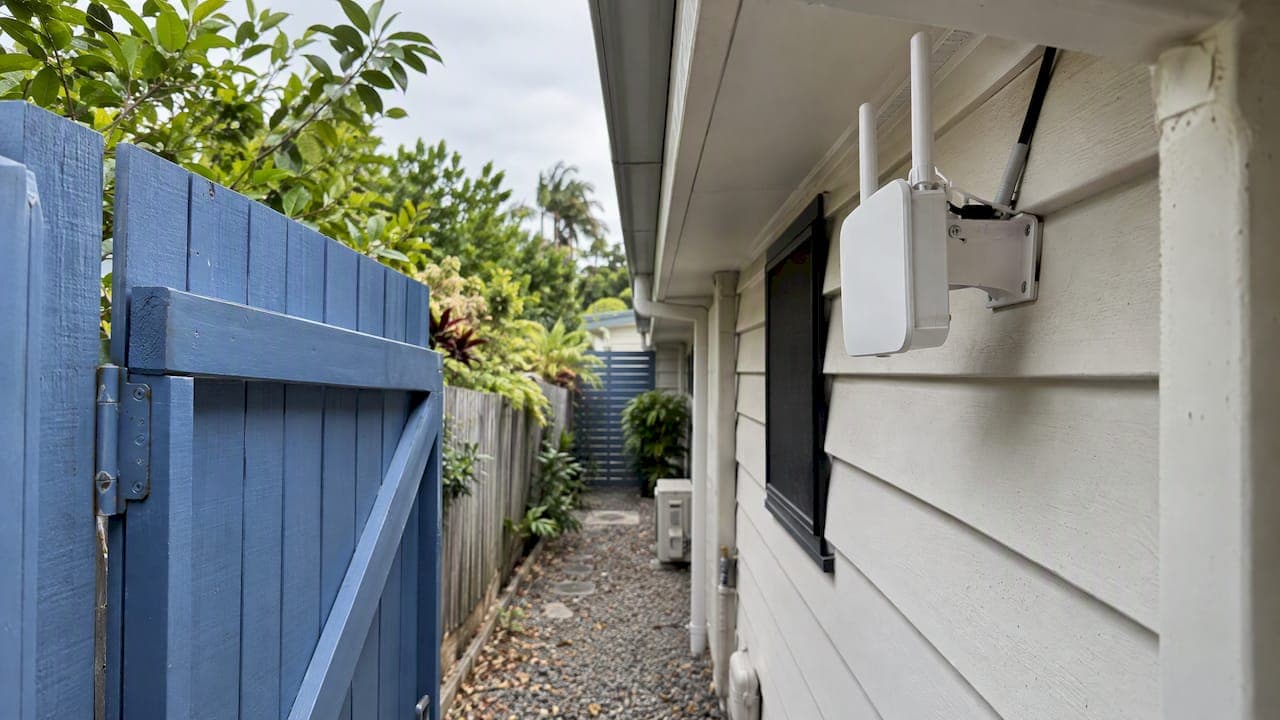
Perimeter WiFi coverage means a usable, secure wireless signal right out to the edges of your property: the driveway, pool area, shed, front gate, back fence or loading yard. You get it by surveying the site, placing weatherproof access points where the signal is needed, and connecting them with cable wherever you can. Buying a stronger router does not get you there. The rest of this guide covers how far one access point reaches, why "more gear" often makes things worse, how to keep the outer edge of your network secure, and what to settle before anyone drills a hole.
TL;DR
- Outdoor access points typically plan for a 50 to 80 meter radius in good line of sight. Indoors, plan for 15 to 20 meters. Trees, brick and rain cut those figures.
- Run Ethernet to each outdoor access point if you can. Wireless extenders and powerline adapters are discouraged by nbn in favor of mesh or wired backhaul.
- Too many access points on the same channel hurt performance. Plan for about 10 to 15% overlap, and survey before you add gear.
- Treat the outdoor edge as untrusted. Use WPA3 and keep outdoor, guest and IoT devices on their own network segment.
- Outdoor hardware needs an IP65 or IP67 rating, and short-range wireless gear in Australia must comply with the ACMA class licence.
Table of Contents
- What "perimeter coverage" actually means
- How far one access point really reaches
- Why adding more access points can make it worse
- Backhaul: how the outdoor access points connect to your network
- Hardware that survives Australian weather
- Rural properties and long range outdoor WiFi
- Know the rules: what Australian law says about outdoor WiFi
- Secure the edge: perimeter WiFi is an untrusted zone
- Our perspective: why the survey comes first
- A simple process you can follow
- Perimeter WiFi installs with DJC Engineering
- FAQ
- Sources
What "perimeter coverage" actually means
Indoor WiFi is judged by whether each room works. Perimeter coverage is judged by the boundary: can a camera at the back fence stay online, can a phone hold a call at the mailbox, can the café's outdoor seating run card terminals?
That changes the design in three ways.
- The signal has to travel through weather, not just walls. Rain, foliage and damp brick all absorb signal.
- Devices at the edge are often not phones. They are cameras, gate controllers, sensors and scanners, which need a stable connection more than a fast one.
- The edge is where outsiders can reach you. A wireless network is accessible from outside the building by nature, so the design has to assume that.
The second point matters most when you pick equipment. A camera at the far corner of a block needs an upload path that stays up for months. A phone by the pool needs enough speed for a video call. Different jobs, different design.
How far one access point really reaches
Vendor planning guides give a useful starting range. Huawei's WLAN design documentation suggests an indoor radius of 15 to 20 meters and an outdoor radius of 50 to 80 meters per access point, depending on antenna configuration and line of sight. The same guide targets an edge signal of at least -65 dBm in high-performance areas, and better than -75 dBm in common areas such as corridors.
Treat those as the best case, not a promise. A few things shrink the radius quickly:
- Metal, mirrors and masonry. nbn lists metal doors, mirrors, fish tanks and thick masonry walls among the main causes of signal loss.
- Moisture and foliage. Wet exterior brick, dense trees and heavy rain absorb higher-frequency signal more than people expect.
- Frequency band. Lower-frequency 2.4 GHz travels farther and passes through obstacles better. 5 GHz and 6 GHz carry more data but suit line-of-sight areas.
- Mounting height and angle. An access point on an eave looking along a fence line behaves very differently from one tucked behind a water tank.
A quick way to think about it: use 2.4 GHz to reach the far boundary, and 5 or 6 GHz to deliver speed to the patio, driveway or yard that the access point can see.
Signal strength is not the same as coverage
Full bars on a phone can still mean a poor connection. Survey specialists point out that real coverage depends on signal-to-noise ratio and tolerance for interference, not signal strength alone. A strong but noisy signal gives slow speeds and dropouts. That is why a walk-around with a survey tool tells you more than a glance at the signal icon.
If you want to see what that process looks like in practice, we cover it in our guide to a WiFi site survey: plan, test and validate.
Why adding more access points can make it worse
The instinct is to fix an outdoor dead spot by plugging in another access point. Without a plan, that often degrades the network. Access points on the same channel compete for airtime, which is called co-channel interference.

Survey guidance suggests designing for roughly 10 to 15% signal overlap when devices need to move between access points. Much more than that creates collision domains that drag throughput down. Too little, and you get gaps where a phone clings to a weak signal.
The practical rules:
- Place access points to cover distinct zones, not to blanket the same area twice.
- Assign different channels to neighboring access points, and scan before choosing. Our walkthrough on fixing WiFi channel interference in three steps shows how.
- Lower transmit power on access points that sit close together. Louder is not better when the devices at the edge cannot talk back at the same strength.
The last point catches many people. A powerful access point can reach a phone at the fence, but the phone's small radio cannot reply from that distance. The link looks fine on paper and fails in use.
Backhaul: how the outdoor access points connect to your network
Backhaul is the link between each access point and the rest of your network. It decides whether outdoor coverage holds up.
| Backhaul type | Best for | Watch out for |
|---|---|---|
| Ethernet (wired, usually PoE) | Any outdoor access point you can cable to; the most reliable option | Needs a cable run, conduit and sometimes trenching |
| Mesh (wireless between nodes) | Spots where cable is impractical | Each wireless hop shares airtime, so keep hops few |
| Point-to-point wireless bridge | Outbuildings with clear line of sight | Needs alignment and a clear path; trees grow |
| Extenders and powerline adapters | Not recommended | Discouraged by nbn for unreliable performance |
Where you can, wired Ethernet wins. Power over Ethernet (PoE) runs power and data down one cable, so an access point on a pole or eave needs no separate power point. That also keeps the install tidy, because cabling can run concealed through roof spaces and conduit.
For larger blocks, mesh with wired backhaul between the main nodes gives you flexibility without relying on wireless hops across the whole property. We go deeper on this in our piece on site-surveyed mesh WiFi for large homes.
A faster standard will not rescue poor placement either. Our article on Wi-Fi 7 mesh and why 10 to 20 Gbps will not fix poor coverage explains why coverage planning comes first.
Hardware that survives Australian weather
Outdoor equipment has to cope with humidity, dust, heat and storms. Look for an IP rating, typically IP65 or IP67. nbn's guidance notes that equipment without a proper rating exposed to humidity can fail quickly.
A few practical points from installs of this kind:
- Rating is not coverage. A weatherproof access point still needs a survey. We wrote about exactly this in why IP65 gear still needs a survey.
- Seal the cable entry. The enclosure may be rated, but a poorly sealed connector lets water in.
- Mount away from clutter. Metal sheeting, gutters and water tanks reflect and block signal.
- Use quality, certified gear. The Australian Cyber Security Centre notes that wireless devices certified against a Wi-Fi Alliance program help provide assurance about security features.
Rural properties and long range outdoor WiFi
Many people searching for long range outdoor WiFi are on acreage or a farm, trying to reach a shed, a dam pump, a gate or a paddock camera 100 meters or more from the house. Standard WiFi is built for short range. Pushing it across a paddock needs a different approach.
- Bridge between buildings. A point-to-point wireless link with directional antennas can carry a connection between the house and a shed with line of sight. Each end then runs its own local access point.
- Cable where possible. Buried conduit with Ethernet or fiber is slower to install and far more reliable over time.
- Put the internet source in the right place. On rural blocks, a satellite dish such as Starlink often goes on a high site with clear sky. The data then has to travel from the dish to where people work, which is a coverage problem too.
- Plan power. Remote access points need reliable power, which may mean PoE over a long run or a dedicated supply.
The key point: a single long-range access point rarely covers a large property well. Several well-placed access points joined by a solid backbone almost always do better.
Know the rules: what Australian law says about outdoor WiFi
Short-range wireless equipment in Australia, including outdoor WiFi, must operate under the ACMA Low Interference Potential Devices (LIPD) class licence. That means using compliant equipment that meets the technical standards, including ARPANSA's electromagnetic energy requirements. The class licence also has a restriction for a 70 km exclusion zone around the Murchison Radioastronomy Observatory in Western Australia, which will not affect South East Queensland but shows that location rules exist.
The everyday lesson is simple: do not import high-power gear from overseas to stretch your range. Equipment made for other markets can break local limits, and a licensed installer will choose compliant products.
Secure the edge: perimeter WiFi is an untrusted zone
The signal does not stop at your fence. Anyone standing on the footpath can see your network name and attempt to connect. The ACSC's networking guidance, and the way security practitioners read it, is that the perimeter should be treated as untrusted and that wireless should be segmented from internal assets.
For a home or small business, that comes down to a short checklist:
- Use WPA3 on perimeter access points where devices support it.
- Put outdoor devices on their own VLAN. Cameras, gate controllers and guest WiFi should not share a network with your computers, files or point-of-sale system. ACSC explains why network segmentation and segregation limit the impact of an intrusion.
- Keep guest access separate. Visitors and customers use a guest network that cannot see anything else. See our notes on what accredited installers deliver for guest WiFi.
- Update firmware. An outdoor access point is exposed and rarely looked at, which makes it an easy one to forget.
If an outdoor camera or public hotspot is compromised, segmentation stops it reaching your main network. That one design choice is worth more than any password trick.
Our perspective: why the survey comes first
Most perimeter WiFi complaints we hear are really design complaints. A homeowner bought an access point, mounted it where the power point was, and found the signal faded at the pool. A business added a second access point on the same channel and speeds dropped.

We approach it the other way around. We walk the site, measure what the signal does in real conditions, then decide where each access point goes and how it will be cabled. Because the same licensed, accredited team designs, scopes, installs and configures the job, with no subcontractors, there is nobody to pass the problem to if something is off. We aim to get it right on the first visit, and we report a 98% first-visit fix rate.
Our view on the gear: wire what you can, mesh what you must, and never rely on an extender to fix a layout problem. Keep your cameras and guest devices away from your main network. And do not buy more hardware until you have seen the data.
— Dylan
A simple process you can follow
Whether you do the first steps yourself or bring in an installer, this order saves money.
- List what must work at the edge. Cameras, gate, laptops, scanners, guests. Note how far each is from the router.
- Check your current router. nbn recommends confirming it supports at least Wi-Fi 6 or newer, and keeping it elevated and central, away from microwaves and soundbars.
- Walk the boundary with a survey tool. Record signal and noise at the fence, the shed and the gate. Our 15 minute dead-spot test gives you a starting method.
- Decide the backhaul. Cable first, mesh or bridge where cable cannot go.
- Place and configure. Set channels, power and segments before anything is switched on.
- Validate. Walk the boundary again with the same tool and compare results.
- Audit regularly. Routers age, and older Wi-Fi 4 and 5 hardware struggles with modern demand. A periodic check, such as network audits and Wi-Fi help for NSW properties, keeps coverage dependable as devices and interference change.
For commercial sites such as yards and big sheds, our article on warehouse WiFi design applies the same method at scale.
Perimeter WiFi installs with DJC Engineering
If you are in South East Queensland and want the perimeter covered without guesswork, we design and install the whole system: site-surveyed WiFi and mesh, wireless access points, PoE network installation, data cabling and switches, all on our IT and networking page. For rural blocks, we also install Starlink and NBN connections, including high-site satellite integration, so the signal reaches the shed as well as the house.
Perimeter cameras and gates run on the same network, so we can scope your security systems alongside the WiFi and keep them on a separate segment. We quote fixed scope. Contact us through our main site to book a survey.
FAQ
How far can one outdoor access point cover?
Planning guides suggest a radius of around 50 to 80 meters outdoors in good line of sight, against 15 to 20 meters indoors. Trees, wet brick, metal and rain reduce that. A survey on your actual property is the only way to know.
Can I extend WiFi to a shed with a wireless extender?
It is the weakest option. nbn discourages extenders and powerline adapters, and recommends mesh or wired Ethernet to extra access points instead. For a shed with line of sight, a point-to-point bridge or buried cable is more dependable.
Does a weatherproof access point guarantee outdoor coverage?
No. An IP65 or IP67 rating only means it survives dust and water. Coverage still depends on placement, channels, power levels and what the signal passes through, so you need a survey regardless.
Is outdoor WiFi a security risk?
It can be, because the signal reaches beyond your boundary. Use WPA3, keep outdoor, guest and IoT devices on a separate VLAN, and update firmware. That way a compromised outdoor device cannot reach your main network.
Do I need a licence for outdoor WiFi in Australia?
Short-range devices operate under the ACMA LIPD class licence, so you do not apply for an individual licence. The gear must comply with the technical standards, which is why buying approved equipment matters.
Sources
- WLAN Design, Huawei CloudCampus design guide
- Complete WiFi Coverage Guide, NetSpot
- Tips to optimise your home internet set-up, nbn
- Low interference potential devices (LIPD) class licence, ACMA
- Guidelines for networking, Cyber.gov.au
- Implementing network segmentation and segregation, Cyber.gov.au