
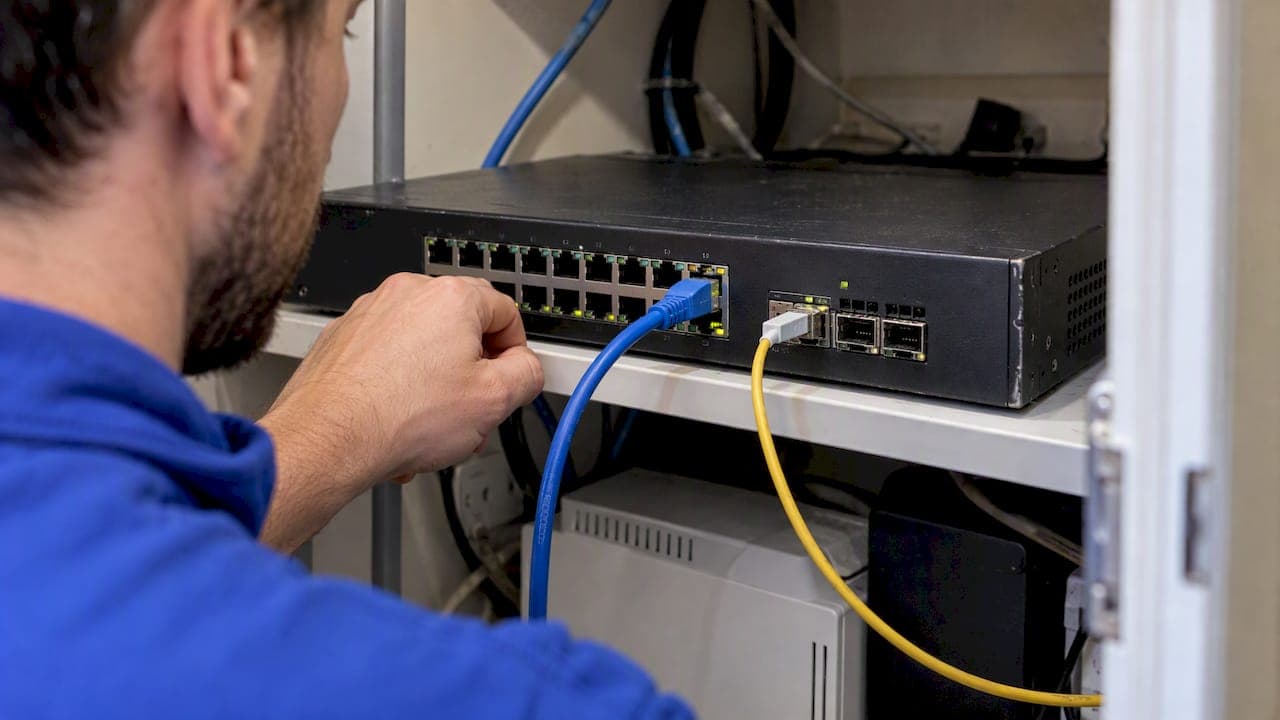
Use RJ45 for short access runs and PoE devices, and use SFP for uplinks, long distances, and future bandwidth growth. Copper RJ45 tops out around 100 meters but carries power to access points and cameras. SFP slots take swappable modules, so one port can serve a fiber run across a campus or a short rack link. Match the port to the job, not the other way around.
TL;DR:
- Copper reaches about 100 meters, and certified Cat6A supports 10G; 10G copper ports typically draw 2 to 5 watts and need cooling.
- Multimode fiber typically spans 300 to 550 meters, while single mode optics reach kilometers; fiber between buildings avoids interference and ground loops.
- SFP modules vary in reach and speed, but physical fit does not guarantee support; verify switch compatibility and vendor restrictions before buying spares.
- Optical SFP cannot supply PoE to access points or cameras; use a PoE copper port or provide power separately.
Table of Contents
- 1. How do SFP and RJ45 compare at a glance?
- 2. What are RJ45 and SFP ports, exactly?
- 3. Where do the technical differences actually show up?
- 4. Which SFP module types should you know?
- 5. How do these choices play out in real deployments?
- 6. What should you check before installing?
- 7. How do you decide on a site survey?
- 8. What does an installer actually recommend?
- 9. Need a hand with cabling and switch installs?
- FAQ
- Sources
1. How do SFP and RJ45 compare at a glance?
Most of the decision comes down to five questions: how far, how fast, how much power, how much heat, and what it costs once you scale. Here is the short version.
- Distance: Copper over twisted pair is built for runs up to about 100 meters. Fiber through SFP modules starts at a few hundred meters on multimode and reaches tens of kilometers on single-mode.
- Speed: RJ45 is most common at 1G and 10GBASE-T. The SFP family steps from 1G to 10G to 25G and beyond depending on the module you plug in.
- PoE: Power over Ethernet works on RJ45 copper ports. Optical SFP modules carry no power to the endpoint.
- Power and latency: 10GBASE-T ports generally draw more power and add more latency than optical SFP links, because the copper signal needs heavy processing.
- Cost: RJ45 is cheaper up front for access ports. SFP can win on total cost as you scale and as port density rises.
Publishers of networking hardware frame it the same way: RJ45 suits short copper runs with native PoE, while SFP ports suit longer reach, lower latency, and higher-density uplinks.
Rule of thumb from that guidance: RJ45 for access and PoE, SFP for uplinks, long distance, and scalability.
That single split covers most real installs. The rest of this guide explains why it holds and where the edge cases sit.
2. What are RJ45 and SFP ports, exactly?
People often treat the two as rivals, but they are different kinds of thing. One is a connector standard. The other is a slot that accepts different media.
- RJ45: A fixed Ethernet port that uses twisted-pair copper cable (Cat5e, Cat6, or Cat6A). It is the port on your laptop, access point, camera, and most desktop switches. It is also where PoE lives.
- SFP: A hot-pluggable transceiver slot. You slide in a module, and the module decides the media: optical fiber or copper. Swap the module and the same port changes personality.
- SFP family naming: SFP generally means 1G, SFP+ means 10G, and SFP28 means 25G. Faster siblings such as QSFP exist for 40G and above.
The key point that trips people up: an SFP slot is not a fiber port by definition. It is a socket. An SFP interface is a hot-pluggable slot that accepts transceivers supporting different media and speeds, while an RJ45 port is a fixed copper Ethernet port.
Think of an RJ45 port as a finished appliance and an SFP slot as a docking bay. The appliance is simple and cheap. The bay lets you change what is attached without replacing the switch.
That flexibility is also why a copper SFP module exists: it puts an RJ45 jack inside a transceiver, so you can reach a copper device from an SFP slot. We cover those module types in detail below.

3. Where do the technical differences actually show up?
Look at each axis and the pattern is consistent. Copper is easy and cheap over short distances. Optics scale further, run cooler at speed, and ignore electrical noise.
Distance. Copper twisted pair is specified for about 100 meters. Multimode fiber with SR optics typically covers roughly 300 to 550 meters, depending on the grade of fiber and speed. Single-mode optics (LR, ER, ZX) stretch from kilometers to many kilometers depending on the module.
Speed roadmap. RJ45 handles 1G comfortably and reaches 10G with 10GBASE-T over Cat6A. Past 10G, copper twisted pair stops being the practical answer in most buildings. SFP slots climb through 10G and 25G, and related form factors carry 40G and 100G, so the optics path has headroom that structured copper does not.
Latency and power. 10GBASE-T needs significant digital signal processing to push 10 gigabits over twisted pair, which costs power and adds a little latency per link. Per-port draw for 10GBASE-T PHYs is typically in the low single-digit watts, often cited around 2 to 5 W, while optical transceivers draw less. Multiply that across a dense switch and the heat and electricity add up. SFP-based designs are often more power-efficient and lower latency at scale, while RJ45 stays cheaper for typical home and office use.
EMI immunity. Fiber carries light, so it ignores electrical interference and does not create ground loops between buildings. Copper can pick up noise from motors, lifts, and power cabling, and a cable between two buildings on different earths can cause real trouble. This matters in plant rooms, on rural properties, and anywhere a link crosses between structures.
Cost and TCO. Copper cable and RJ45 ports cost less to buy. Fiber needs optics and, for new runs, a different termination skill. Over time, lower power draw, less cooling, and easier speed upgrades can swing the total cost toward SFP in dense or growing deployments.
| Factor | RJ45 (copper) | SFP (modular) |
|---|---|---|
| Typical reach | About 100 meters | About 300 to 550 meters on multimode SR; kilometers on single-mode |
| Speeds | 1G, 10GBASE-T | 1G, 10G, 25G and above by family |
| PoE | Yes | No (optical modules) |
| Relative per-port power at 10G | Higher (about 2 to 5 W typical for 10GBASE-T) | Lower with optics |
| EMI immunity | Susceptible | Immune on fiber |
| Upfront cost | Lower | Higher |
Pro Tip: If a 10G link is under 100 meters and you already have certified Cat6A, copper works fine. If you are pulling new cable for a 10G backbone and care about heat, a DAC or fiber link is usually the cooler choice.
4. Which SFP module types should you know?
The module you choose defines what the port does. Here is the working vocabulary an installer needs.
- Electrical (RJ45) SFP: A copper module with an RJ45 jack on the front. It reaches up to 100 meters over Cat5e or Cat6 and is handy when you must connect a copper device to an SFP slot or reuse existing cabling. Copper SFP modules integrate the PHY and magnetics needed to put twisted-pair Ethernet in an SFP form factor, typically at 1 Gbps, with some supporting 10GBASE-T.
- SR optics (short reach, multimode): The default for in-building links, such as a floor switch up to the main rack. Cheap and fast over short fiber.
- LR optics (long reach, single-mode): For links between buildings or across a campus, running kilometers on a single fiber pair.
- ER and ZX optics (extended reach): For the long hauls where LR runs out of budget.
- DAC (direct-attach copper): A fixed cable with transceivers molded onto each end. Ideal for very short, high-speed links inside or between adjacent racks, and typically cheaper than two optics plus patch cord.
- AOC (active optical cable): Like DAC but with optics built in, so it goes a bit farther and weighs less than copper. Also a fixed assembly.
One honest note on compatibility. Most modules follow a multi-source agreement, so they fit physically, but some switch vendors check the module's firmware identity and refuse unknown parts. Always confirm that your host accepts the module before you buy a batch. A single spare of each type in the van saves a return trip.
Electrical and fiber SFP modules differ sharply: electrical modules typically support 1000BASE-T up to 100 meters where copper already exists, while fiber modules give longer distances, higher speeds, and immunity to electromagnetic interference.
5. How do these choices play out in real deployments?
Theory is easy. Here is how the decision tends to land on actual jobs, from the desk to the paddock.
- Access layer, PoE devices. Wireless access points, IP cameras, and desk phones want RJ45 with PoE. One cable carries data and power, and the run is almost always under 100 meters. For a deeper look at power budgeting, see our guide on matching PoE classes for CCTV.
- Desktops and AV gear. RJ45 again. These endpoints have copper ports and gain nothing from fiber.
- Switch uplinks and rack interconnects. SFP+ or SFP28 wins here. Lower latency, lower heat per port, and a clear upgrade path make it the sensible default when a closet feeds a core.
- Building-to-building links. Single-mode SFP optics. A shed, workshop, or second dwelling on a rural property is a classic case: fiber avoids ground loops and lightning-induced surges that can travel along copper between structures.
- Dense racks. Use DAC for in-rack runs and optics for the rest. You save power and airflow compared with a rack full of 10GBASE-T.
- Legacy reuse. If good, certified copper is already in the walls and you need an SFP slot to reach it, an electrical SFP module avoids re-cabling.
The same logic applies to wireless backhaul. When a mesh or access point needs a wired link, copper with PoE is simplest, and our write-up on mesh backhaul options shows where a fiber or SFP uplink earns its place.
Pro Tip: For a link between buildings, pull a spare fiber pair even if you only light one. The glass costs little compared with trenching again.
6. What should you check before installing?
Most failed jobs trace back to a missed compatibility detail. Run through these before the order goes in.
- You cannot plug an RJ45 cable straight into an SFP slot. An SFP slot needs a module. To connect copper, fit an electrical SFP module first.
- Check the host, not just the fit. An SFP28 module can physically sit in an SFP+ slot, but it only works if the host supports the speed. Confirm negotiation support in the switch documentation.
- PoE does not travel over optical SFP. If the endpoint needs power, plan an RJ45 PoE port, or add a separate power source or midspan injector.
- Mind heat and per-port power. 10GBASE-T ports and copper SFP modules draw more power and run hotter. Check the switch's per-port power ceiling and the rack's cooling before filling every cage.
- Test and certify the cable. Cat6A is the reliable basis for 10GBASE-T. We certify copper runs and document fiber link budgets so the numbers on paper match what the link does.
- Plan for vendor locking. Keep a spare of each module type and confirm whether the switch accepts third-party optics.
For reference, 10GBASE-T over twisted pair is defined by the IEEE 802.3 Ethernet standard, which is why cable quality and certification matter more as speed rises.
If you are weighing cable grade for a 10G copper run, our comparison of Cat6 and Cat6A covers when the extra shielding and spacing pays off. And if the link also depends on a carrier handoff, background on NBN enterprise ethernet and uplink planning helps frame the circuit side.
A copper SFP module in a switch cage is still a heat source: budget its power and airflow as you would any 10G copper port.
7. How do you decide on a site survey?
Walk the site with this list. Each step narrows the choice until the answer is obvious.
- Measure the run and list the endpoints. If the run is 100 meters or less and the device needs PoE, specify RJ45 and stop there.
- Ask where bandwidth is heading. If the uplink is 1G today but 10G or 25G is plausible within a few years, choose SFP ports on the switch now so you only swap modules later.
- Inspect existing cabling. Check the category and whether it was ever certified. Uncertified or unknown cable is a poor bet for 10GBASE-T. For new long backbones, prefer fiber.
- Check vendor compatibility. Confirm whether the switch accepts standards-based optics or locks to branded ones, and plan a spare transceiver inventory.
- Budget power and cooling. Count the 10GBASE-T ports and copper modules, add their heat, and confirm the rack and switch can carry it.
- Test before handover. Certify the copper, record fiber link loss, and keep the results with the job file.
Run it in that order. Steps one and two settle the majority of sites; steps three to six catch the exceptions that cause callbacks.
8. What does an installer actually recommend?
Our view comes from putting these links in the ground and the ceiling. We prefer RJ45 for PoE endpoints, because one cable for power and data is hard to beat for cameras and access points. We prefer fiber SFP for uplinks, because the headroom and noise immunity pay for themselves the first time someone asks for more bandwidth.
What matters more than any rule of thumb is validation. Every choice we make is checked with on-site testing and cabling certification, not assumed from a spec sheet. Site surveys and certified cabling are how we keep that discipline honest. If you are unsure which way your site should go, ask us for a fixed-scope site survey and we will map the answer to your actual runs.
— Dylan
9. Need a hand with cabling and switch installs?

We handle data cabling, managed switch installation, certified testing, and rack upgrades, with Starlink and NBN integration where your uplink needs it. Skip the guesswork on port types and module compatibility: we survey the site, specify the right mix of RJ45 and SFP, and test it before handover. Request a site survey or a fixed-scope quote through our IT networking and data cabling page.
FAQ
What is the difference between RJ45 and Ethernet?
Ethernet is the networking standard that defines how data moves over a link. RJ45 is just the physical connector that many Ethernet copper cables use. You can run Ethernet over fiber with no RJ45 connector at all.
Is SFP a fiber connection?
Not necessarily. An SFP port is a slot that accepts modules, and those modules can be optical fiber or copper. Optical modules such as SR, LR, ER, and ZX differ by reach and wavelength, while copper SFP modules carry twisted-pair Ethernet.
Is there an SFP+ to RJ45 adapter?
Yes, as a copper SFP+ module with an RJ45 jack. It lets a 10G SFP+ slot connect to a twisted-pair cable. Expect higher heat and power draw than an optical module, and confirm your switch supports it.
Does RJ45 support 10G?
Yes, through 10GBASE-T over Cat6A cable, with reliable results when the cabling is certified. It draws more power per port than optical links, so plan cooling for dense switches.