
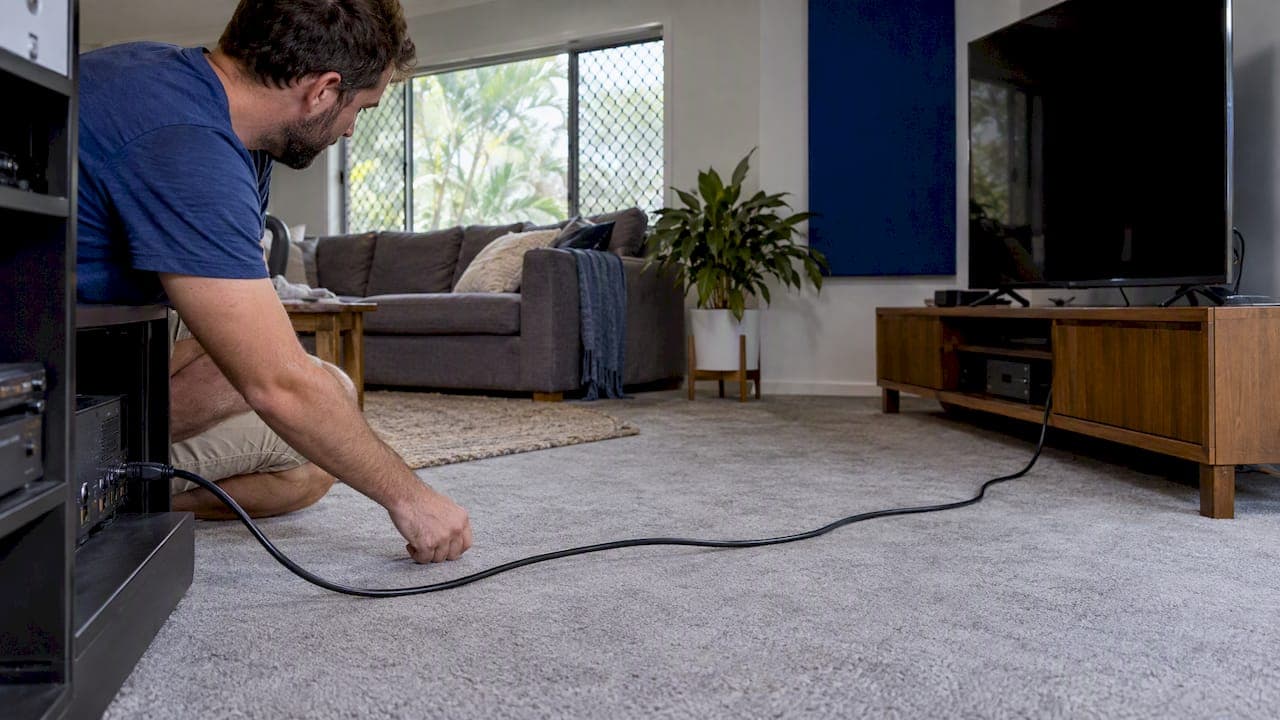
There is no official maximum length for an HDMI cable, but there is a practical one, and it depends on the resolution you push through it. A plain passive cable is dependable for 4K at around 3 to 5 meters. Beyond that you need an active or optical cable, and past about 15 to 20 meters you should stop using HDMI as the long-haul link at all and run HDBaseT over network cabling instead.
This guide explains why the limit is fuzzy, gives you distances you can plan around, and shows what to do when your projector, TV or boardroom screen sits further from the source than a store-bought cable allows. We also cover the question we get from rural customers: how long the Starlink cable can be.
TL;DR
- The HDMI standard sets no maximum cable length. A cable is simply compliant or not at the length it was tested.
- For 4K at high refresh rates, plan on 3 to 5 meters passive. For 1080p, 10 meters or more is usually fine.
- Active and optical HDMI cables stretch the reach to roughly 15 to 20 meters. Beyond that, HDBaseT over Cat6A carries the signal up to 100 meters.
- Buy only cables that carry the official HDMI certification label, and scan it.
- If the run goes inside a wall or ceiling, scope it as a cabling job, not a cable purchase.
Table of Contents
- Why the HDMI cable length limit is not a single number
- Safe HDMI distances by resolution
- Active vs passive HDMI cables
- When to stop using HDMI and switch to HDBaseT
- Planning the run before you cut into a wall
- Our perspective: what we see on site
- Starlink cable length: the same question, different cable
- Need a long run done properly?
- FAQ
- Sources
Why the HDMI cable length limit is not a single number
People often repeat that HDMI tops out at 15 feet. That is a myth. Blue Jeans Cable points out that the HDMI specification gives no explicit length limit. Instead, it sets performance requirements for the cable, and any cable that meets them is compliant, however long it is.
The official HDMI organization says the same about the newest specification: length depends on several factors, not a fixed figure. In practice, that means the real limit is a function of three things:
- Bandwidth. A 1080p signal needs a small fraction of what 4K at 120 Hz or 8K needs. More data per second means less tolerance for loss.
- Conductor quality. Gauge, shielding and construction decide how fast the signal weakens over copper.
- The equipment at each end. Some sources and displays tolerate a weak signal better than others. That is why one cable works on a Blu-ray player and fails on a games console.
A passive copper cable carries the signal with no help. The longer it gets, the more the signal degrades, until the picture sparkles, drops out or never appears. The failure is rarely graceful, and it often shows up only on certain content, such as HDR or high frame rates.
Certified length is the number that counts
Because there is no cap, a vendor can sell you a 20 meter passive cable that does work on a 1080p test and call it 4K ready. Blue Jeans Cable notes that a long passive cable handling high-speed data is only trustworthy if it was specifically certified by an authorized testing center, which is rare for long passive runs. Ask for the certificate. If a seller cannot produce one, assume the cable is untested at that length.
How-To Geek describes the market as a Wild West where cables labeled with high-performance specs do not always pass testing, and recommends looking for the official certification label. You can check it yourself: the label carries a QR code that opens the HDMI organization's verification page and tells you the brand, model, type and length that was certified.

Safe HDMI distances by resolution
Published figures vary a little between sources, so treat the table below as planning ranges, not guarantees. They come from the sources linked in the text and from our own rule of thumb on site: leave margin, because a run that works on the bench can fail once it is bent around a ceiling joist.
| Signal | Passive certified cable | Active or optical cable | Beyond that |
|---|---|---|---|
| 1080p | Often 10 to 15 m | 20 m and more | HDBaseT |
| 4K at 30 or 60 Hz | About 3 to 7 m | Up to about 20 m | HDBaseT |
| 4K at 120 Hz, 8K (48 Gbps) | About 3 to 5 m | Short optical runs | HDBaseT or fiber systems |
The sources behind these ranges:
- Honey Optics recommends staying within 3 meters (10 feet) for resolutions near 4K, because the signal can begin to degrade after that.
- How-To Geek notes that certified Ultra High Speed cables, the ones for 48 Gbps, are typically certified at lengths up to 3 to 5 meters, and that passive copper beyond 5 to 10 meters often struggles with 4K at 120 Hz or 8K.
- An Australian AV integration group lists premium certified HDMI at up to 7 meters for 4K 60 Hz 4:4:4, active optical cable at around 20 meters, and HDBaseT up to 100 meters.
Two things follow. First, the faster your content, the shorter your safe run. Second, you cannot judge a cable by whether it works today: a cable that handles your current 4K streaming box may fail when you add a console or upgrade the TV.
What the cable generation does and does not tell you
HDMI cable names are confusing, so here is the short version. High Speed cables support configurations up to 10 Gbps, Premium High Speed up to 18 Gbps, and Ultra High Speed up to 48 Gbps. The HDMI organization's own guidance says Ultra High Speed cables are for configurations above 18 Gbps and recommends them for full eARC performance. A newer name on the box does not give you more distance. It gives you more bandwidth at a tested length, and the length is usually short.

Active vs passive HDMI cables
A passive cable is just wire and connectors. An active cable has a small chip in the connector that conditions or boosts the signal. Active cables come in two forms:
- Active copper. Electronics in the connector regenerate the signal over copper conductors. They are directional, so one end must go to the source and the other to the display.
- Active optical (AOC). The connectors convert the signal to light, send it through fiber, and convert it back. Optical cables are thin, light, and less affected by interference. According to the Australian integration group above, they draw their power from the HDMI ports and need no external supply.
When active makes sense
Active cables suit runs of roughly 8 to 20 meters where you can pull one cable end to end. A projector fed from a rack across the room is a typical case. They are also thin enough to thread through narrow conduit.
Their limits are practical, not theoretical:
- Direction matters. Plug an active cable in backwards and you get nothing.
- The connector is rigid and bulky. Pulling a connector through conduit or a tight wall cavity can damage it. Once the cable is inside a wall, you cannot easily replace it.
- Failures are hard to diagnose. A dead active cable looks exactly like a dead display or a bad port.
- Chaining repeaters adds trouble. How-To Geek notes that adding repeaters in sequence can extend range in theory but introduces latency and extra points of failure. For runs over 15 to 20 meters, best practice in commercial and high-end residential work is to switch to HDBaseT or fiber HDMI rather than daisy-chain.
For a simple lounge room with a 5 meter gap, a certified Ultra High Speed passive cable is the right, cheap answer. Don't pay for active when passive will do.
When to stop using HDMI and switch to HDBaseT
Once the source and screen are more than about 15 to 20 meters apart, or the cable has to pass through walls and ceilings, the professional answer is HDBaseT. It converts the HDMI signal at a transmitter, sends video, audio and control signals down standard category cabling, and converts it back at a receiver. Per a technical paper on cabling for 4K HDBaseT, it carries uncompressed HD video, audio and control over balanced twisted-pair cabling for distances up to 100 meters.
A few points we stress with customers:
- It is a system, not a cable. The same paper cautions that HDBaseT is an active networking system with real signal and power demands. Mixing random transmitters and receivers is a common cause of instability, so the design and the components need to be scoped together.
- The cabling must be good. The paper describes a target of one pixel error per billion pixels, a standard ordinary patch cable often fails. Use properly terminated, tested cabling, and for 4K at distance, Cat6A. Our own Cat6 vs Cat6A comparison explains when the extra cost is worth it.
- Keep it off the shared network. An HDBaseT link is point to point. It is not the same as sending video over your office LAN. If you want to compare it with IP-based distribution for larger multi-screen sites, see HDMI over IP vs HDBaseT.
- Compliance applies. Cabling inside buildings in Australia must satisfy the relevant standards, and the paper above flags AS/NZS 1660.5.6 for fire safety performance of cabling in buildings. A licensed installer handles that as part of the job.
For a deeper look at the cabling side, our guide to extending HDMI over Cat6 covers the setup step by step.
A worked example
Say you want a projector in a rumpus room, with the media cabinet at the opposite end of the house, about 22 meters of cable path once you follow the ceiling cavity and drop down the wall.
- A passive HDMI cable at that length is a gamble for 4K. Even if it works on day one, you have no margin.
- An active optical cable could work, but you would have to pull a bulky connector through the cavity, and a single kink or failure means opening the ceiling again.
- An HDBaseT pair over Cat6A uses a thin cable that pulls easily, leaves space in the conduit for a second run, and has plenty of headroom at 22 meters, well under the 100 meter ceiling.
The third option costs more at the start. It usually costs less than doing the first two twice.
Planning the run before you cut into a wall
Most HDMI length failures are really planning failures. Before anyone drills a hole, settle these:
- Measure the true path, not the straight line. Bends, risers and drops can double the distance.
- Decide the highest signal you will ever feed it. If you may add a console, an 8K display or a high refresh rate screen later, design for that now.
- Run spare conduit or a second cable. Pulling a cable later is cheap when the conduit already exists and costly when it does not. Our concealed cabling guide lays out the options for existing homes and new builds.
- Don't forget power. Displays, transmitters and receivers need outlets. Recessed power behind a wall-mounted TV keeps the cabling hidden and tidy, and even a simple 3 metre mains power cable shows how much reach you need to budget for at each end.
- Test and document. Ask for test results on any cabling you pay for. Our checklist on verifying cabling certification shows what a proper handover includes.
Our perspective: what we see on site
We design, scope, install and configure every system ourselves, with no subcontractors, so when a long HDMI run misbehaves we are usually the second call, after a cable swap has already failed. The pattern is consistent.
Customers rarely have a bad cable in the sense of a defective product. They have the wrong approach for the distance. A 10 meter passive cable bought online, a 15 meter one as a fix, and an extender box as a last resort: each step spends money without fixing the real problem, which is that copper HDMI was never meant to be the long link.
Our rule is simple. Under about 5 meters, use a certified passive cable and verify the label. Between about 8 and 20 meters, in a straight accessible path, an active optical cable is a reasonable choice. Anything longer, or anything inside a wall, goes to HDBaseT over properly terminated Cat6A, designed as a matched set. That is how we keep a 98% first-visit fix rate: we choose the method that has margin, so the system works the first time, and nobody can point at another trade.
One more thing we tell every homeowner: the cable you cannot see is the one to spend on. A good display can be upgraded in an afternoon. A cable buried in a wall is there for years.
— Dylan
Starlink cable length: the same question, different cable
Many of our rural customers ask the same thing about the Starlink dish. The cable is not HDMI, but the logic is similar: there is a supplied length, an official longer option, and a point where you should redesign rather than stretch.
According to a 2026 Starlink cable guide, the standard Gen 3 kit comes with a 15 meter cable, and longer official replacement cables are available up to 45 meters. If your best dish position is further from the house than that, as it often is on acreage, a long cable run is the wrong tool. A high-site mount with a separate network link back to the house, or a dish on a pole closer to clear sky, is more reliable than pushing the limit.
The cable also needs the right UV and weather protection, and outdoor routing needs thought. Our note on UV-rated outdoor Ethernet explains why waterproof claims alone do not tell you how long a cable will last in Queensland sun.
Need a long run done properly?
If your projector, TV wall or boardroom screen is more than a few meters from its source, we can survey the path, scope the right method and install it, with concealed cabling and recessed power where you want a clean finish. See our audio visual services for homes and businesses in South East Queensland, or our networking and cabling services if the job is mainly about structured cabling and Starlink or NBN connectivity.
FAQ
What is the longest HDMI cable that works for 4K?
It depends on the type and the refresh rate. A certified passive cable is dependable for 4K at roughly 3 to 7 meters, and active optical cables reach about 20 meters. For anything longer, HDBaseT over Cat6A reaches up to 100 meters.
How far can HDMI run before the signal drops?
For 1080p, often 10 to 15 meters with a good passive cable. For 4K at high refresh rates, the safe distance can be as little as 3 to 5 meters. The signal tends to fail suddenly, with sparkles, flicker or a black screen, rather than fading gradually.
Is active HDMI better than passive?
Active is better only when you need the distance. Over short runs a certified passive cable is simpler, cheaper and has no direction to get wrong. Active cables suit open runs of about 8 to 20 meters, but they are bulky and hard to replace if they sit inside a wall.
Can I join two HDMI cables together?
You can, with a coupler, but it adds a connection and a failure point, and it does not add the signal strength a longer run needs. A repeater or an active cable is more reliable, and for long runs HDBaseT is the better answer.
How do I know my HDMI cable is genuine?
Look for the official certification label on the packaging and scan its QR code. The verification page shows the brand, model, type and certified length. If there is no label, or the length shown does not match what you bought, treat the performance claims with caution.
Sources
- How Long Can HDMI Cable be Run? Blue Jeans Cable
- How long can an HDMI cable be? How-To Geek
- HDMI Max Length: How Long Can An HDMI Cable Be? Honey Optics
- More Sound with HDMI Technology, HDMI organization
- HDMI organization
- Cabling to Support 4K UHD HDBaseT Applications, DocsLib
- Comparing AV Signal Distances
- Starlink Cable Length guide, Starlink Info