
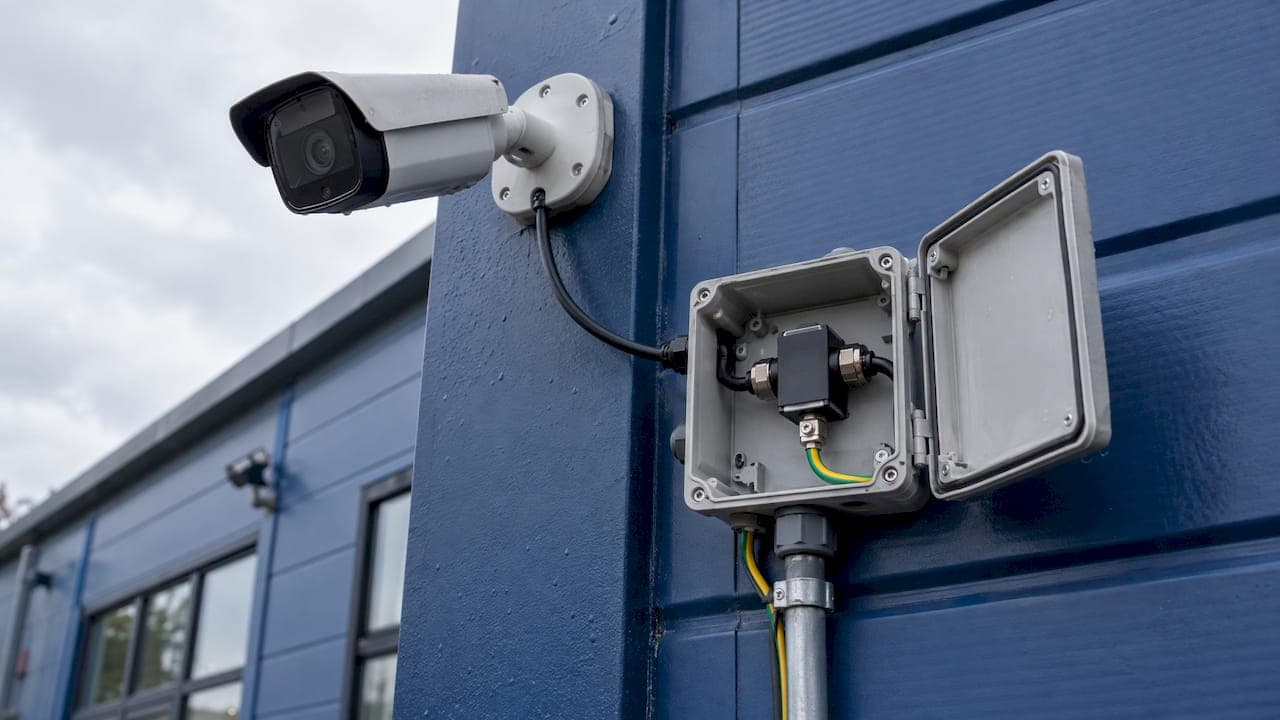
A CCTV system needs surge protection at three points: the mains power feeding the recorder and switch, every cable that leaves the building (Ethernet, coax or low-voltage power), and the camera end of any long outdoor run. Protect only the power point and a surge can still enter through the data cable. Protect every entry path and a nearby lightning strike or a switching spike on the grid is far less likely to wreck your cameras, recorder and network gear together.
This guide explains what a surge protector does in a camera system, why outdoor cameras are the weak link, what to protect, how to choose compatible devices and where an electrician has to be involved.
TL;DR
- Surge protectors divert voltage spikes to ground before they reach sensitive electronics, so fit them on mains power and on every cable that runs outdoors.
- PoE cameras carry power and data on one cable, so a surge can travel both ways between camera and switch. Protect both ends of long runs.
- Match the device to the system: voltage, connection type (PoE, coax, low-voltage DC) and a good earth connection matter more than the price tag.
- A surge protector is only as good as its earth. A disconnected ground lead leaves the camera unprotected.
- Mains-side surge protection is electrical work. Use a licensed electrician for it, and a licensed installer for the camera side.
Table of Contents
- What a surge protector does in a CCTV system
- Why outdoor cameras and their cables are exposed
- Which parts of a CCTV system need protection
- Special case: PoE cameras
- How to choose surge protection that fits your cameras, cable and recorder
- Installing and grounding surge protection in Australia
- When you need a licensed electrician
- What this means for your budget
- A checklist before you sign off a system
- Our perspective
- Get it designed in from the start
- FAQ
- Sources
What a surge protector does in a CCTV system
A surge protective device (SPD) sits in the path of power or data and diverts transient voltage spikes to ground before they reach the sensitive electronics inside a camera, recorder or switch, while letting normal power and video or network signals pass through. That is how Axis Communications describes its surge protectors, and the principle is the same for any brand.
Two things follow from this:
- An SPD does not stop a surge, it redirects it. The energy has to go somewhere, so a solid earth connection is part of the product, not an optional extra.
- It protects against short transients. A spike lasting microseconds is what it handles. It is not designed for outages or brownouts, which is a point made in Australian guidance on installing SPDs under AS/NZS 3000.
A basic power board with a "surge" label is not the same as a properly rated SPD. For a system that records your home or business around the clock, the difference is worth understanding before something fails.
Why outdoor cameras and their cables are exposed
Cameras are mounted high, on poles, eaves and masts, because they need a clear view. That height and isolation, plus long cable runs, make them natural collectors of induced voltage.
Lightning does not have to hit the camera. CCTV systems are vulnerable to lightning electromagnetic pulses and switching electromagnetic pulses, and either can cause integrated circuit failure. A strike on a nearby tree, a neighbor's roof or the power line can induce a surge in your cabling.
Lightning is not the only cause. Axis notes that transient surges are more frequently caused by switching high-powered machinery than by lightning strikes. On a commercial site with air conditioning, lifts, pumps or workshop equipment, your cameras take small hits every day. On a rural property with bore pumps and sheds on long power runs, the same applies.
The ground is part of the path. One published case study of malfunctioning outdoor security cameras found the camera and its pole were uninsulated and the SPD's ground cable had never been connected. A lightning surge raised the ground potential and entered through the pole or cables. The protector was fitted but did nothing, because it was not earthed.
The cost asymmetry is large. Phoenix Contact's industry paper observes that replacement costs after an overvoltage event in video surveillance can exceed the investment in protection many times over. Add the lost footage while the system is down and the case for fitting protection at install time is clear.
Which parts of a CCTV system need protection
Think in terms of entry points. Every metallic conductor that enters or leaves a building, or runs between buildings, can carry a surge. The guidance on CCTV and IP camera protection says to cover low-voltage and backup power, Ethernet lines for IP and PoE cameras, and coaxial video lines, with listed SPDs at the facility entry or close to the protected equipment.
Here is how that maps to a typical system.
| Part of the system | What can carry a surge | Protection to consider |
|---|---|---|
| Mains supply to the switchboard | Grid transients, nearby lightning | Surge protection at the main or sub switchboard, fitted by a licensed electrician |
| Recorder (NVR/DVR), PoE switch, router | Mains power, and every cable plugged in | Protected power outlet or rack-level protection, plus data-line protection on outdoor ports |
| PoE or Ethernet cable to outdoor cameras | Induced surge along the cable, either direction | Inline Ethernet/PoE surge protectors at the switch end and the camera end of long runs |
| Coaxial cable (analog HD systems) | Induced surge on the shield and center conductor | Coax video protectors at both ends |
| Low-voltage DC power to cameras | Induced surge, power supply faults | DC power line protector near the camera, matched to the voltage |
| Backup power (UPS, battery, solar) | Mains side and DC side | Protection on both the input and the output of the supply |
If your cameras are fed from an outbuilding, gate or pole away from the main house, treat each building as its own entry point. A cable between two structures is a long antenna.
If you are planning a system with solar-fed cameras, our guide to solar CCTV sizing and Australian compliance covers the DC side in detail.
Special case: PoE cameras
Most modern IP systems use Power over Ethernet, which puts power and data on a single cable. That is convenient, but it means a surge at the camera end can travel to the switch, and a surge at the switch can travel out to every camera.
Practical points for PoE:
- Use a protector rated for PoE. A data-only Ethernet protector may not pass the power correctly, and one that does not support your PoE class can cause cameras to reboot. Our article on matching IEEE PoE classes to avoid random camera reboots explains how to check this.
- Protect both ends of long runs. The camera end sees what the pole and cable pick up, and the switch end protects the rack.
- Keep the protector near the equipment. A short, direct earth lead works far better than a long one.
- Cable quality matters too. Outdoor Ethernet needs more than a waterproof claim. See our note on UV-rated Ethernet cable before you specify the run that will carry the surge protector.
A managed PoE switch in a proper comms rack, with surge protection on the incoming power and on each outdoor port, is the cleanest arrangement. It also makes faults easier to trace later.
How to choose surge protection that fits your cameras, cable and recorder
Compatibility is the usual place where DIY purchases go wrong. Work through these checks in order.
1. Match the system voltage and signal type
CostarHD's best practice guidance is to select an SPD of the appropriate type and ratings for the nominal voltage of the application. In practice that means three separate questions:
- Is the camera powered by 12 V DC, 24 V AC, 48 V PoE or mains?
- Is the signal Ethernet, coax or something else?
- Does the protector pass that signal without degrading it? Check the bandwidth rating for your camera resolution, particularly with 4K cameras.
2. Place it close to the equipment
The same CostarHD guidance says to install the device within four feet (about 1.2 meters) of the equipment, and at each end of cables longer than 30 feet (about 9 meters). Most residential and commercial camera runs are well past that length, so plan for protection at both ends.
3. Coordinate with upstream protection
Outdoor front-end equipment typically has high common-mode impedance at its input port, so the ITU's lightning protection recommendation says coordination between the secondary SPD and the upstream primary SPD is needed. In plain terms: a small protector at the camera works best when something larger is already handling the bulk of the energy at the switchboard. Cheap devices stacked without thought can leave a gap.

4. Check the earth
An SPD needs a low-resistance path to ground. Ask where the earth lead lands, how long it is and whether it is actually connected. Remember the case study above: the device was there, the ground lead was not.
5. Be wary of marketplace bargains
Cheap multi-purpose boxes sold for a few dollars online rarely list tested ratings. If a listing does not state voltage, clamping behavior and the standard it was tested to, you cannot tell what it will do under a real surge.
Installing and grounding surge protection in Australia
Australian electrical installations follow AS/NZS 3000, and its guidance on SPDs covers the mains side. Two points from the published installation guidance are worth knowing as a property owner:
- SPDs are located where the supply originates or at the main switchboard, installed after the main switch but before any residual current device, and protected by a separate fuse or circuit breaker.
- At a remote switchboard without a Main Earth Neutral (MEN) connection, SPDs are connected from each phase to neutral and from neutral to earth.
That is a detail for your electrician, not a weekend job. It does show why a mains-level device and a camera-level device are complementary: the switchboard SPD takes the large energy, and local protectors catch what gets through and what comes in along data cables.
When lightning risk is high
For medium- and high-exposure environments, the ITU recommendation says a risk assessment under IEC 62305-2 or ITU-T K.97 decides whether an external lightning protection system is needed. Hilltop rural properties, tall poles, exposed car parks and masts are the typical candidates.

The same document gives a cabling rule of thumb: where the full transmission cable cannot be underground, bury at least 15 meters of it, preferably in metal pipe with both ends earthed. This is a design measure for exposed sites, and it needs planning before cabling goes in, not after.
Layout habits that reduce risk
- Keep camera cabling away from mains cabling and downpipes where possible.
- Avoid running a single long metallic route between two buildings without protection at each end.
- Mount the camera so the pole or bracket is not an unplanned path for current, and earth metal masts properly.
- Label the protectors and record where they are. A surge protector that has taken hits may need replacing, and no one can replace what they cannot find.
When you need a licensed electrician
Permanent mains-side surge protection is electrical wiring work. In New South Wales, for example, that work must be done by or under the supervision of a licensed electrician, who must lodge a Certificate of Compliance for Electrical Work. Licensing rules differ by state and territory, so check with your own state's electrical regulator before anyone touches the switchboard.
A sensible split of work:
- Licensed electrician: switchboard SPDs, new circuits, earthing and any change to fixed mains wiring.
- Licensed security and data installer: camera-side protectors, PoE and coax protection, cable routes, rack layout and commissioning.
To vet whoever does the camera side, read our checklist on what to check in a licensed security installer. If the job includes new data cabling, how to verify a licensed cabler is worth a few minutes.
What this means for your budget
Surge protection is a small line item next to cameras, recorder and labor, and it is cheaper to include at install time than to retrofit after a loss. When you get quotes, ask each installer whether protection is itemized, where it goes and who earths it. A quote that silently omits it is cheaper for a reason. For a wider view of what a system costs, see our breakdown of CCTV installation costs in Australia.
A checklist before you sign off a system
Ask your installer to confirm each of these in writing or on the handover sheet:
- Mains surge protection at the switchboard, with who fitted it.
- Protected power for the recorder, switch and router.
- Data-line protection on every outdoor Ethernet or coax run, with the position at each end.
- The earth path for each protector, tested and connected.
- Protector ratings that match your PoE class, voltage and camera resolution.
- A plan showing where each device sits, so it can be inspected and replaced.
If a system is already installed and has none of this, the retrofit is usually simple at the rack and more involved at the cameras. Start with the recorder and switch, then work outward to the most exposed cameras.
Our perspective
Most surge damage we see is not dramatic. It is a switch port that dies, a camera that reboots every few weeks, a recorder that fails a year after a storm. Owners rarely connect it to a surge because nothing looked wrong at the time.
We design, scope, install and configure each system with our own licensed, accredited team, with no subcontractors. That matters here because surge protection spans trades: the switchboard, the cable route, the rack and the camera bracket. When one team owns all of it, nobody can point at someone else when a protector is not earthed.
Our approach is to treat every outdoor cable as an entry point, protect the rack and switch properly, and hand over documentation showing what is fitted and where. For rural properties and high sites, we plan the cable route for the exposure before a single cable is pulled.
Dylan
Get it designed in from the start
If you are installing or upgrading cameras in South East Queensland, we can scope protection as part of the whole system: cameras, PoE switching, rack, cabling and commissioning, handled by one accredited team. See our NYX camera and Ajax alarm systems, or the networking and cabling work that sits behind a reliable camera network.

Tell us about the property, the camera positions and any past storm damage, and we will scope what needs protecting before quoting.
FAQ
Do I really need surge protection for outdoor CCTV cameras?
Yes, it is advisable. Outdoor cameras sit high on long cables and are exposed to induced surges from lightning and from switching equipment on the grid. The protection costs little compared with replacing cameras, a switch and a recorder together.
Is a standard power board with surge protection enough?
Not on its own. It covers the power cord but not the Ethernet or coax cables that leave the building, which are a common way for surges to enter. A complete setup also protects the data lines and has a proper earth connection.
Can I install CCTV surge protectors myself?
Camera-side data and DC protectors are generally straightforward for a competent installer, but mains-side protection at the switchboard is electrical work that needs a licensed electrician. Requirements vary by state, so check with your regulator. Poor earthing can make a protector useless, so it pays to have it done correctly.
How far from the equipment should a surge protector be?
CostarHD's guidance is within about four feet (1.2 meters) of the equipment, and at each end of cables longer than about 30 feet (9 meters). Shorter, more direct earth leads perform better.
Does a UPS replace a surge protector?
No. A UPS keeps equipment running through short outages, but only some include surge suppression, and none protects the data cables. Treat it as a separate layer from surge protection.
Sources
- Surge protectors, Axis Communications
- Power surges, Axis Communications
- CCTV and IPTV cameras surge protection solution, Intrans Group
- Best Practices for Surge Protection Devices, CostarHD
- ITU-T Rec. K.142 Lightning protection
- How To Install Surge Protective Devices As Per AS/NZS 3000
- Case Study of Malfunctions of Outdoor Security Cameras, NTT Technical Review
- Electrical compliance requirements, NSW Government
- Easy protection for video surveillance, Phoenix Contact