
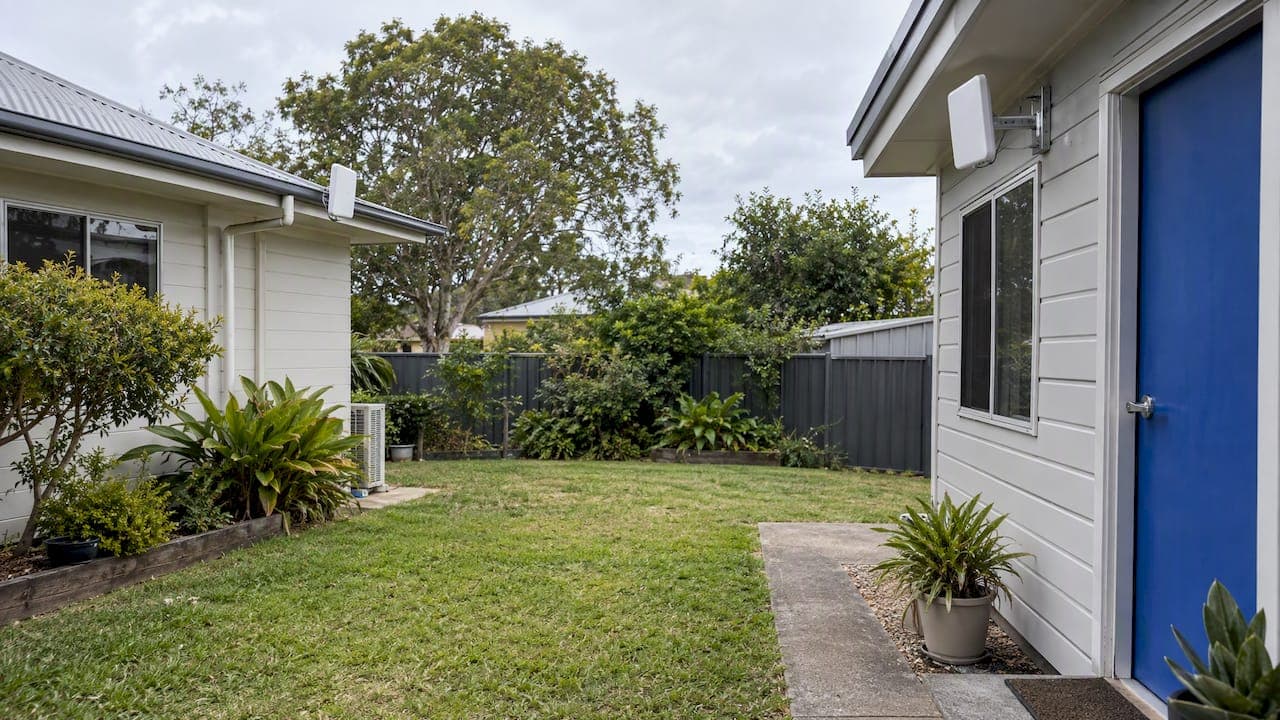
The most reliable way to get WiFi into a granny flat is to run a dedicated cable from the main house to the flat and put a proper access point inside it. If you can't cable, a matched point-to-point wireless bridge is the fallback. A plug-in extender or a spare mesh node pushed through two exterior walls is the option that most often disappoints.
Before you buy anything, check one thing: does the flat share the main home's address? That answer decides whether you are extending your existing internet or arranging a separate service. Below we cover that rule, the four realistic ways to link the buildings, what changes on rural South East Queensland properties, and how to prepare for a quote.
TL;DR
- If the flat shares the main house's address, it usually can't get its own new nbn connection. You share or extend the existing service, or ask your provider about an additional one.
- The link between the buildings matters more than the WiFi box inside the flat. Buried cable first, point-to-point bridge second, extenders last.
- Permanent data cabling between buildings should be done by a registered cabler who gives you written compliance certification.
- On rural properties, test the internet service and the house-to-flat link separately. One can be fine while the other fails.
- Published installation prices don't travel well, because distance, trenching and access vary. Get a fixed-scope quote based on a site survey.
Table of Contents
- First, sort out the address question
- Why a repeater or spare mesh node usually fails
- Four ways to get WiFi to a granny flat
- Rural properties: diagnose two links, not one
- Why the access point inside the flat matters
- What the rules say about cabling between buildings
- Our perspective: plan the link, not the signal
- What to have ready for a quote
- Get your granny flat connected
- FAQ
- Sources
First, sort out the address question
Most people start by shopping for a booster. The better first step is a phone call to your internet provider.
According to nbn, granny flats that share an address with the primary residence usually cannot apply for a new nbn connection, because each connection must be linked to a unique address. nbn's suggested routes are extending your existing connection by stretching the local WiFi network, or installing an additional service through a registered cabler.
There is one exception worth knowing. If the flat is on land being subdivided, with its own new address, nbn says that is handled as a new development. That is a different process, and nbn's develop or plan page is where it starts.
If you want a separate service for a tenant or family member, ask the provider to confirm eligibility before you trench or buy equipment. nbn notes that additional services may carry provider-specific requirements or extra charges. Providers may also ask for property coordinates and proof the premises is occupied.
Two practical consequences follow:
- Most of the time, the flat's WiFi is a network distribution job, not an internet-ordering job.
- Sharing the household connection is normally the lowest running-cost option. There is no universal free WiFi entitlement for granny flats in Australia, and a separate plan adds its own charges.
Why a repeater or spare mesh node usually fails
The tempting fix is a plug-in extender, or moving a mesh node to a window facing the flat. It works sometimes, when the flat is a few meters away and the walls are timber and plasterboard. It fails often enough that we would not build a permanent setup on it.
The problem is the materials between the two buildings. Metal cladding, foil insulation, rendered masonry and metal security screens block or badly weaken WiFi. A single extender also halves its own throughput when it has to receive and re-transmit on the same radio. Ars Technica's testing-based guide makes the same point: omnidirectional extenders and split mesh nodes are generally poor inter-building links, while directional radios are built for the job.
The rule we work to: get a dependable link into the flat first, then install a normal access point inside it. Signal strength at the flat's front door is not the goal. A stable backhaul is.
Four ways to get WiFi to a granny flat
1. Buried Ethernet or fibre (most reliable)
A cable in conduit from the main house's network rack or switch to the flat, ending at an access point or small switch inside. The same Ars Technica guide says a cable, ideally burial-grade, in conduit and buried, is almost always the best answer for linking buildings, though it costs more to install.
Why we prefer it:
- Speed and latency match what the main house gets, with no weather or interference effects.
- You can power the access point over the cable (PoE), so there is no power point to find on the outside wall.
- It can carry more than WiFi: a camera, an intercom or a second access point on the veranda.
- It's set-and-forget, which suits a flat a tenant or relative lives in.
It does need a trench or an existing conduit, and it needs to be done properly. Inter-building copper needs careful routing, bonding or earthing and surge protection. This is the point where an improvised cable across the yard becomes a risk. For fiber, those electrical concerns largely fall away, but the install still needs the right conduit and termination.
2. Point-to-point wireless bridge (when trenching isn't practical)
Two directional radios, one on the main house and one on the flat, aimed at each other and acting like a wireless cable. An access point inside the flat then provides the WiFi.
It suits flats across a driveway, a lawn, a pool, or a rocky patch where trenching would be expensive. It needs clear line of sight. Trees that move in the wind, a shed roof in the path or a new fence can degrade it.
Frequency matters too. According to the Ars Technica guide, 5 GHz generally has less range and penetration than 2.4 GHz, so choose frequency to suit the path and environment, not the headline speed. Performance also depends on obstacles, interference and weather.
We've written a longer walk-through in our practical guide to point to point WiFi for buildings.
3. Powerline adapters (a limited middle path)
If the flat is on the same electrical sub-circuit chain as the house, powerline adapters can carry data over existing wiring. Results depend heavily on the wiring and what else is on the circuit, and many flats are fed by a separate sub-board or run in a way that blocks the signal. Treat it as a cheap test, not a design. If it works, good. If it doesn't, you have lost little.
4. Separate service for the flat
A second nbn, fixed wireless, Starlink or mobile broadband service gives the flat its own internet. nbn says this typically isn't possible as a new standalone nbn connection when the flat shares an address, so you would be asking the provider about an additional service. It means two plans and two sets of hardware, and it won't fix poor WiFi inside the flat on its own.
It makes sense when tenants need full independence, when the main service is already near capacity, or when the flat is far away on a large block. In those cases, ask the provider before you commit.
Side by side
| Option | Reliability | Running cost | Best for | Watch out for |
|---|---|---|---|---|
| Buried Ethernet or fibre + access point | Highest | None extra | Most detached flats, long-term use | Trenching, conduit, earthing and certification |
| Point-to-point bridge + access point | High with clear line of sight | None extra | Cable-hostile sites, short to mid distances | Line of sight, interference, correct alignment |
| Powerline adapters | Variable | None extra | A quick test | Wiring-dependent results |
| Separate internet service | Depends on the service | Extra plan and hardware | Full independence, tenants | Eligibility, charges, address rules |
| Plug-in extender or split mesh | Often poor | None extra | Very close flats with light walls | Cladding, foil insulation, masonry |
Rural properties: diagnose two links, not one
On acreage and farms around South East Queensland, the main house is often on nbn Fixed Wireless, Starlink or a mobile broadband service, and the granny flat or shearers' quarters is a hundred meters away across a paddock.
It helps to separate two questions:
- Is the internet itself good at the main house? For nbn Fixed Wireless, nbn describes a tower-to-premises radio link using an outdoor antenna and an indoor connection box. Plan capabilities and availability are address-specific, and wholesale speeds are not a guarantee of what you will see.
- Is the house-to-flat link good? The antenna can be fine while a weak or non-existent backhaul leaves the flat with nothing.
Fixing the wrong one wastes money. If the main house streams fine and the flat can't, improve the inter-building link. If the main house struggles, a better path to the internet comes first. Our comparison of fixed wireless and satellite for Australian homes covers that first question, and the explainer on nbn technology types helps you work out what your address actually has.
If you rely on Starlink, it's worth deciding where the dish sits before you plan the flat link. A high, clear spot for the dish and a clean cable path to the network rack make the later bridge or buried run easier. We handle Starlink and nbn installs as well as the networking, so it can be designed in one pass. The details are on our Starlink and nbn page.
For long outdoor runs and outdoor WiFi, weatherproof gear is only part of the answer. Our piece on outdoor WiFi coverage and why IP65 gear still needs a survey explains why.
Why the access point inside the flat matters
Once the link is in, a purpose-placed access point inside the flat turns it into usable WiFi. A few things we pay attention to:
- Placement. Ceiling or high-wall mounting near the middle of the living space, not behind the TV cabinet.
- Power. PoE from a small switch or the cable itself keeps installation tidy.
- Separate network for tenants. If the occupant is a renter or a teenager who needs boundaries, a separate guest or tenant network (a VLAN or isolated SSID) keeps their devices apart from your home computers, printers and cameras. It can also limit bandwidth hogging.
- Outdoor areas. A second access point can cover a deck or small yard, if you want it.
WiFi is a component, not a product. If you also want the main house covered properly, the same planning logic applies. Our guide to site-surveyed mesh WiFi for large homes covers it.
What the rules say about cabling between buildings
Permanent data cabling is regulated work in Australia. ACMA says a registered cabler can install data cabling and connect an nbn modem to internal cabling once the carrier has connected the modem. Three practical steps:
- Ask to see current registration. ACMA has a page on how to find a registered cabler for domestic or commercial work.
- Match the registration to the job. ACMA says open registration can cover structured, fibre, coaxial, aerial and underground cabling when the cabler holds the relevant competencies, while restricted registration is narrower. A cable crossing between buildings, especially underground, is worth confirming.
- Get the compliance statement. ACMA says the cabler should give you written certification when the work is finished, and cablers must keep their copies for 12 months.
The point is that "it works" is not the finish line for a permanent data run. A documented installation protects you when you sell the property, add a tenant or investigate a fault later. Our guides on how to verify and hire a licensed cabler and six checks for cabling certification go through what to look for.
Our perspective: plan the link, not the signal
Most granny flat WiFi complaints we hear aren't about the router. They come from a link that was never designed: an extender stretched past its limit, or a second modem bought for an address that can't take one.

We design, scope, install and configure each job with our own licensed, accredited team, with no subcontractors. For this kind of project that matters in a specific way. The person who walks the site and picks the cable route is the person who commissions the access point, so there is nobody to point at when the flat's WiFi drops out. We aim to solve things on the first visit, and we work to a fixed scope so you know what's included before we start.
Our honest view of the options is simple. If you can cable, cable. If you can't, a well-aimed bridge is a perfectly good answer for the right site. We would rather tell you an extender will do the job in a small, light-walled flat than sell you trenching you don't need. And before we touch anything, we want the address question settled, because it changes the whole job.
— Dylan
What to have ready for a quote
We can scope a granny flat job faster, and quote it more accurately, if you can tell us:
- The addresses or titles of the main house and the flat, and whether they are one property.
- The approximate distance between the buildings.
- Wall and roof materials on both buildings (metal cladding, foil insulation, brick, render).
- Which rooms and outdoor areas need coverage.
- What the main service is: nbn (and which technology), fixed wireless, Starlink or mobile.
- How many people will use it and for what: streaming, working from home, gaming.
- Whether the occupants need an isolated tenant or guest network.
- Any existing conduit, and whether the ground between is soil, rock, concrete or garden.
We don't quote a universal price per flat here, and for good reason. Trenching, access, equipment and distance vary a lot from site to site. Our article on network cabling costs in Australia explains what moves the number, and how a fixed-scope quote helps.
Get your granny flat connected
We install data cabling, access points, switches, comms racks, mesh systems, PoE networks and Starlink and nbn connections across South East Queensland, for homes, businesses and rural properties. If the flat also needs a camera, an intercom or access control, those can be planned on the same cable run. See our IT and networking services or our security systems, and send us your site details for a scoped quote.
FAQ
Can a granny flat get its own nbn connection?
Usually not if it shares an address with the main house. nbn says each connection must be linked to a unique address, so the common routes are extending the existing connection or asking your provider about an additional service through a registered cabler. A flat on a subdivided lot with its own address follows the new development pathway instead.
Can I extend WiFi to an outbuilding without running a cable?
Yes, with a point-to-point wireless bridge that has clear line of sight, then a normal access point inside the building. It's a better choice than a plug-in extender, because directional radios are designed to link buildings. Trees, metal roofs and distance affect it, so it's worth having the path checked.
Can I put a WiFi extender outside?
Only if it is rated for outdoor use and powered safely, and even then an extender is a weak inter-building link. Gear sold as weatherproof still needs sensible placement and a survey. A purpose-built outdoor access point fed by a cable or a bridge is the sturdier approach.
Is wireless broadband as good as nbn for a granny flat?
Not automatically. The right choice depends on your address, radio conditions, congestion, latency and the data terms of the plan. Whatever you pick at the main house, you still need a reliable link to the flat to share it.
Who should install the cable between the house and the flat?
A registered cabler with the right competencies for the cabling type, particularly if the run is underground or crosses between buildings. Ask to see their registration and request the written compliance certification at completion.
Sources
- Granny flats | nbn
- Preparing to connect, granny flats | nbn
- Develop or plan with nbn
- Fixed Wireless explained | nbn
- Point-to-point Wi-Fi bridging between buildings | Ars Technica
- Cabling in your home or office | ACMA
- Find a registered cabler | ACMA
- Categories of cabling registration | ACMA