
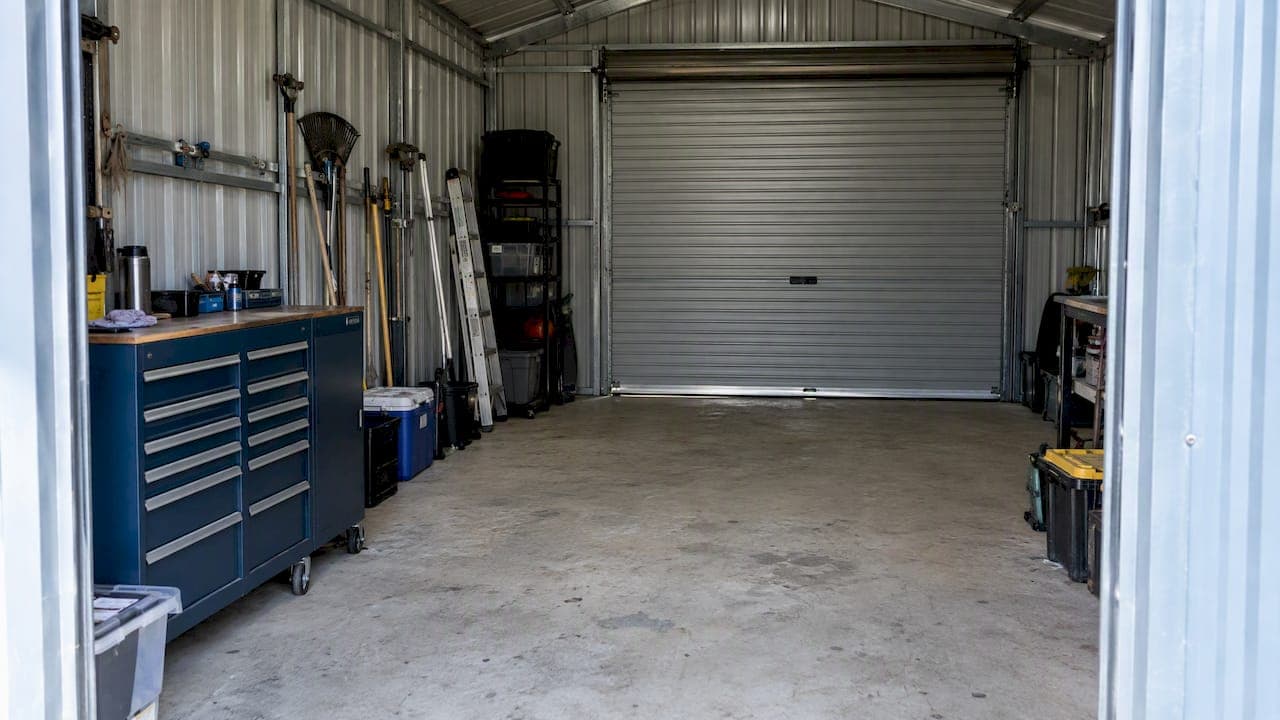
The router in your house will not reliably reach the inside of a steel shed, and an extender on a windowsill will not fix that. What works is getting the connection to the shed by cable or a point-to-point wireless link, then putting an access point inside the shed so the metal walls stop being the problem. This guide covers each option, what it suits, and the Australian cabling rules that apply when you run a cable between buildings.
TL;DR
- A metal-clad shed blocks and reflects Wi-Fi, so the fix is to bring the network to the shed and broadcast from inside it.
- Outdoor-rated Ethernet cable to an access point in the shed is the most reliable option for a shed you use regularly.
- A point-to-point wireless bridge suits sheds where trenching is not practical and there is a clear line of sight.
- Cabling between buildings is regulated work in Australia: use a registered cabler and ask for a signed compliance statement (TCA1).
- Powerline adapters and plain extenders are hit and miss. Treat them as a trial, not a plan.
Table of Contents
- Why a steel shed is the worst case for Wi-Fi
- Your options at a glance
- Option 1: Cable to the shed, access point inside
- Option 2: Point-to-point wireless bridge
- Powerline adapters and extenders: when they are worth trying
- The Australian rules for cabling between buildings
- Brick houses, double brick and steel-frame homes
- Troubleshooting before you spend anything
- Our perspective
- Get the shed connected properly
- FAQ
- Sources
Why a steel shed is the worst case for Wi-Fi
Wi-Fi is radio, and metal is the material radio dislikes most. A steel shed with colorbond walls and roof acts like a cage around the space: signal from the house hits the cladding and mostly bounces off or fades. Distance makes it worse, and so do brick walls and trees on the way. One measurement study of outdoor metal found about 22.69 dB of penetration loss at 73 GHz. That is a much higher frequency than home Wi-Fi, so it is not a figure for your router, but it shows how severely metal can attenuate radio.
In practice, you see this as full bars outside the shed door and nothing inside, or a connection that drops whenever a roller door closes. A common mistake is to put an extender in a back window of the house. The ACMA notes that performance depends on router location, frequency band, shared bandwidth and interference, and that routers work best placed centrally, elevated and away from thick walls. An extender repeating a weak signal into a metal box just repeats the weakness.
Line of sight matters even for outdoor wireless. nbn's own guidance for fixed wireless explains that trees and hills can block wireless signals, which is why its antennas go where obstruction is minimal. The same logic applies to a link between your house and your shed.
Your options at a glance
| Method | How it works | Best for | Main limits |
|---|---|---|---|
| Outdoor-rated Ethernet plus access point | Cable from house to shed, access point on the shed wall or ceiling | Workshops, home offices, cameras, anything used daily | Needs a cable route, often trenching, and a registered cabler |
| Point-to-point wireless bridge | Two radios link house and shed, cable feeds an access point inside | Sheds across a paddock or driveway where trenching is hard | Needs a clear line of sight; weather and obstacles affect it |
| Fibre between buildings | Optical cable instead of copper | Long runs, or where electrical isolation matters | Specialist termination, higher cost |
| Powerline adapters | Network over mains wiring | A quick trial where both buildings share the same circuit setup | Results vary widely and depend on the wiring |
| Mesh or extender | Repeats house Wi-Fi | Short distances to timber or lightly clad outbuildings | Weak against full metal cladding |
The Australian community wiki on outbuilding networking lists the same families of solutions: powerline adapters if both buildings are on the same electrical phase, outdoor-certified twisted-pair cable, point-to-point radios with line of sight, or fibre. Our experience matches the order of that list in terms of reliability for a working shed: cable first, then radio, then everything else.
Option 1: Cable to the shed, access point inside
This is the approach we recommend whenever the shed is more than a storage cupboard. The idea is simple. Run an Ethernet cable from your main network to the shed, connect it to an access point mounted inside, and let that access point create a strong local Wi-Fi signal. The steel walls then work in your favor, keeping the signal in the shed rather than blocking it from getting there.

Router Academy's guide to detached buildings reaches the same conclusion: Ethernet to the building where possible, followed by an access point or mesh unit inside.
Choosing the cable
Cable between buildings must be rated for the job. The Whirlpool wiki points out that inter-building cable should be certified for outdoor use and refers to AS/CA S009:2020 for twisted-pair requirements. Sun is the other enemy in Australia. We cover the detail in our piece on why a waterproof claim is not enough without a UV rating. If you are choosing between grades, our Cat6 vs Cat6A comparison explains when the extra cost is worth it. For most sheds, the more important decision is the quality of the outdoor sheath and the way it is protected, not the headline speed rating.
Routing and protection
Underground runs belong in conduit, which protects against shovels, mowers and ground movement. Before anyone digs, check for buried services. SafeWork NSW's guidance says excavation should be preceded by current Before You Dig Australia plans, and the same habit applies in Queensland. If the shed also needs mains power, that is electrician's work. The data cable should be separated from the power cable, not tied alongside it.
Overhead runs are possible but exposed to sun, wind and falling branches. For rural properties, we usually prefer a trench with conduit, or a bridge where the ground is rock or the distance is long.
The access point in the shed
Mount the access point high and central inside the shed, on a ceiling or upper wall, with the cable arriving from the house side. Powering it over the same Ethernet cable (PoE) means no power point is needed at the ceiling. Avoid mounting it directly against a steel wall or behind a steel cabinet. If the shed is long, or split into rooms, a second access point is cheaper than fighting dead spots.
Option 2: Point-to-point wireless bridge
When trenching is impractical, a pair of directional radios can carry the network across the gap. One radio at the house connects by cable to your network, the other at the shed connects to an access point or switch inside. Router Academy recommends a bridge when cable cannot be run and a clear path exists, and notes that performance depends on interference, obstacles and weather.
A few practical points:
- The radios must see each other. Mount them high enough to clear roofs, trees and the shed's own ridge line. A radio hidden behind the steel wall has the same problem as the router.
- Mount the shed radio outside, then cable through the wall to the access point inside. The radio cannot do its job from within a metal box.
- Plan for growth. Trees grow. A path that is clear today may not be in two years.
- Treat the bridge as the backbone. The access point inside the shed is still what your phone or laptop connects to.
For larger rural blocks with several buildings, this is often how we link a whole property. Our guide to acreage Wi-Fi coverage for sheds and paddocks and our article on planning reliable outdoor signal go further into multi-building layouts.
Powerline adapters and extenders: when they are worth trying
Powerline adapters send data through your mains wiring. The Australian wiki notes they may work if both buildings are on the same electrical phase. In many rural properties the shed is fed by its own sub-board or a long underground power run, and results are unpredictable. If you try them, buy from a retailer with a return policy and test in the actual location with the actual devices. Do not build a business workflow, or a security camera system, on a result you have not measured.
Plain extenders and mesh nodes fare better with timber sheds or sheds with a lot of windows. Against full steel cladding, they depend on how much signal actually reaches the shed wall. If the shed is close and has a large door or window facing the house, a mesh node placed near that opening may be good enough for casual use. Anything beyond that, go to cable or a bridge. Our note on why a faster Wi-Fi 7 mesh will not fix poor coverage explains why newer hardware does not change the physics.
If your house has existing coax, an Ethernet-over-coax adapter can look like a free shortcut. Be careful: the ACMA's 2024 declaration treats installing such an adapter on existing cabling as regulated cabling work when it is connected to a telecommunications network.

The Australian rules for cabling between buildings
This is the part many guides skip. In Australia, most cabling that connects to a telecommunications network must be done by a registered cabler. The ACMA says cabling work not listed as exempt must be performed by, or under the supervision of, a registered cabler, to manage electrical-safety and network-integrity risks. Open registration can cover structured Cat 5/6, optical fibre, coaxial, aerial and underground cabling when the cabler holds the matching competencies.
What to do as the customer:
- Check the registration. The ACMA tells customers to verify a cabler's registration before work starts.
- Ask for the signed statement. After the job, you should receive a statement that the work complies with the cabling rules. The ACMA page describes it as a signed statement of compliance, commonly called a TCA1. Our article on ACMA cabling rules and TCA1 copies explains what the paperwork should look like.
- Ask how the work is tested. Our checklist of six checks for cabling certification helps you separate a tested install from a cable that merely lights up.
- Know where to find a cabler. Our guide to verifying and hiring a licensed cabler walks through it.
If you want a rough sense of budget before calling anyone, our network cabling cost guide for Australia explains what drives price: distance, trenching, cable type and the number of access points.
Brick houses, double brick and steel-frame homes
Steel sheds are not the only building that fights Wi-Fi. Readers also ask about brick and steel-frame houses, and the same principle applies: radio does not like dense or conductive material between the router and the device.
Brick and double brick. Each solid wall costs signal, and a double brick house can leave far corners weak from a single router. The cure is to stop relying on one router and instead cable access points to the rooms that need them. Our article on Wi-Fi and concrete walls in apartments covers the same problem in dense construction.
Steel-frame houses. The frame is not a full enclosure the way a shed is, so Wi-Fi gets through, but studs, foil insulation and metal roofing can create patchy zones. Wired access points on the ceiling in the main living areas fix most of it.
Metal buildings used as workshops or offices. Treat them like the shed above: wired backhaul or a bridge, then an access point inside.
Troubleshooting before you spend anything
Some checks are free and worth doing first, using the ACMA's home internet guidance:
- Put the main router in a central, raised position, away from furniture and thick walls.
- Look for interference. Unplug devices temporarily, move interfering gear away, and try changing the channel.
- Try the 5 GHz band. The ACMA says 5.8 GHz offers faster speeds and less congestion than 2.4 GHz, though 2.4 GHz usually travels further through obstacles, so test both at the shed.
- Test the shed with a phone at the door, then a few meters inside. If the signal collapses at the threshold, you have a cladding problem and no router setting will fix it.
If your house connection itself is the weak point, for instance a rural property on fixed wireless or satellite, fix that first. A good shed network cannot be better than the internet feeding it. nbn's guidance also notes that when Wi-Fi is limiting, Ethernet cabling is an alternative and that extra cabling may need a provider, technician or registered cabler.
Our perspective
Most shed Wi-Fi complaints we hear are really planning problems. People buy a stronger router or a bigger extender, and the steel walls still win. We design the shed connection as part of the whole property network: where the internet enters, where the switch and rack live, how the cable gets to each building, and where each access point sits.
We do the design, installation and configuration with our own licensed team, with no subcontractors, so the person who scoped the trench is the person who terminates the cable and tests it. That matters on a rural block, where a link between house and shed only works if the path, the cable and the access point were chosen together. Our rule of thumb: if you use the shed daily, run a cable. If you cannot, use a bridge with a proper line of sight. Save powerline and extenders for the places where "good enough" really is good enough.
— Dylan
Get the shed connected properly
We design and install wired and wireless networks for homes, businesses and rural properties across South East Queensland, including data cabling, PoE access points, switches, comms racks and Starlink or NBN connections. If your shed, workshop or outbuilding needs a connection that holds, see our IT and networking services and ask for a fixed-scope quote.

If you also want cameras or access control at the shed, the same cable and access point can carry them, which saves running a second system later. Our security systems page shows what we install.
FAQ
Will Wi-Fi pass through a steel shed?
Very little of it will. Metal cladding reflects and absorbs radio signal, so a router in the house usually gives a weak or dead connection inside. The reliable answer is to bring the network in by cable or bridge and put an access point inside the shed.
What do I need to get Wi-Fi in my shed?
You need a way to carry the network from the house to the shed, and an access point inside. The carrier is either outdoor-rated Ethernet in conduit or a pair of point-to-point radios with line of sight. For cabling, use a registered cabler and ask for the signed compliance statement.
Is a Wi-Fi extender or booster enough for a metal building?
Usually not. Boosters and extenders repeat whatever signal reaches them, and a steel wall leaves very little to repeat. They can work for a timber shed close to the house, but for a metal building a wired access point or bridge is far more dependable.
Can I run the cable myself?
In Australia, cabling that connects to a telecommunications network generally must be done by a registered cabler, and the ACMA advises customers to verify registration and get a signed compliance statement. Ask a registered cabler about your specific setup before you buy cable or dig.
Do powerline adapters work to a shed?
Sometimes. They depend on how the shed is wired, and the Australian outbuilding wiki says they may work when both buildings are on the same phase. Test before relying on them, and avoid them for cameras or work-critical connections.
Sources
- Running Networking to Outbuildings (Whirlpool wiki)
- nbn Fixed Wireless Preparation Guide
- How to Get Wi-Fi to a Detached Garage or Backyard (Router Academy)
- Indoor and Outdoor Penetration Loss Measurements at 73 and 81 GHz (Boise State)
- ACMA: Improving your home internet
- ACMA: Telecommunications (Types of Cabling Work) Declaration 2024
- ACMA: The 3 types of cabling registration
- ACMA: Find a registered cabler
- SafeWork NSW: Electrical safety in construction inspection checklist